Google Business Profile for Real Estate Agents: The Complete Setup and Optimization Guide
Google Business profile for real estate agents is one of the fastest ways to generate free, high-intent leads without spending a dollar on ads. A properly optimized profile with the right categories, consistent reviews, and regular posts can put you ahead of competitors who never touch their listing after the initial setup.
Nathan SmithPublished Dec 3, 2025Updated Sep 11, 202610 min read
If you're a real estate agent trying to generate more leads from Google, you may be wondering whether a Google Business Profile is actually worth the effort.
Before you get started, there are several questions you’ll likely have:
Can individual real estate agents have their own Google Business Profile?
What if I work from home or don't have a public office?
Which business category should I choose?
How do I get my profile to show up higher on Google Maps?
How do I get more Google reviews from past clients?
What should I post on my profile?
How important are photos, social profiles, and local citations?
How long does it take to start ranking locally?
Why isn't my profile showing up when people search for real estate agents in my area?
In this guide, we'll answer these questions and walk you through how to set up, optimize, and grow your Google Business Profile so you can increase your local visibility and generate more buyer and seller leads.
What Is a Google Business Profile?
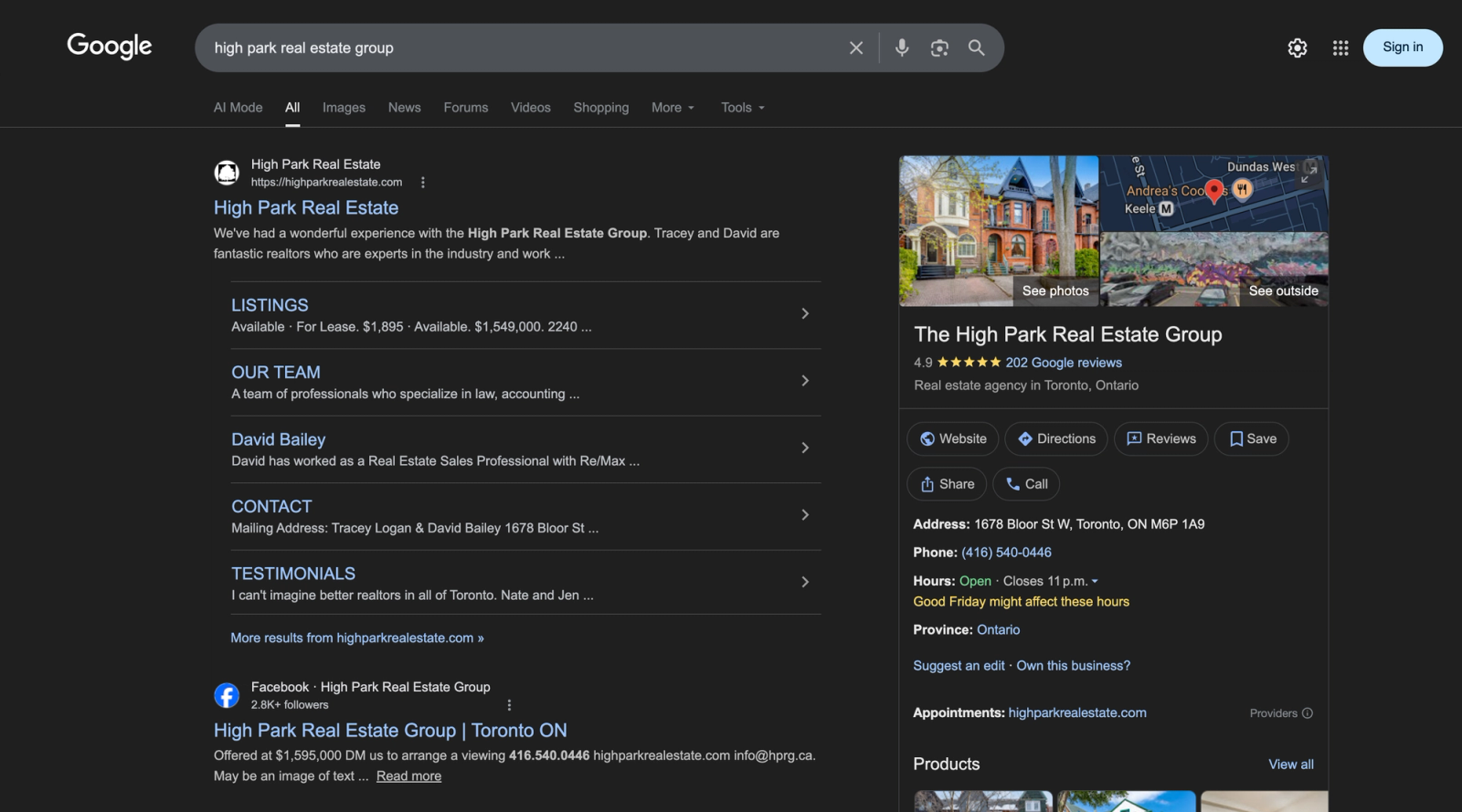
A Google Business profile is the information box that appears when people search for your business or related services on Google Search and Maps.
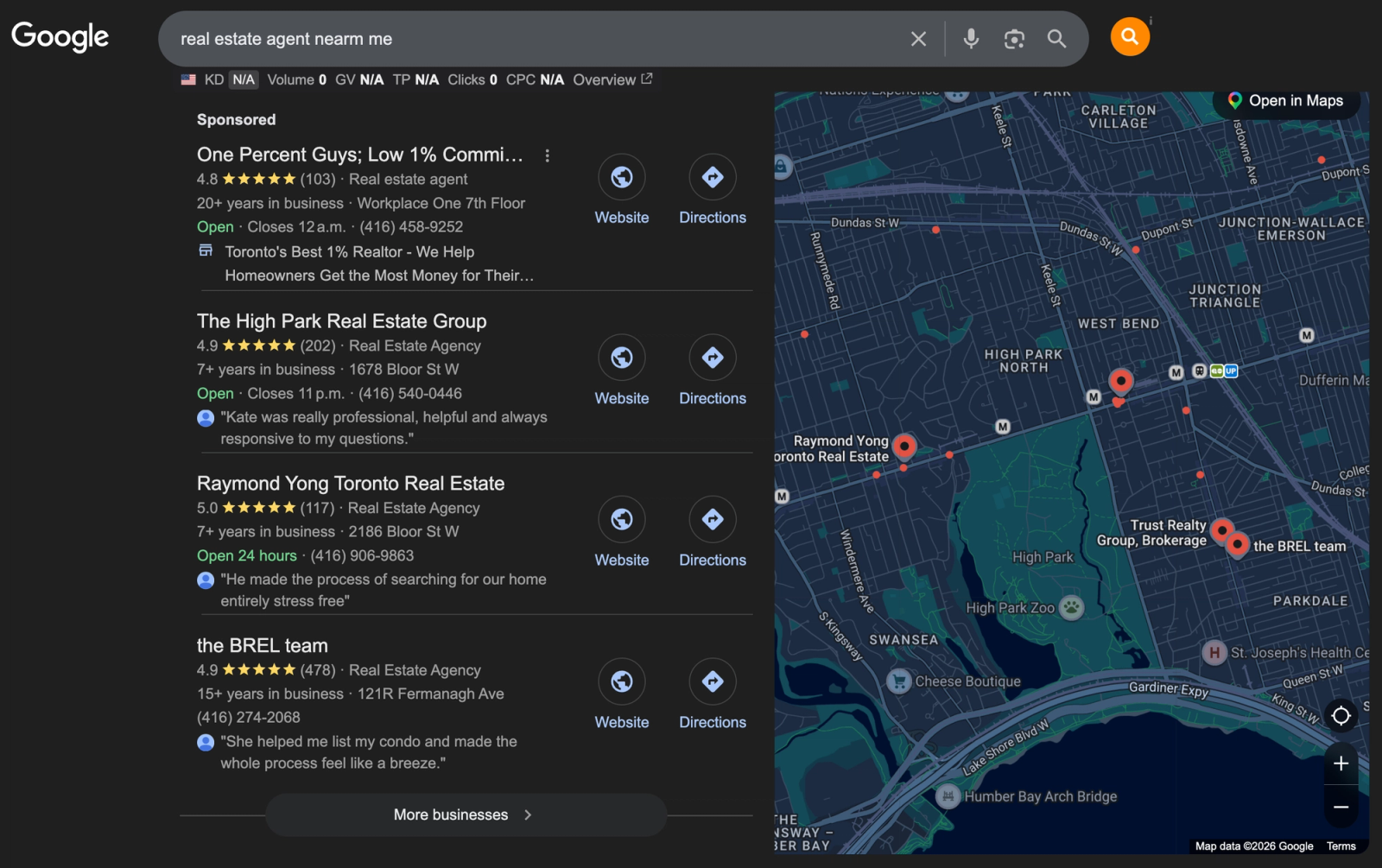
Its often triggered when you directly search your business name or queries that are proximity/location specific.
The profile displays your business hours, location, phone number, website, photos of your listings, client reviews, and posts about your recent sales or market updates.
Is It Worth It To Have A Google Business Profile?
Yes, for several reasons
It's the first impression most potential clients will have of your business before they ever visit your website.
You can appear for local searches such as "real estate agent near me" or "buy a home in [your city],".
You’ll build trust right away as the total number of reviews and review average immediately build social proof.
Optimizing these profiles is one of the best lead generation tactics that you can do with a limited budget.
Can Individual Real Estate Agents Have a Google Business Profile?
Yes!. The confusion here comes from Google's policies about physical locations.
While most agents don't have clients walking into an office, Google allows service-based businesses, which includes real estate agents.
If you work from home: You can create a profile without displaying your home address publicly but still list your service areas.
If you have an office at your brokerage: You can set your profile address to the physical address of the brokerage.
If you work out of a co-working space: You can set your profile address to the physical address of the space.
How Much Does It Cost To Create a Google Business Profile?
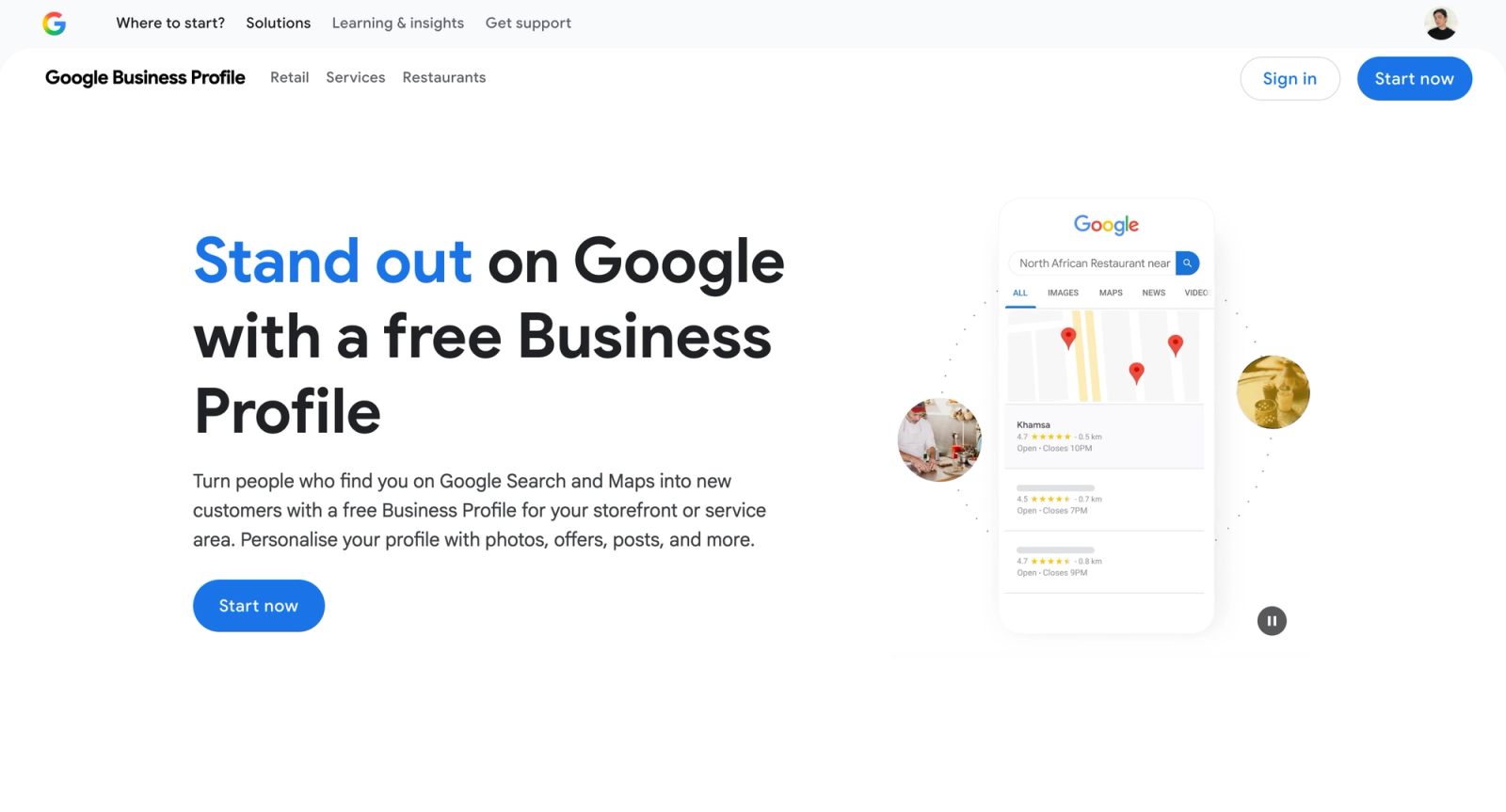
It is free to create and maintain a Google Business Profile.
However, just because its free doesn’t mean you shouldn’t invest in it.
There are dedicated marketing & reputation management services out there that can manage the profile, help you secure more reviews and keep it up to date with your listings and content.
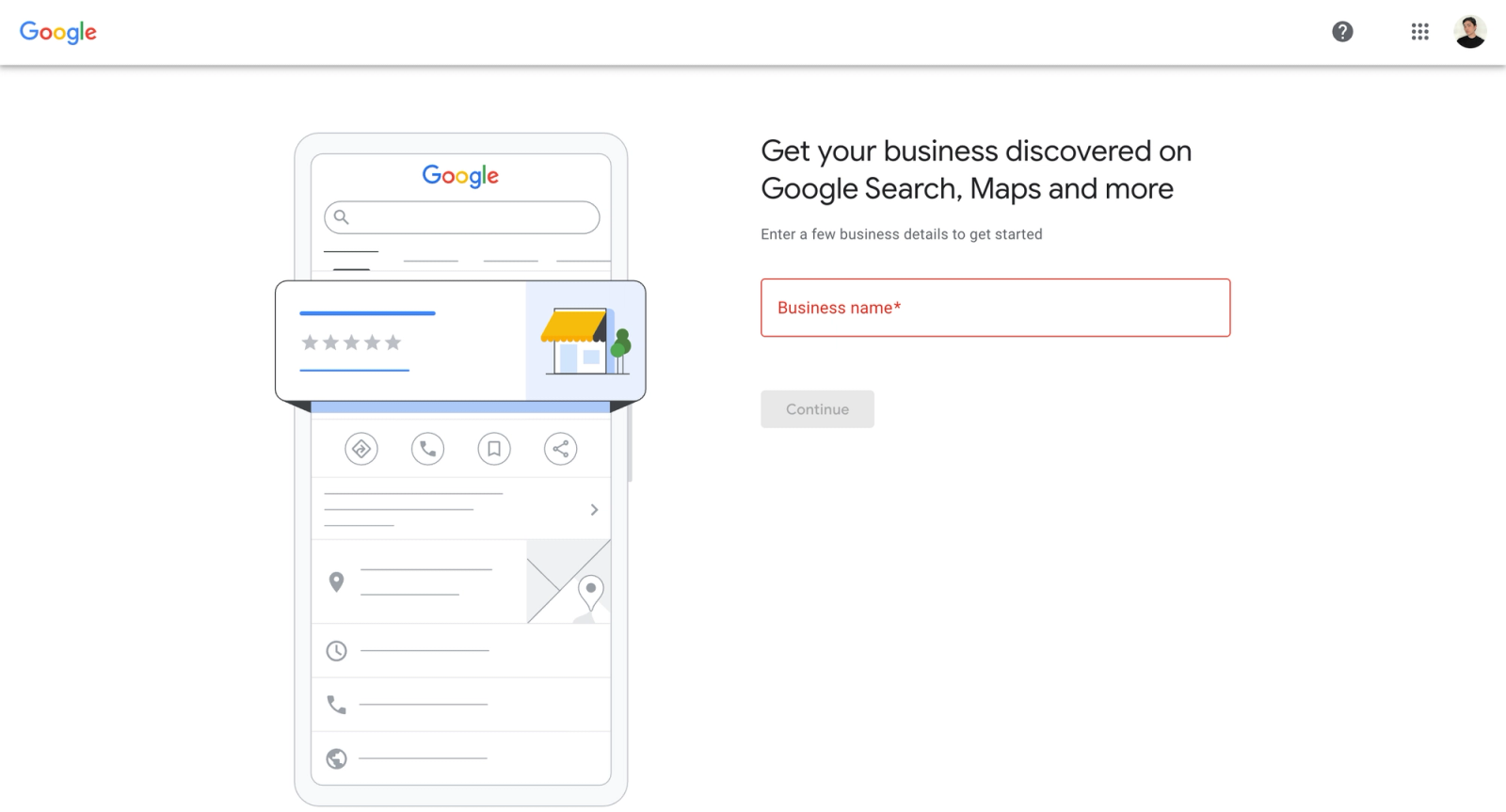
You'll need to use the Google account you want associated with your business.
If your business already exists in Google's system (maybe your brokerage created a listing or Google automatically generated one), you can skip this process and instead claim the profile.
Step 2: Enter The Name Of Your Business
Your business name should be simple. Not "John Smith Real Estate Agent Serving Austin Texas Homes."
If you operate under your personal name, use: “Sarah Johnson.”
If you have a team, use the team name: “The Johnson Home Group.”
If your contract requires including your brokerage, format it as: “Sarah Johnson – Keller Williams Realty.”
Google actively penalizes profiles that stuff keywords into the business name field.
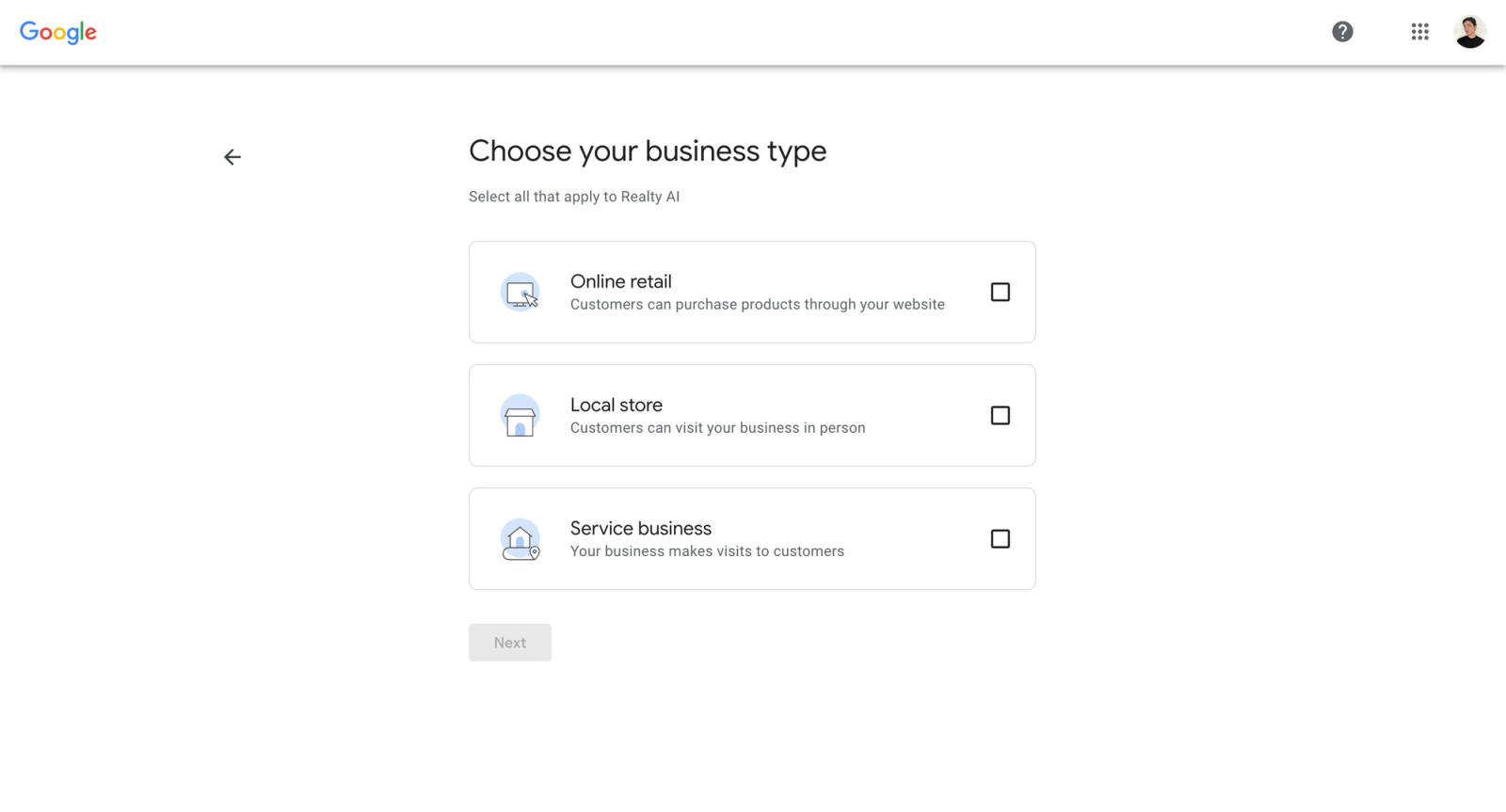
This selection matters because it determines how Google displays your business in search results.
You'll see three options here
Online Retail: This is for businesses that sell products online without a physical storefront such as e-commerce.
Local Store: This is for businesses where customers visit a physical location.
Service Business: This is for businesses that serve customers at their location or by appointment.
You should select service businesses as you will often be visiting your customers instead of them coming to you.
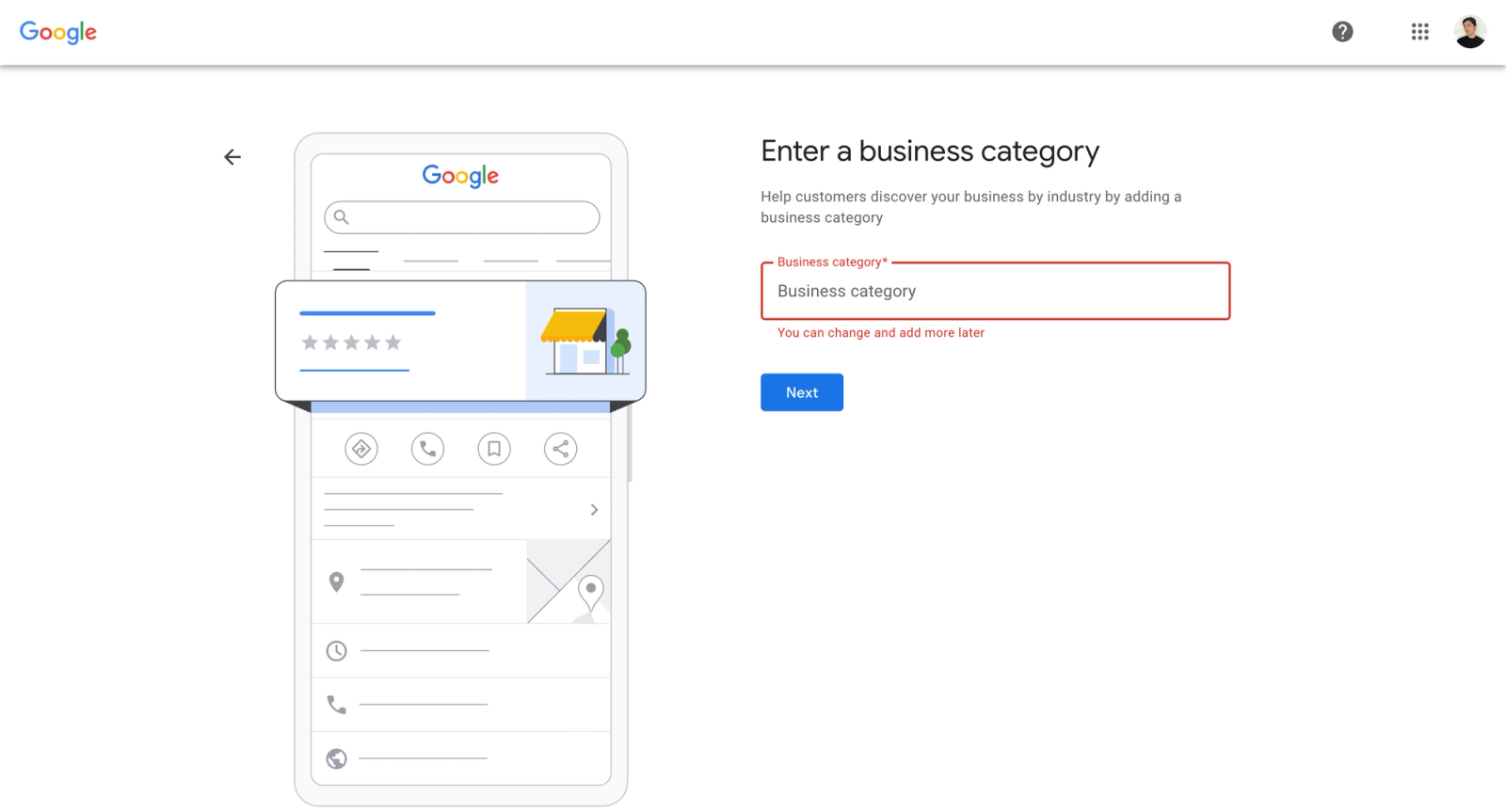
Step 4: Select Your Categories
Google allows you to select up to 10 categories total.
Start with "Real Estate Agent", “Real Estate Consultant”, or "Real Estate Agency".
Then you can always add additional categories that reflect your specializations such as:
"Real Estate Appraiser"
"Commercial Real Estate Agency"
"Property Management Company"
Don't add categories you don't actually offer just to capture more searches. Google's algorithm is sophisticated enough to recognize when your profile categories don't match your actual content, reviews, and activity.
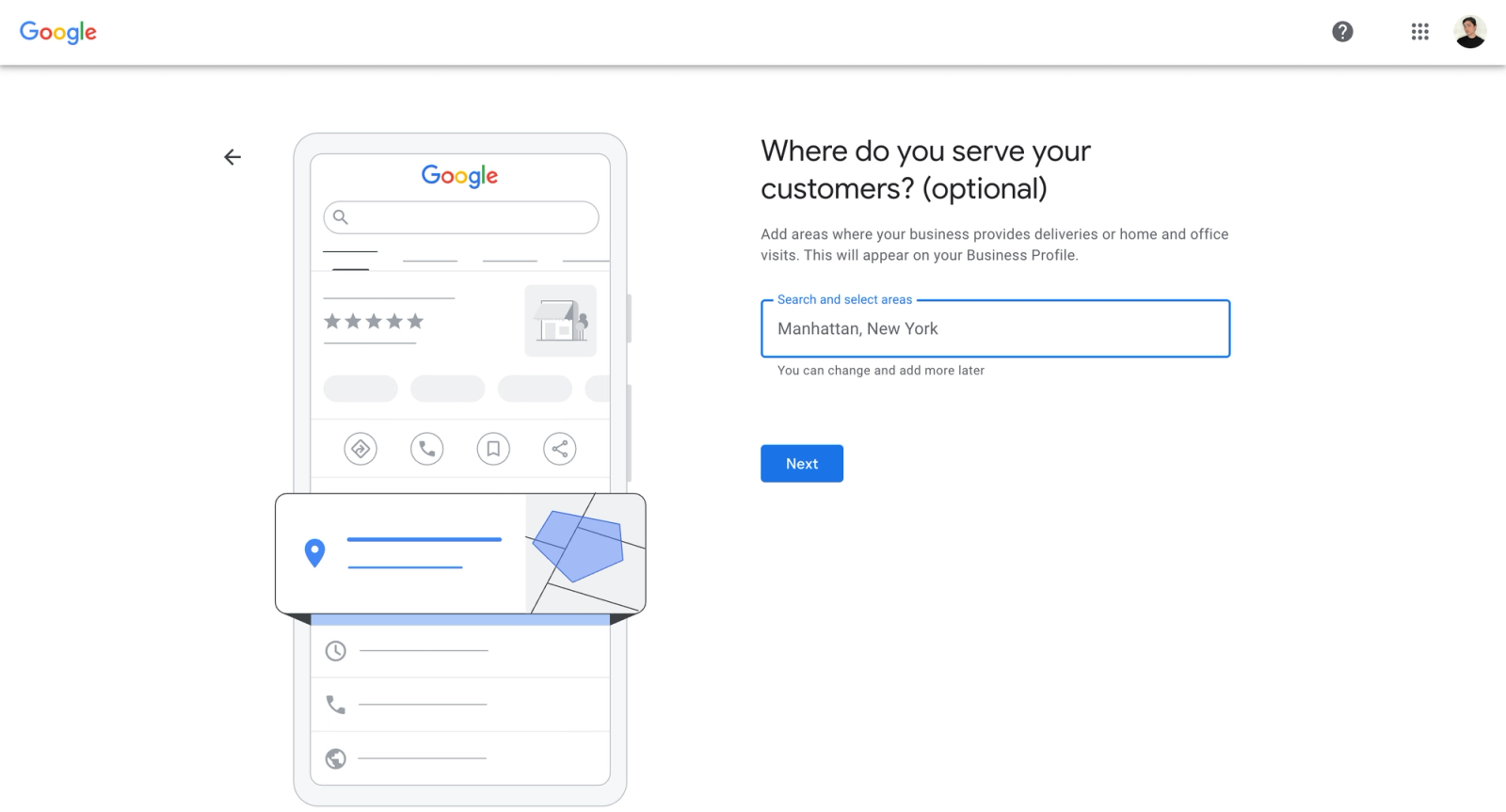
Step 5: Enter In The Areas You Serve and Your Region
You can list up to 20 specific cities, zip codes, or draw a radius around your location.
However, more is not always better as Google prioritizes profiles that demonstrate genuine expertise and activity in specific areas.
Its better to dominate 5-10 neighborhoods with consistent listings, reviews, and market knowledge then slowly increase then try to target everywhere all at once.
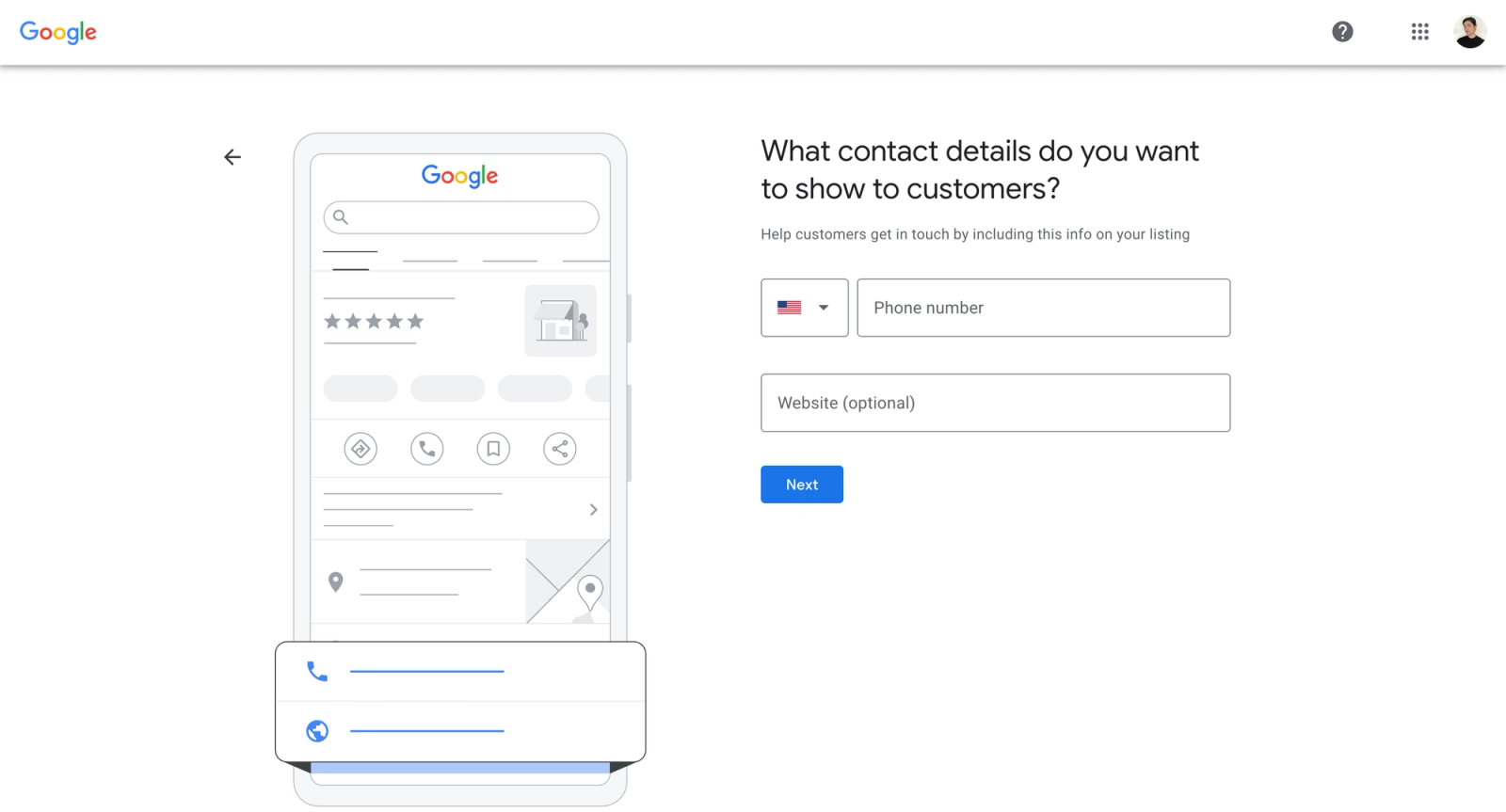
Step 6: Enter Your Contact Information
Use a phone number that you actually answer or that routes to someone who can help potential clients immediately.
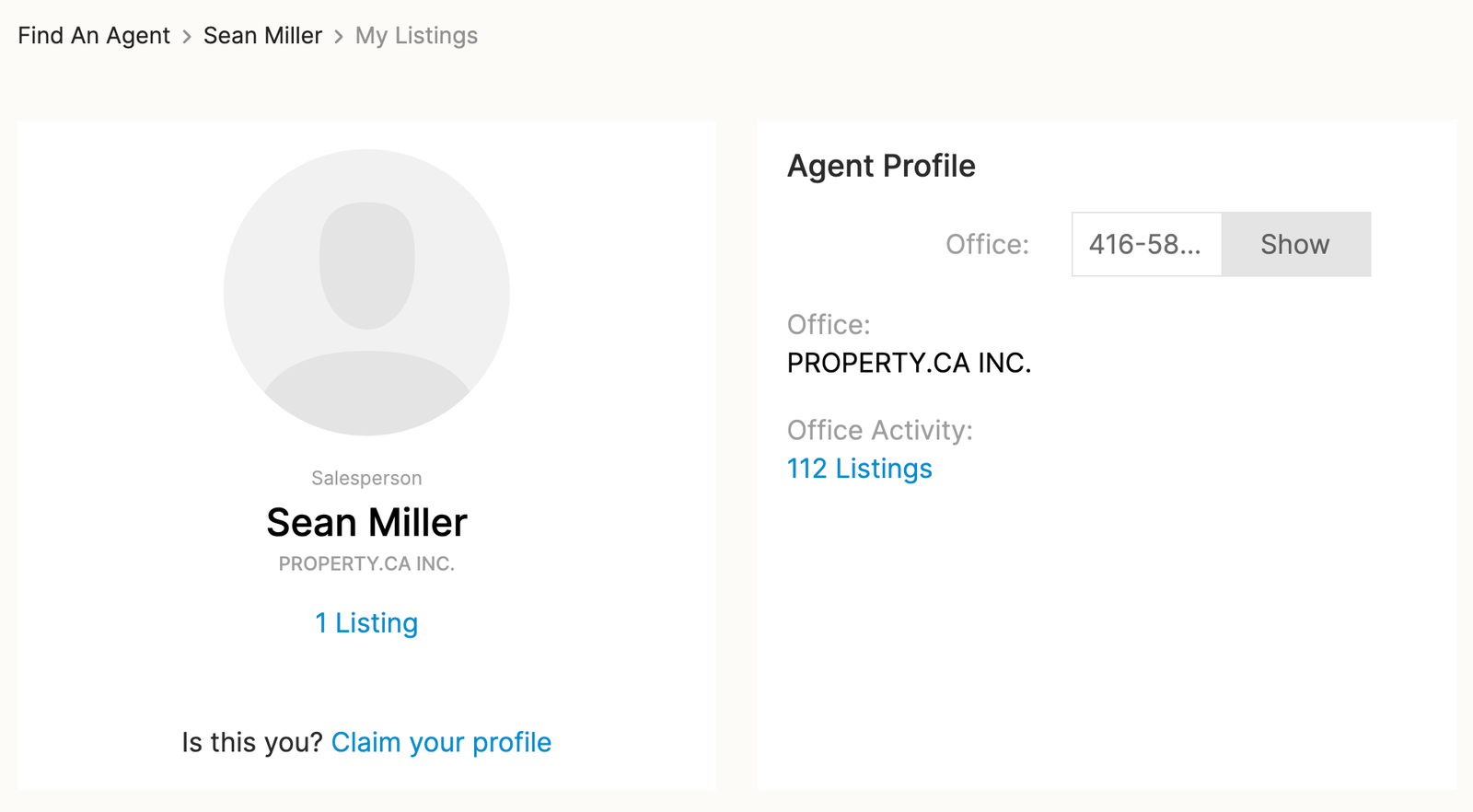
Also while the website is optional always add it.
Consistency is critical here. The phone number and website you list should match what appears on your website, social media profiles, and any directory listings.
Step 7: Verify Your Business
Google Business Profile verification is often completed using one of several methods
A phone call
A text message
An email code
A live video call
A video recording (which is the most common for new businesses)
A postcard with a mailed code
As your verification processes, you can continue building out your profile, photos, hours, and business details.
How To Show Up Higher On Google Maps as a Realtor
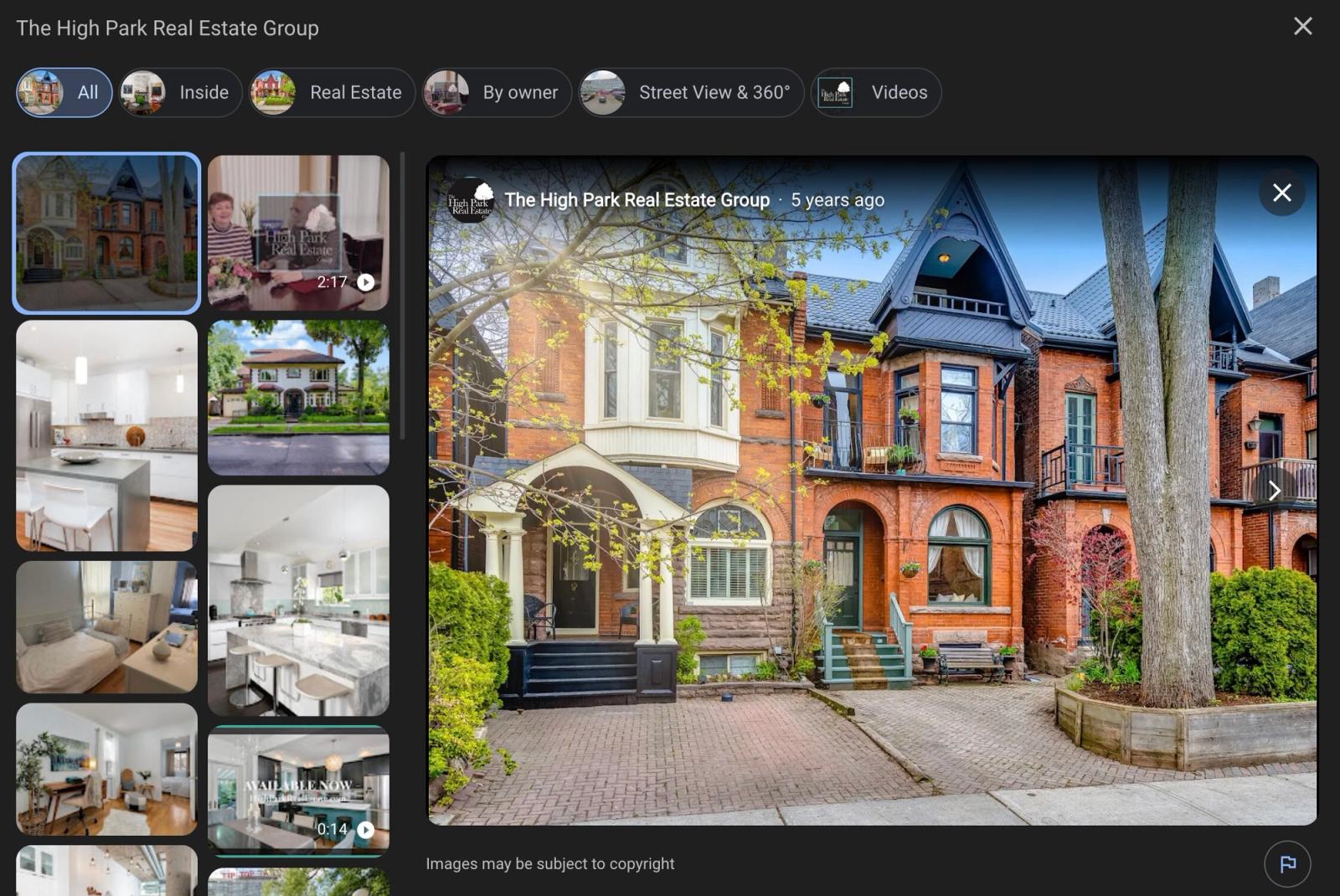
1. Upload Photos That Google Can Find (Not Just Look At)
Upload at minimum:
A professional team photo (this becomes your primary profile image)
Your office exterior or reception area
3 to 5 recent listing photos representing your core market
Agent headshots if your team has multiple members
A 60-second team introduction filmed at the office
2. Consistently Post On The Profile
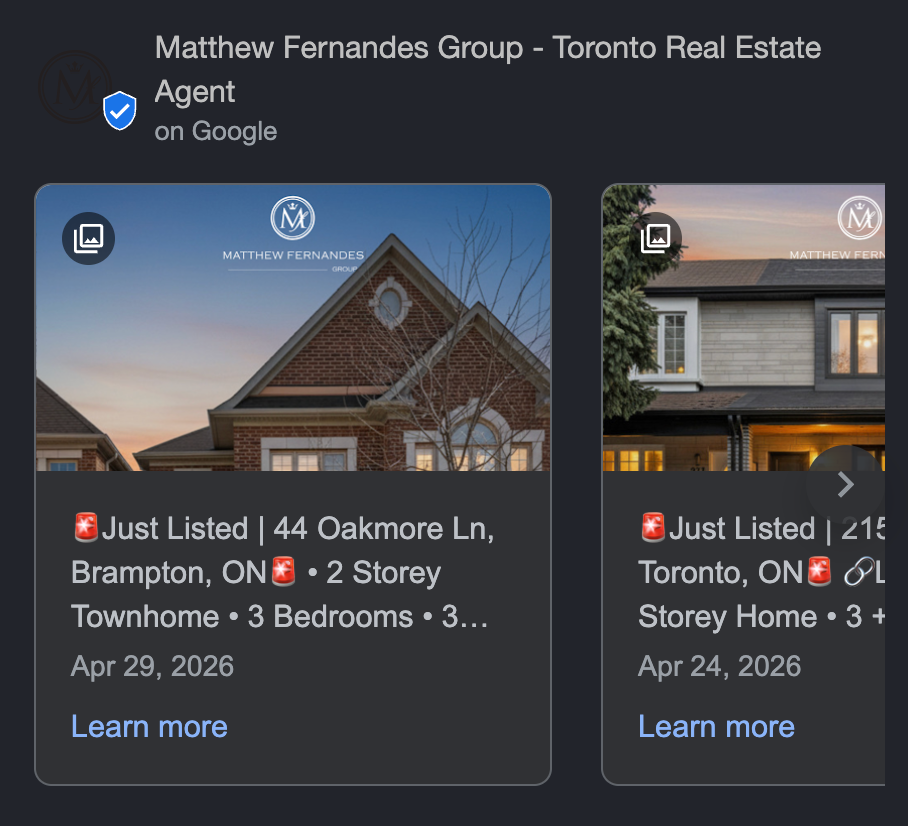
Google Posts appear directly on your profile and in local search results. Standard posts expire after 7 days, so Google rewards teams that publish consistently.
What to post each week:
A just-listed property with address, price, and a direct call button
A just-sold announcement with the neighbourhood name (powerful social proof for sellers considering your team)
A local market stat specific to your area: "Detached homes in [neighbourhood] are selling 11 days faster than Q1 last year"
A buyer or seller tip that answers a question your team heard this week
3. Connect Your Social Media Accounts
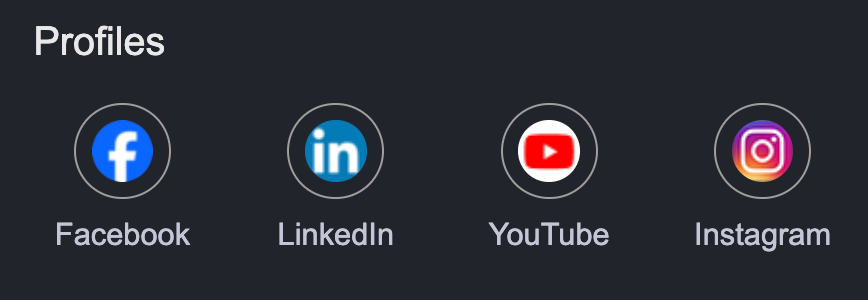
You can add up to 7 social media accounts
X (formerly Twitter)
LinkedIn
YouTube
Instagram
Facebook
Pinterest
TikTok
There are two main benefits of connecting these accounts:
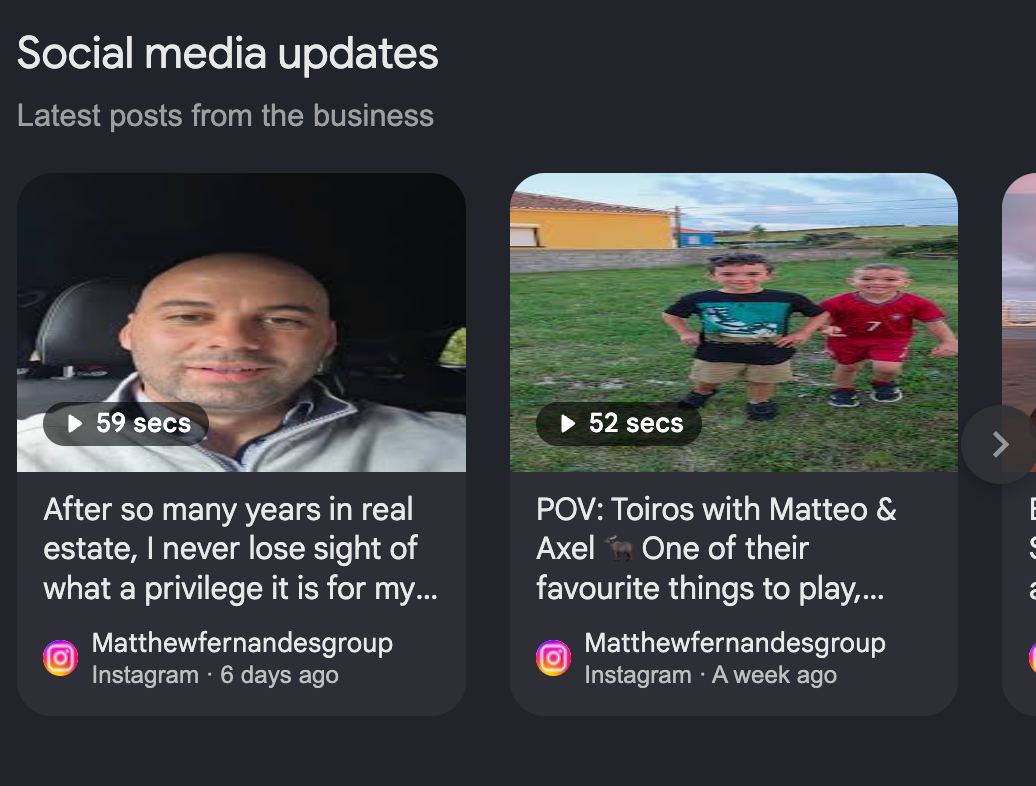
Social media updates can get pulled directly into the profile providing better user engagement.
It gives Google additional context about your business and can strengthen your overall online presence.
4. Ensure NAP Consistency
NAP stands for Name, Address, Phone.
Google cross-references your team's GBP against every directory where your business appears online.
This is a risk that compounds with scale:
"The Johnson Home Group" on GBP
"Johnson Home Group Realty" on Zillow
“Johnson Group" on the chamber of commerce
These are treated as three separate businesses to Google's algorithm.
To prevent this make sure you copy the exact name, address and phone number every where you are listed.
Google tracks how often people call your business from your GBP listing and uses that engagement as a local ranking signal.
A profile that generates calls that get answered sends a strong engagement signal.
6. Get Listed in Local Business Directories
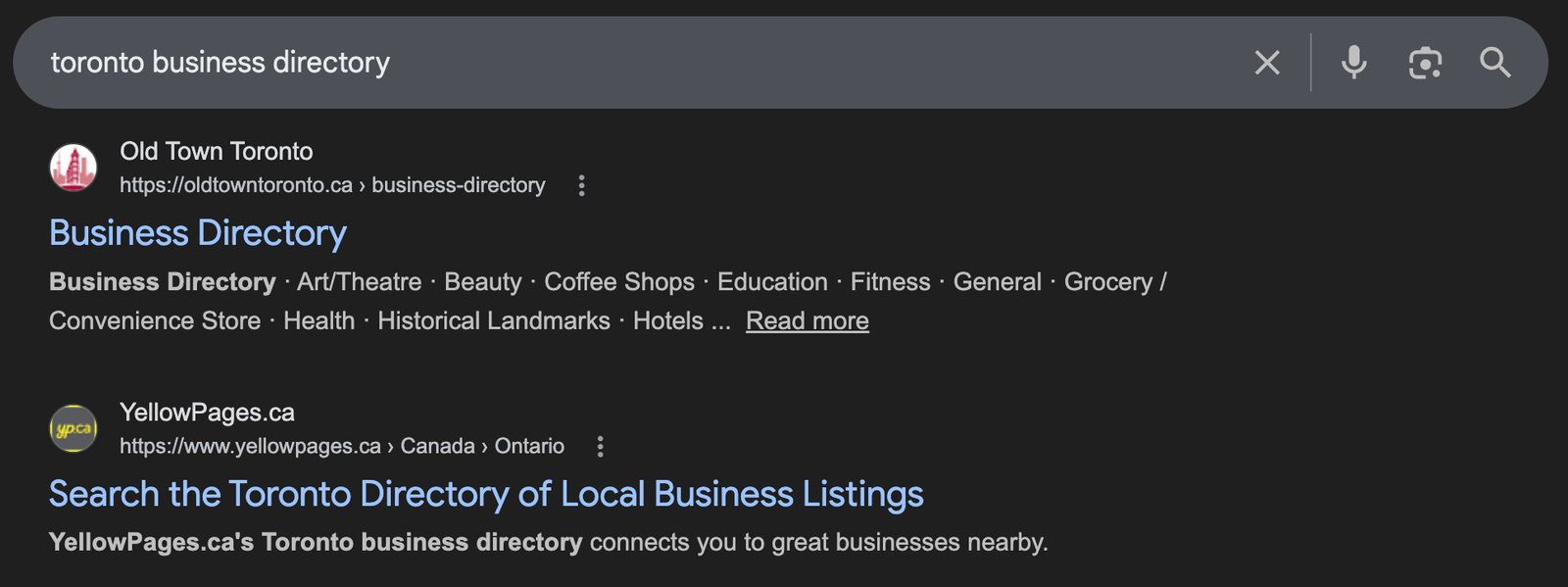
Search "[your city] business directory" and you'll typically find a chamber of commerce, a local BIA listing, a regional business directory, and sometimes a neighbourhood association.
Getting listed does two things
1. It creates additional NAP citations that reinforce your GBP data and add proximity signals.
2. It generates referral traffic from buyers and sellers who search those directories for local professionals.
7. Build Local Backlinks
Your GBP ranking is influenced by the domain authority of your team website, and local backlinks are one of the strongest ways to build that authority.
Here are three strategies to building links:
Strategy 1: Guest post on local real estate-adjacent sites. Referral partners (mortgage brokers, inspectors, stagers, lawyers, movers) already have audiences that overlap with yours.
Strategy 2: Build relationships with local journalists and lifestyle publications. When a reporter covers the housing market, you can be that credible local source.
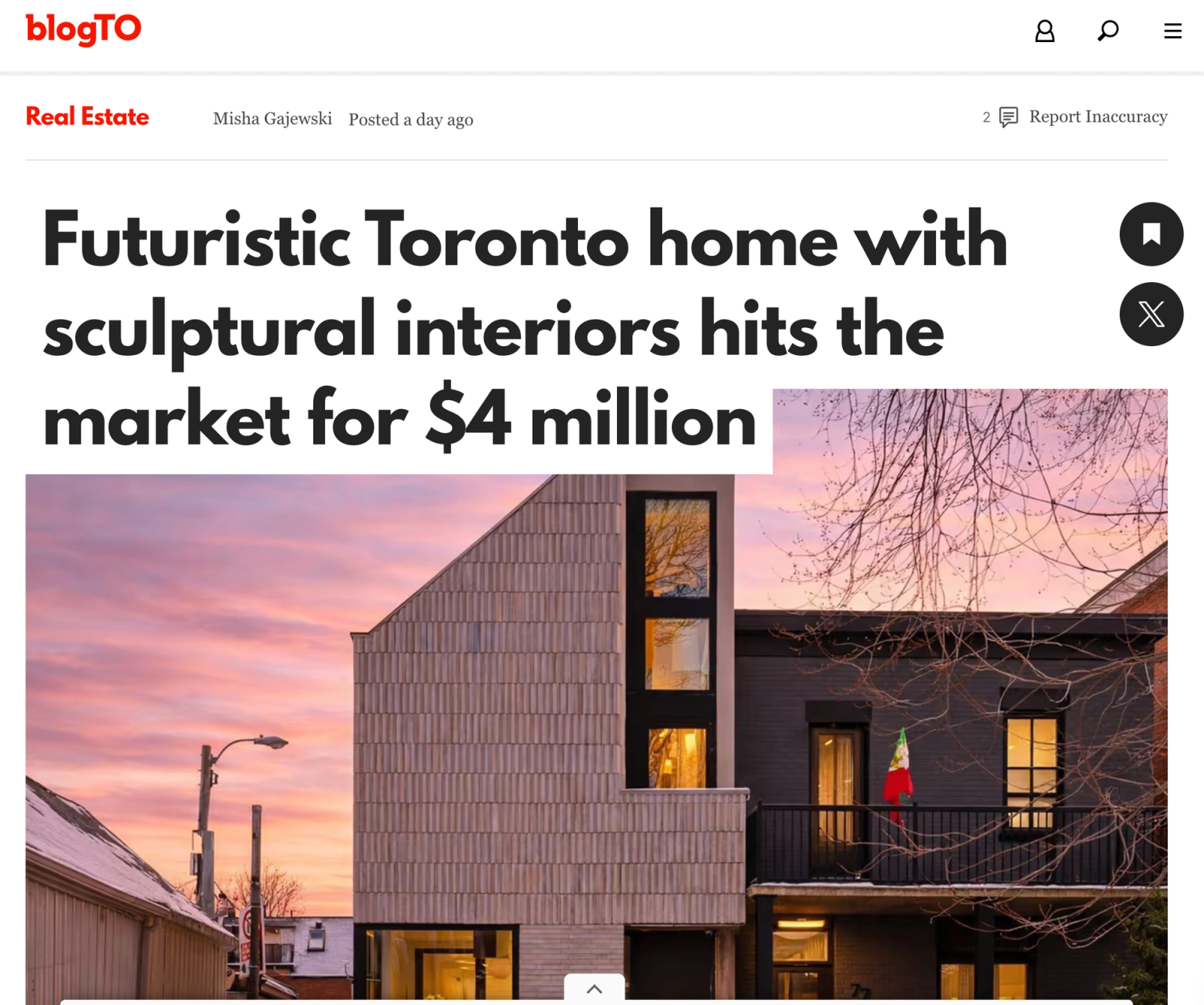
Strategy 3: Keep tabs on where your listings get picked up. When a lifestyle magazine (such as blogTO) features one of your listings, follow up and ask for a link to your site.
8. Get onto Third-Party Review Platforms and Audit Your Full Web Presence
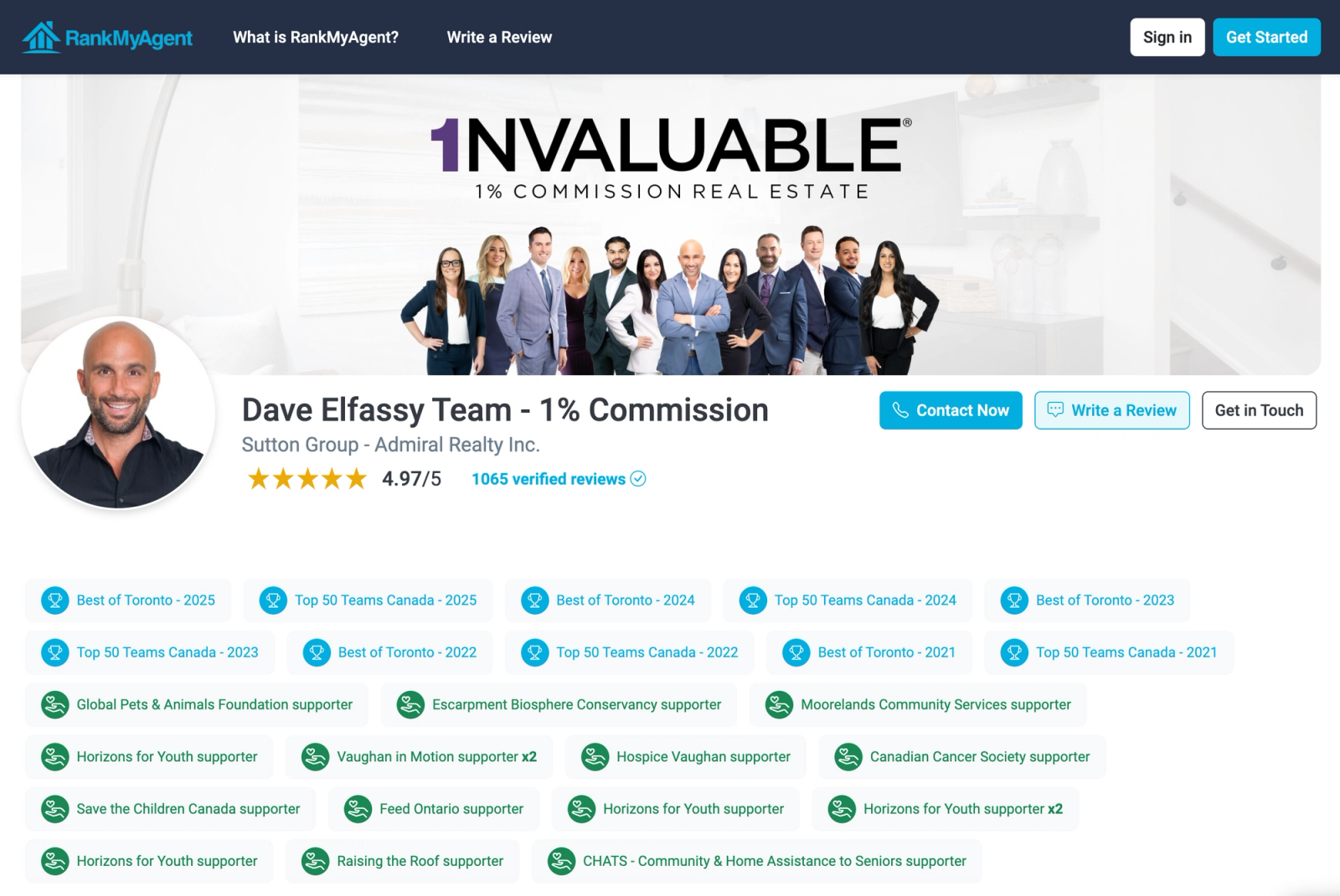
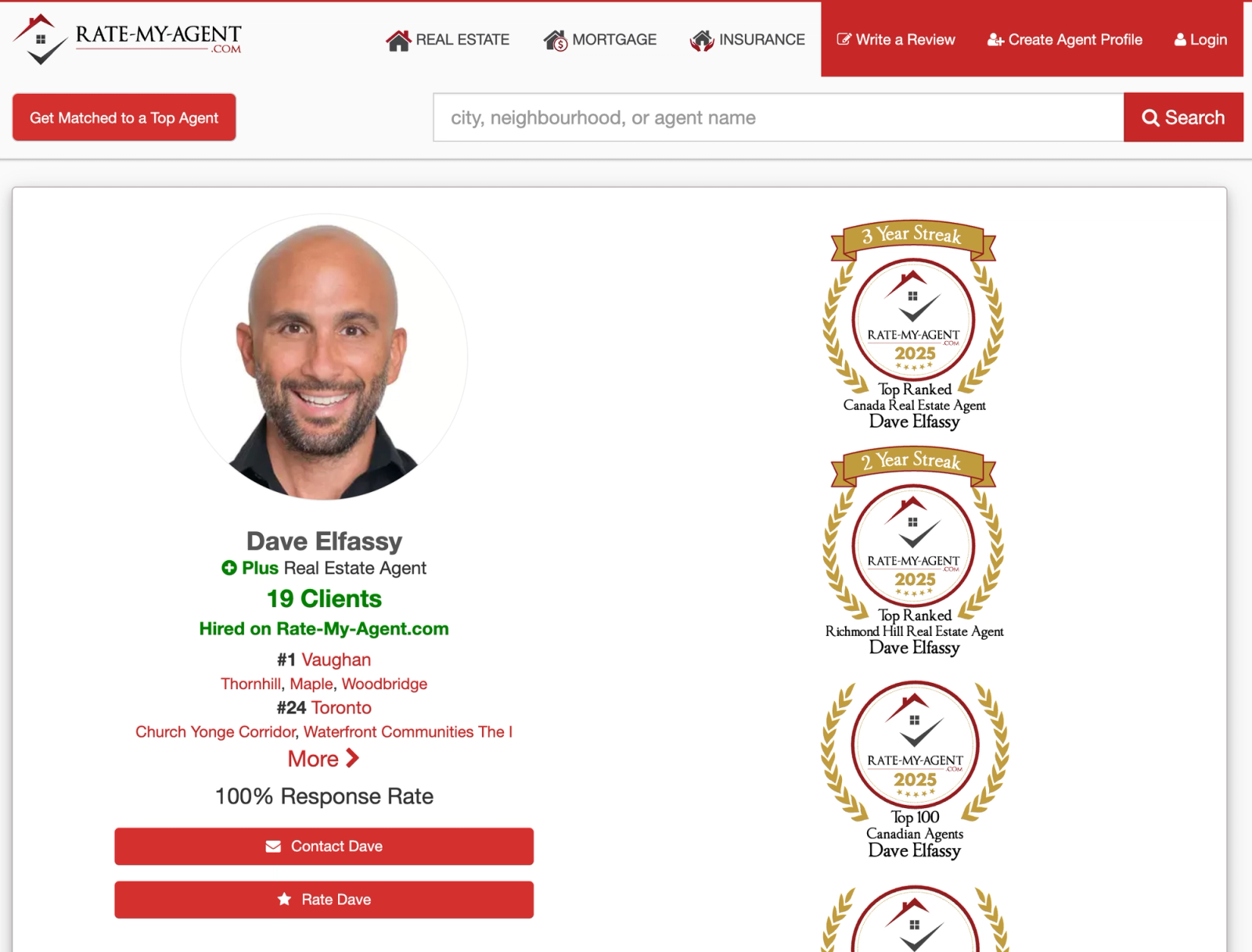
Getting onto platforms like Rank My Agent and Rate My Agent improve NAP citations and act as third-party validation.
While you're setting those up, run a full web presence audit by searching "[Team Name] realtor" and "[Team Name] real estate" in Google.
Review every page to ensure the name, phone number and address of the business are correct.
Pro Tip: Do this for every single agent on your team as most cases you optimize for your presence but every additional trust signal you can stack from a team member compounds.
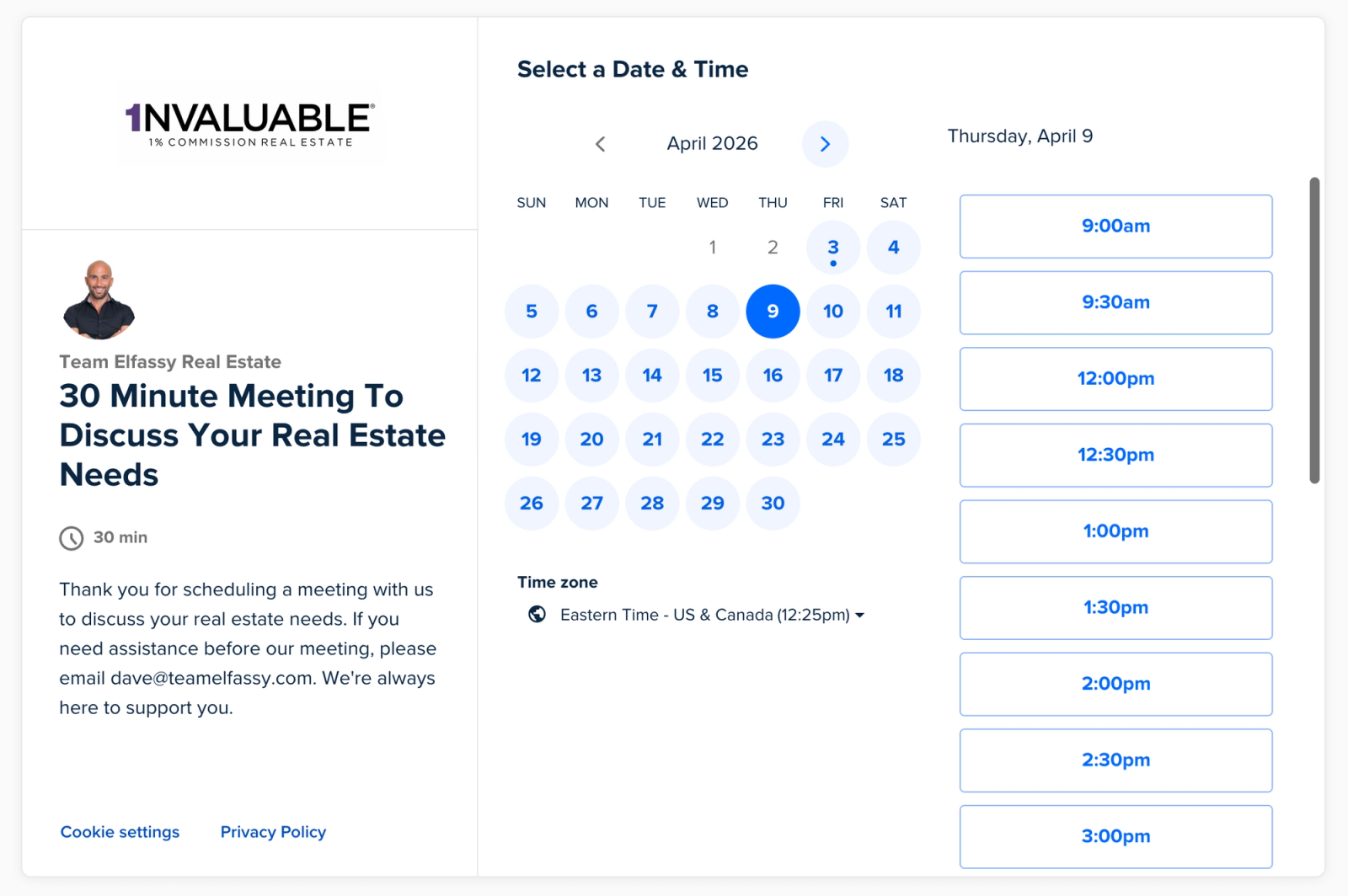
9. Connect a Booking Link So Prospects Can Schedule Without Calling
Your GBP can display a direct booking button that lets a prospect schedule a consultation without ever picking up the phone.
To add it, go to "Bookings" and paste your scheduling URL directly into the field.
This allows user to book times directly in your calendar that align with your schedule.
Before you publish it, set up three things:
Point the link to a team intake calendar, not an individual agent's personal calendar
For brokerages, route bookings centrally so leads are distributed properly.
Set a confirmation message that tells the prospect who will reach out and within what timeframe.
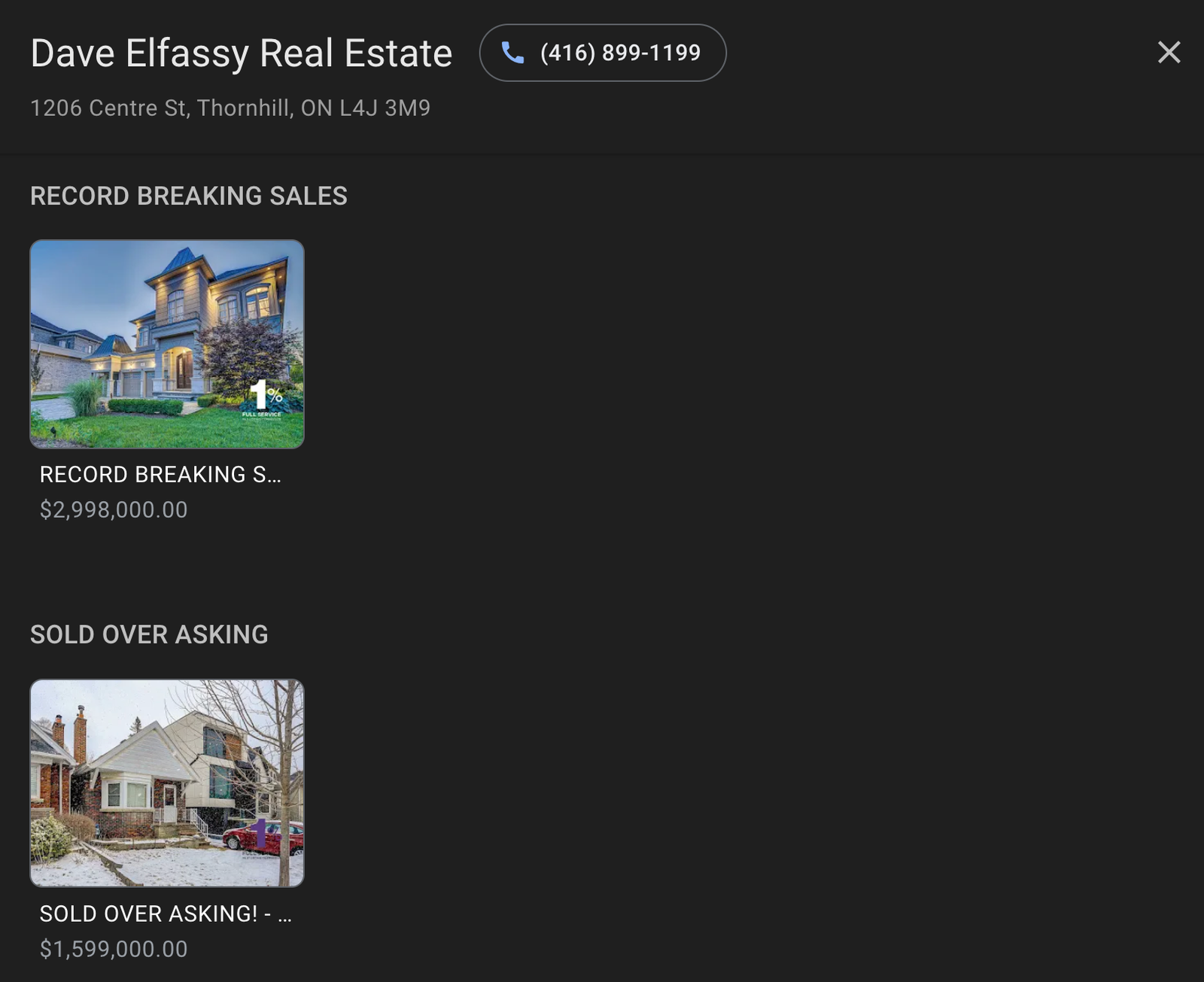
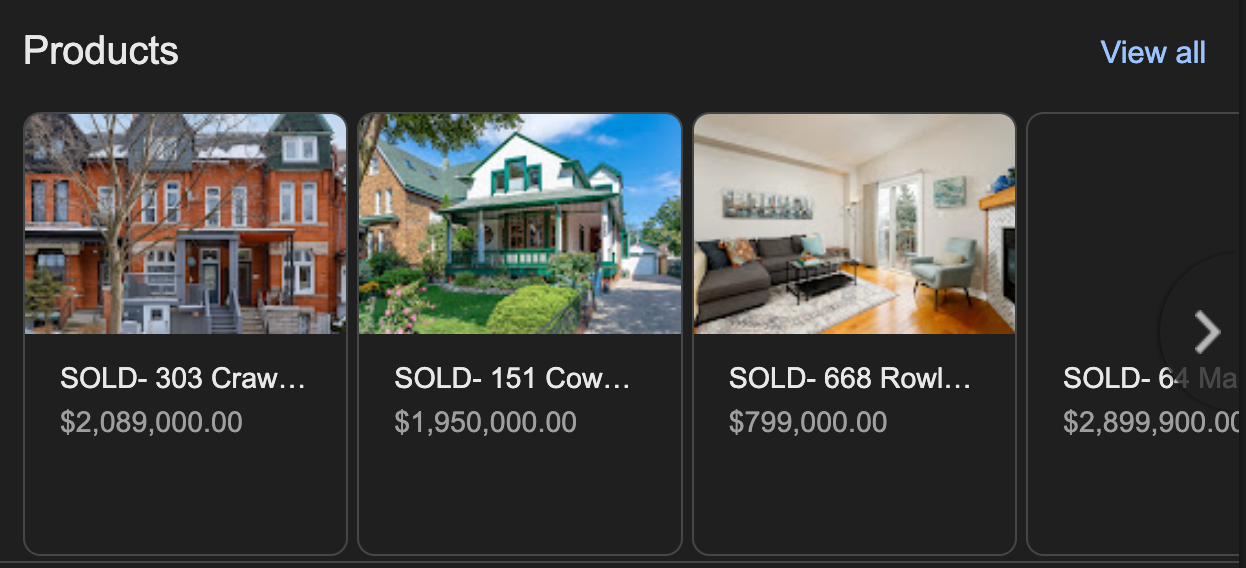
10. Add Your Best Sales as Products (And Link Them Back to Your Site)
The Products section of your GBP is one of the most overlooked features in real estate.
Each product listing has four fields that work together.
Title: Just Sold: [Address, City]
Price: the final sale price
Description: property type, one key outcome (days on market, percentage over asking, or both)
Link: your team's dedicated sold listing landing page for that property
Add your top recent sales as well as sales you are proud of as every link back to a sold property page builds credibility with sellers.
You can also add your featured listings as products but you need to make sure that you keep them updated.
How to Build Google Business Profile Reviews
Request Reviews Consistently
Timing matters.
The best time to request a review is shortly after a positive customer experience.
For a real estate agent, good opportunities include:
After closing
After successfully helping a buyer find a home
After completing a listing
After receiving positive feedback from a client
After a particularly successful transaction milestone
Make Leaving a Review Extremely Easy
When reaching out to request reviews include a link to the profile to reduce friction. If your clients are frustrated with the process, they will abandon it.
Use that link everywhere customers already interact with you:
Email
SMS
Receipts
Invoices
Follow-up messages
QR codes
Website
Appointment confirmations
Personalize Your Review Request
Generic automated requests can work, but personalized requests tend to feel more genuine.
Here's an example of script that you can use:
Plain text
"Hey [Name], it was such a pleasure helping you find your place in [Neighbourhood]. I'd love it if you took 2 minutes to leave a Google review for our team, since it genuinely helps other buyers and sellers find us.

Here's the direct link: [your review link from GBP dashboard]. Mention [Neighbourhood] or [property type] if you can, since it helps people searching in that area discover us."
Why Is My Real Estate Business Not Showing Up on Google Maps?
Your Profile Isn't Verified
An unverified listing won't show up in Maps or the local pack.
Postcard verification can take 5-14 days to arrive, so check your dashboard to confirm you actually completed the process.
Your Service Areas Don't Match Searches
If your listed service areas don't include the city or neighborhood someone is searching, you won't appear, even if you're fully verified and active.
Double check that your service areas cover where you're trying to rank.
Your Business Profile Was Suspended
Google often suspends real estate profiles for keyword-stuffed names, mismatched NAP info, or a sudden spike in reviews.
Check your dashboard for a suspension notice, and search your exact business name to see if it's showing up anywhere at all.
Your Profile Is Brand New
A new profile with no reviews, photos, or posts gives Google nothing to rank yet.
You're not being penalized, you just haven't built enough activity to compete with established agents.
How To Leverage This Local Traffic
An optimized Google Business Profile drives high-intent traffic to your team's website.
That's exactly where a well-deployed AI chatbot like Madison changes the math for teams and brokerages. Your Google Business Profile earns the visit.
Make sure your website is built to handle it at scale.
Ready to secure an addition 20-40 qualified leads using AI?
Answer engine optimization explained for real estate: how AI answers pick their sources, what to publish, what to measure, and the fair housing line to stay behind.
Generative engine optimization for real estate teams: how to get cited by ChatGPT, Gemini and AI Overviews, with a checklist and the data behind it.
About Madison
The AI assistant built for real estate lead gen
Madison is Realty AI's conversational assistant for real estate websites. It engages visitors instantly, qualifies buyers, sellers, and renters through natural dialogue, routes summaries to your CRM, and keeps your team focused on closing.
5.0 average from 2,500 customer reviews
“We captured 3 new transactions worth over $3.3 million in just a few months using Realty AI.”
Sarah Logue
Broker & Owner, Top 0.1%
“Within our first week of using Realty AI, I had an engaged seller ready on the phone. This has never happened before in 4 years.”
Mark Jensen
Owner & Broker of Record
“It feels like having a personal assistant on my website 24/7, sending me instant notifications so I never miss a potential client.”