New Report: Discover key insights from over 5 million interactions
Download NowNew Report: Discover key insights from over 5 million interactions
Download Now


TLDR: Unlike generic chatbot platforms that make you build every conversation flow, qualification rule, and handoff trigger from scratch, Madison comes pre-built for real estate. Getting it live on your brokerage website is five simple steps.
Most brokers assume setting up a chatbot is a weeks-long project: building conversation trees, scripting qualification logic, writing every possible response from scratch.
With Madison, our flagship AI chatbot, none of that is true.
The setup is five steps and takes about 15 minutes as Madison is already trained for real estate before you even log in.
Here's the complete walkthrough. There's no separate configuration phase after this, no flow builder to learn, and no FAQ library to manually populate.
Everything below can be done in a single sitting.
After signing up for Madison, you'll receive a short embed code snippet via email.

Paste it into your website's header or body, either inside your CMS (Webflow, WordPress, Squarespace) or hand it to a web developer with one instruction: "Add this to the site header."
We also have custom configuration to support the major real estate website providers such as
That's the only moment in the entire setup that touches code.
You can add Madison to all of your websites so you can maintain the same brand presence and engagement across your entire digital presence.
Once the embed code is live, reload your brokerage website and look for the Madison chat widget in the lower corner of the page. She will automatically open up to greet you.
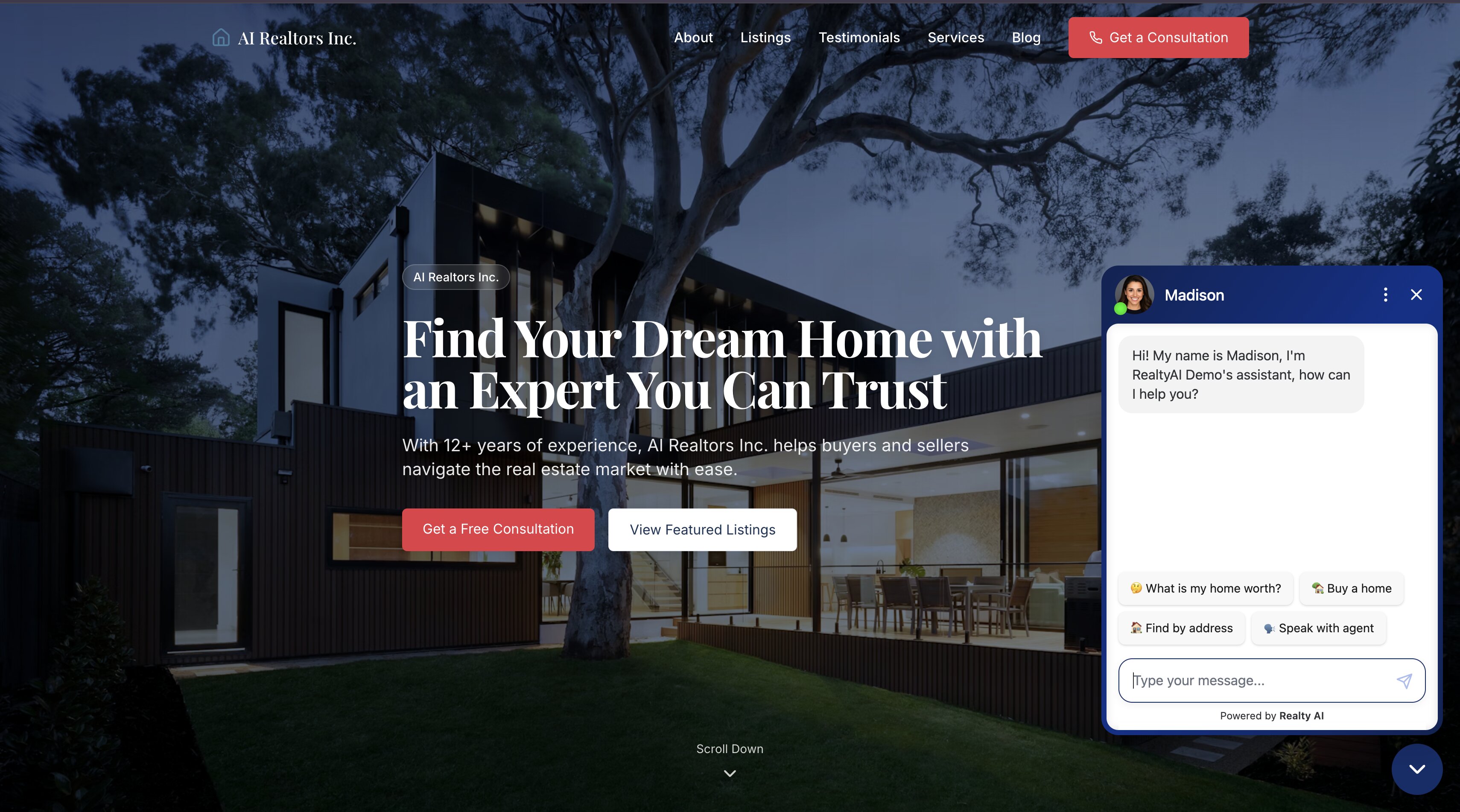
When you can see it, Madison is technically live. The integrations and brand settings aren't configured yet, but the chatbot is already running on your site.
At this point you only really need to add an email and phone number to receive leads. Outside of this everything is completely optional.
{{CASESTUDY}}
This is where Madison connects to the tools your team already uses. Here's what to configure:
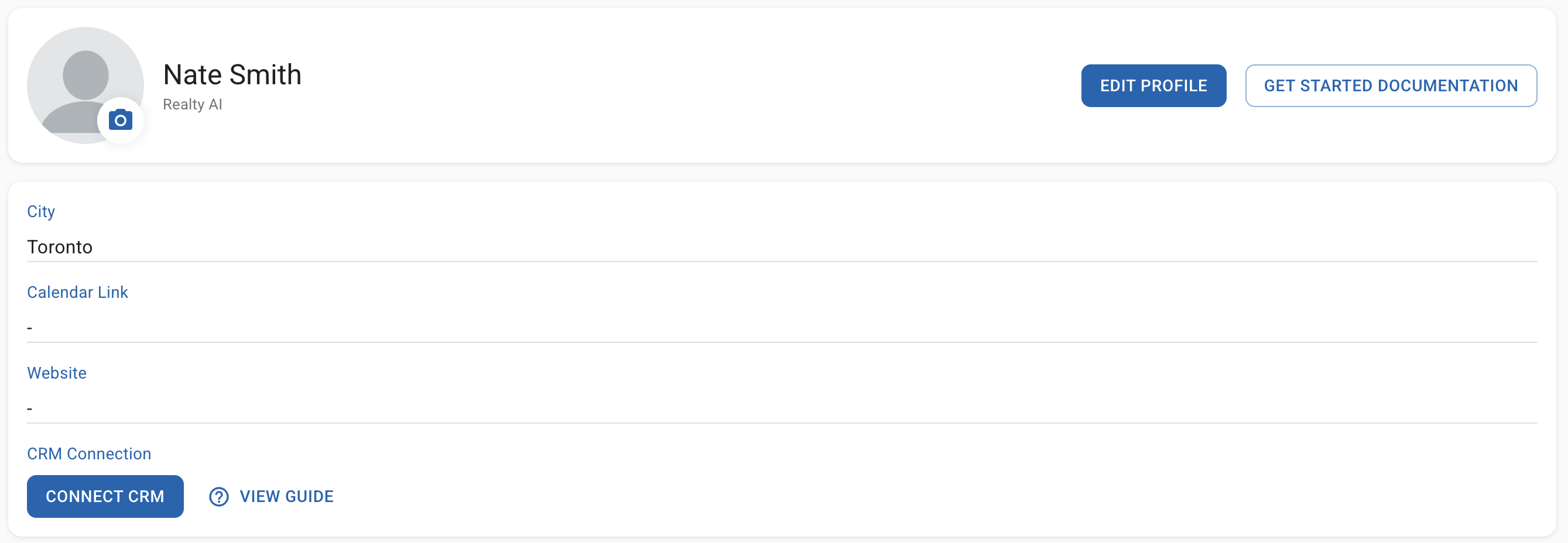
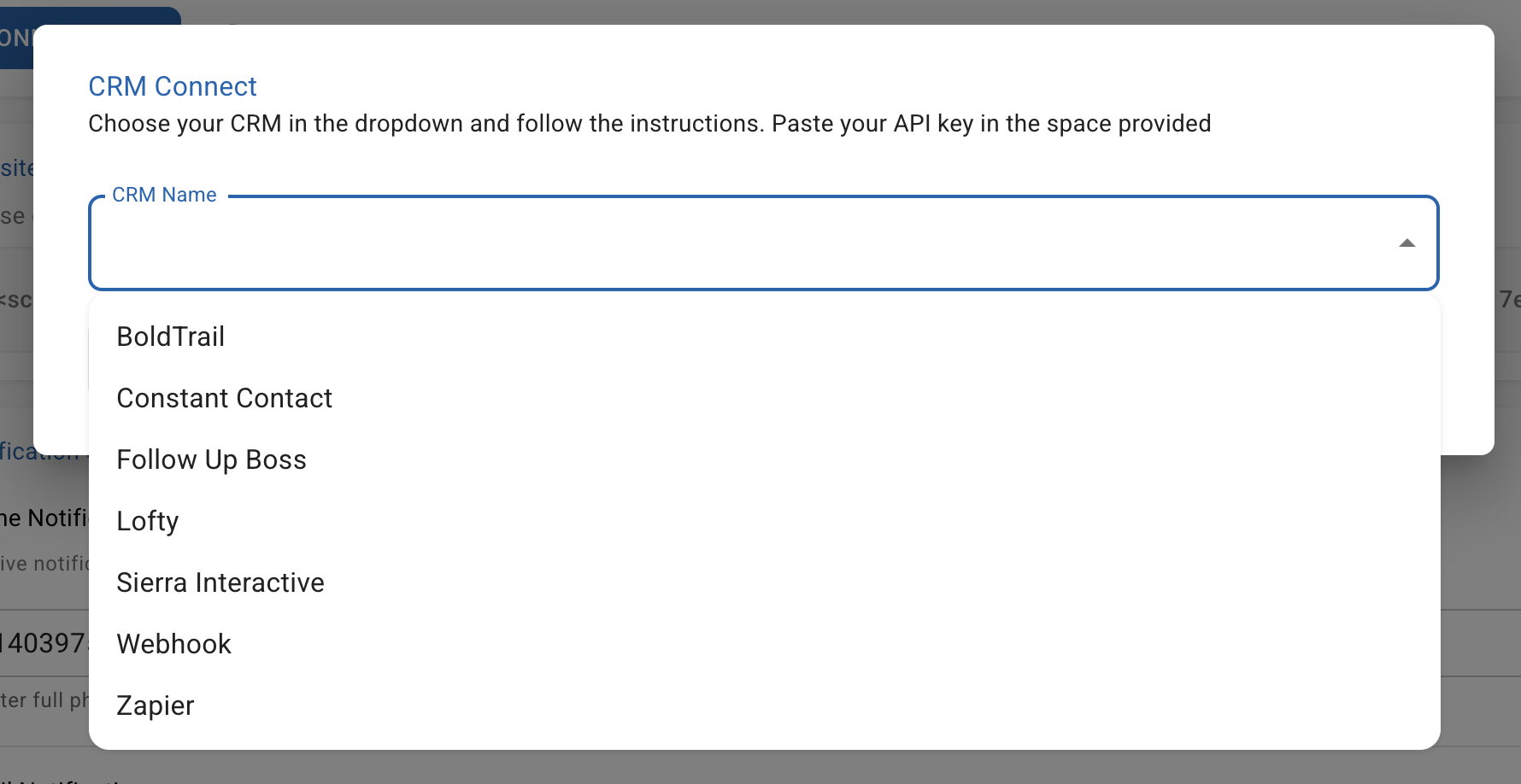
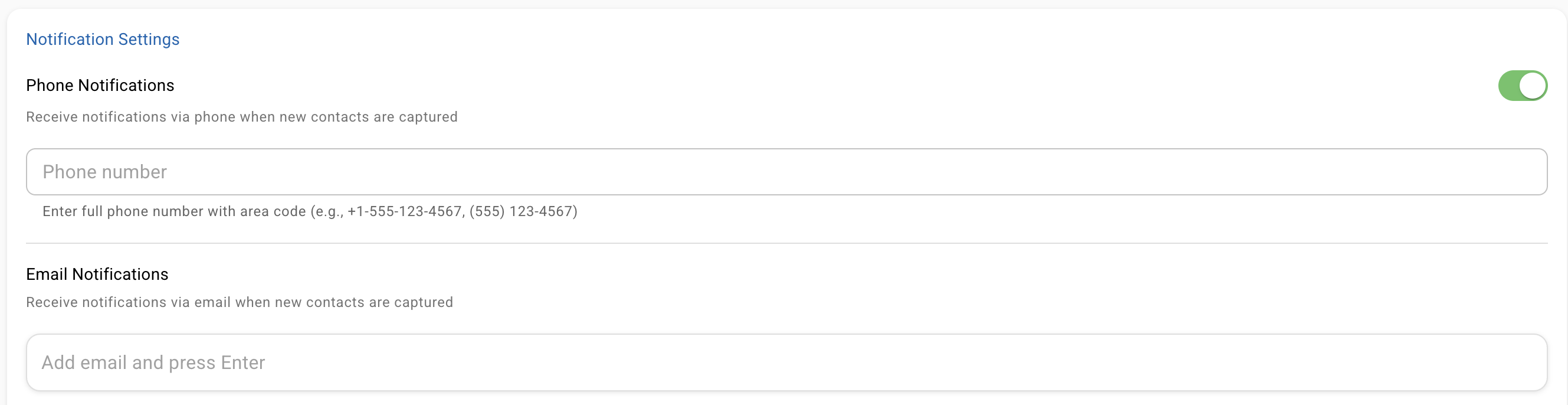
If you book a demo with us we can handle this setup for you
This is where Madison stops looking like a third-party widget and starts looking like part of your team. For a brokerage, these settings matter more than they do for a solo agent: the chatbot is the first impression for every visitor across every page of your site.
Configure the following:
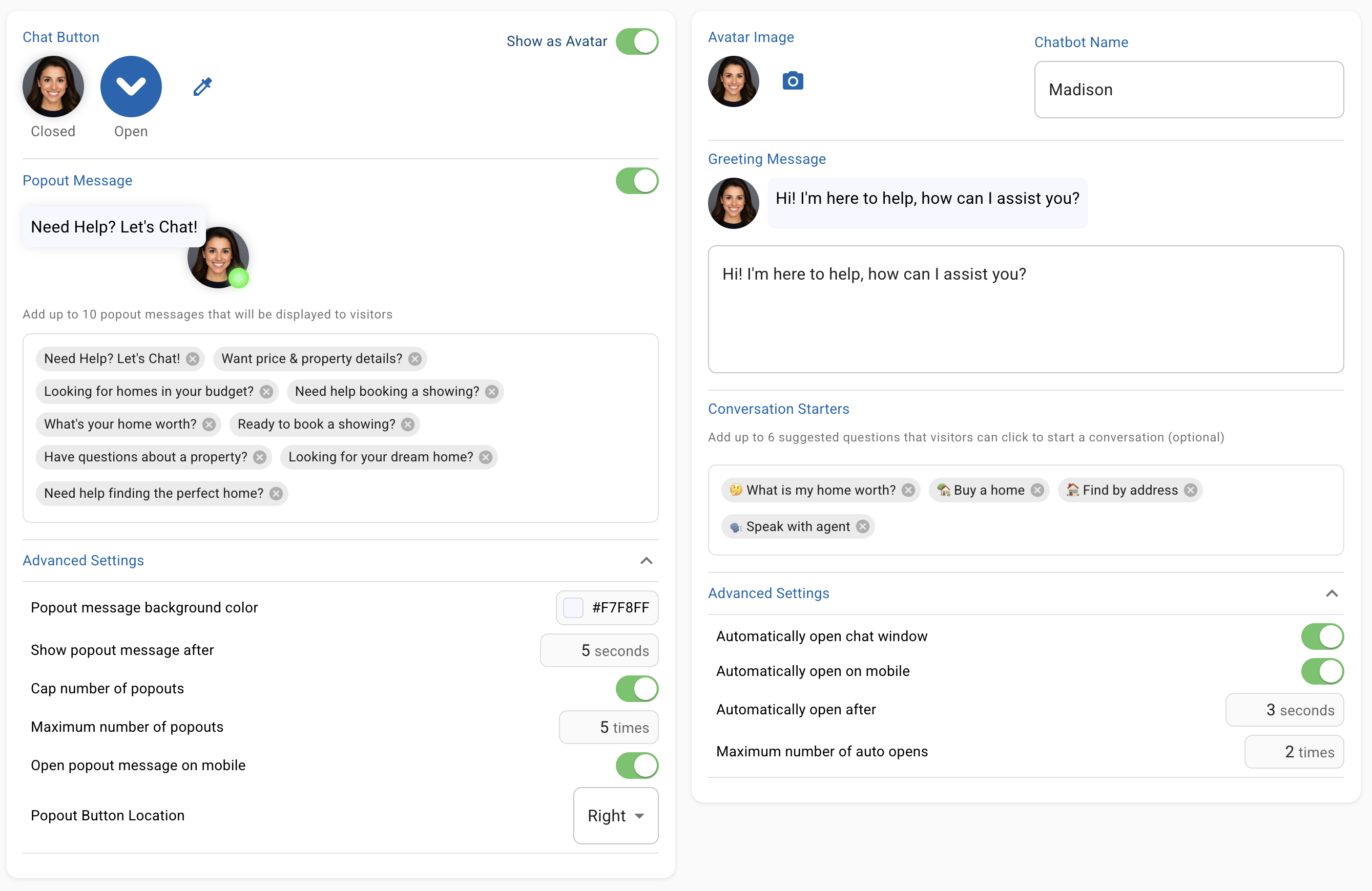
The final step is pointing Madison to your existing site content so it can answer visitor questions accurately.
Add the URLs of your key pages: listings, neighborhood guides, agent bios, market reports, and your about page. Madison reads these automatically to build its knowledge base. You don't write a single FAQ response yourself.
This is what lets Madison answer questions about specific listings, your service area, and individual agents without you having to load anything manually. Adding a handful of URLs takes five minutes, and Madison does the rest.

We handle this during our setup when you book a demo
Here's what separates Madison from a generic chatbot tool: the parts that take the most time to build are already done.
With a generic platform, you'd spend weeks configuring the logic that Madison ships with out of the box.
Madison ships with separate, pre-trained conversation paths for buyers and sellers. A buyer flow that asks about location, budget, pre-approval status, and timeline. A seller flow that covers property address, condition, property details and listing timeline.
You don't build any of it.
She also handles the edge cases out of the box: visitors who go off-script, visitors who don't fit neatly into buyer or seller categories, and visitors who want to speak to a person immediately.
You never have to script those scenarios yourself.
With a generic platform, getting to this point takes weeks and costs more than most brokers expect:
With Madison, none of that applies. The flows are pre-built, the hosting is handled, and there's no infrastructure to maintain.
Madison asks qualifying questions based on what the visitor actually wants, scoring the lead before it ever reaches an agent.
Here's what gets captured from every conversation:
All of it lands in your CRM with the full context, before anyone on your team ever gets involved.
Madison recognizes when a conversation needs a real person, whether that's a complex negotiation question, an emotional situation, or a direct request to speak with an agent, and routes it immediately with everything the agent needs to continue the conversation.
Getting Madison live is only half the job. The other half is making sure your agents actually work the leads it generates.
The fastest way to get buy-in isn't a team meeting or a slide deck.
It's this: have one agent test Madison on the site themselves, then pull up the first few leads that come through and compare them side by side with your existing form submissions.

The difference is obvious the moment they see it.
A form lead is a name and an email. A Madison lead is a full conversation: buying/selling timeline stated, neighborhood preference given, budget on the table.
From there, the play is simple:
For the practical ways real estate teams are already using AI, the pattern holds every time: show the team the lead quality firsthand, share the first win fast, and the skepticism disappears.
Madison's dashboard gives you three numbers front and center. They're simple, and they tell you everything you need to know.

While most agents work directly out of their CRM, our dashboard is simple and shows you the most important data.
You've invested in your brand, your IDX, your marketing, and your online presence. All of that effort exists to bring people to your website.
The only question is whether they leave or become leads.
Madison is an answer to your conversion problem, and the setup is faster and simpler than most brokers expect because the hard parts are already done for you.
If you're ready to stop losing leads after hours and secure an addition 20-40 qualified leads book a demo with our team today.
Don't let another potential client walk away because your website wasn't able to engage them and capture their information.
Before you spend another dollar on marketing that doesn't convert, take 2 minutes to see how Madison turns your existing website traffic into a steady stream of qualified appointments.

Within just a few months, Realty AI helped Team Logue capture 15 high-quality leads, resulting in 3 new transactions worth over $3.3 million. This success generated an estimated $82,500–$95,000 in gross commission income (GCI).

Explore what Realty AI can do for your business
By contacting us you agree to both our privacy policy and our terms and conditions