The Complete Guide to Property Management SEO: Strategies, Tools & Tracking
Property management SEO determines whether owners and tenants find your company first, or find a competitor instead. This guide covers keyword research, on-page and technical optimization, local SEO, and how to track results that actually tie back to leases.
Nathan SmithPublished Jul 9, 2026Updated Sep 15, 202617 min read
Most property management companies lean on referrals and paid ads to win owner contracts and fill units, right up until the referrals slow or the ad budget tightens.
Property management SEO is how you build a lead source that doesn't switch off.
This guide answers the questions property managers ask most:
Which keywords do owners and tenants actually search for?
What content earns rankings and leads, not just traffic?
How do I show up in the specific markets I serve?
How do I know whether my SEO is actually working?
We'll walk through each of these pain points while provide solutions that actually work.
Let’s begin.
What Is Property Management SEO?
Property management SEO is the practice of optimizing a property management company's website and online presence to rank in search results.
SEO creates a steady stream of owner and tenant leads without relying entirely on referrals or paid ads.
Captures existing demand: Most property searches, from owners and renters alike, start on Google, so ranking well puts you in front of people already looking.
Reduces dependence on paid ads: Organic visibility doesn't disappear the moment you stop spending.
Compounds over time: Unlike ads, the content and rankings you build keep working and growing month after month.
Keyword Research For Property Management Companies
Keyword research is the process of identifying the actual terms owners and tenants type into Google and creating content or offers around this topic to satisfy their search intent.
There are several key components to help you understand search intent:
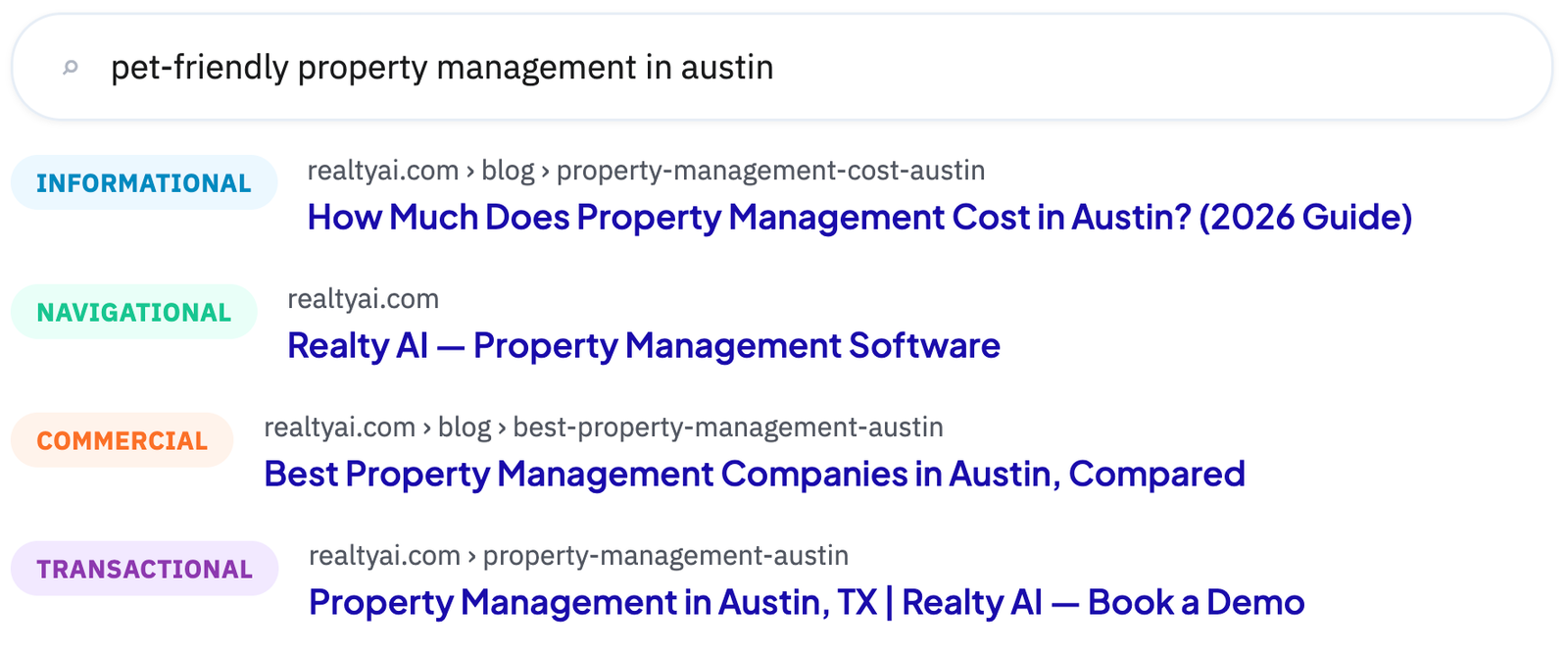
Keyword type: Keywords generally fall into informational, navigational, commercial, and transactional intent, match your content to the right type.
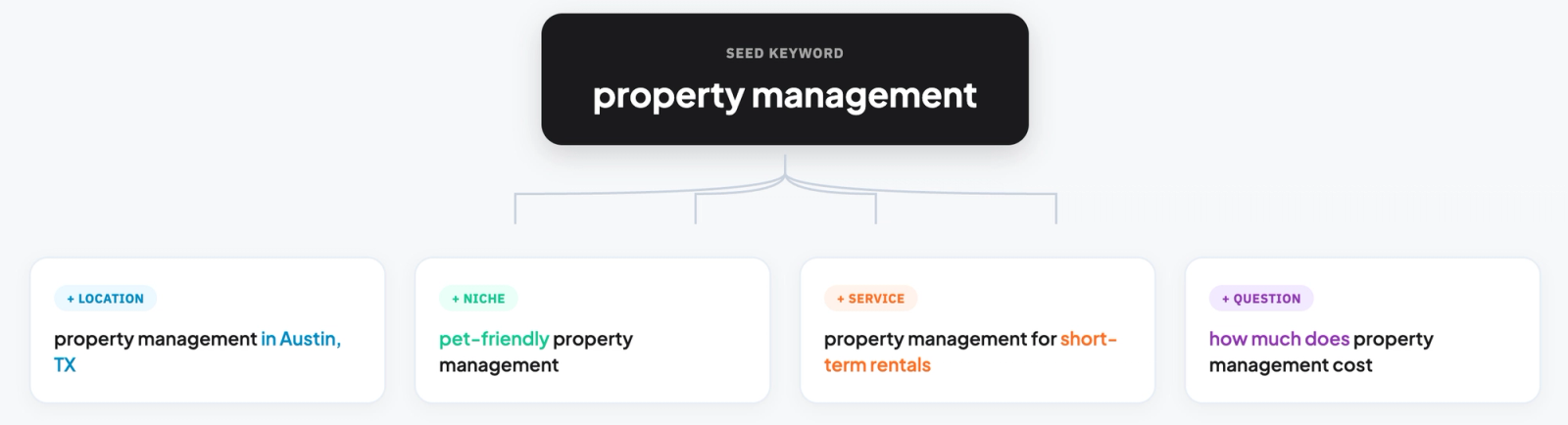
Long-tail keywords: Specific phrases like "pet-friendly property management in [city]" carry less competition and higher intent than broad terms.
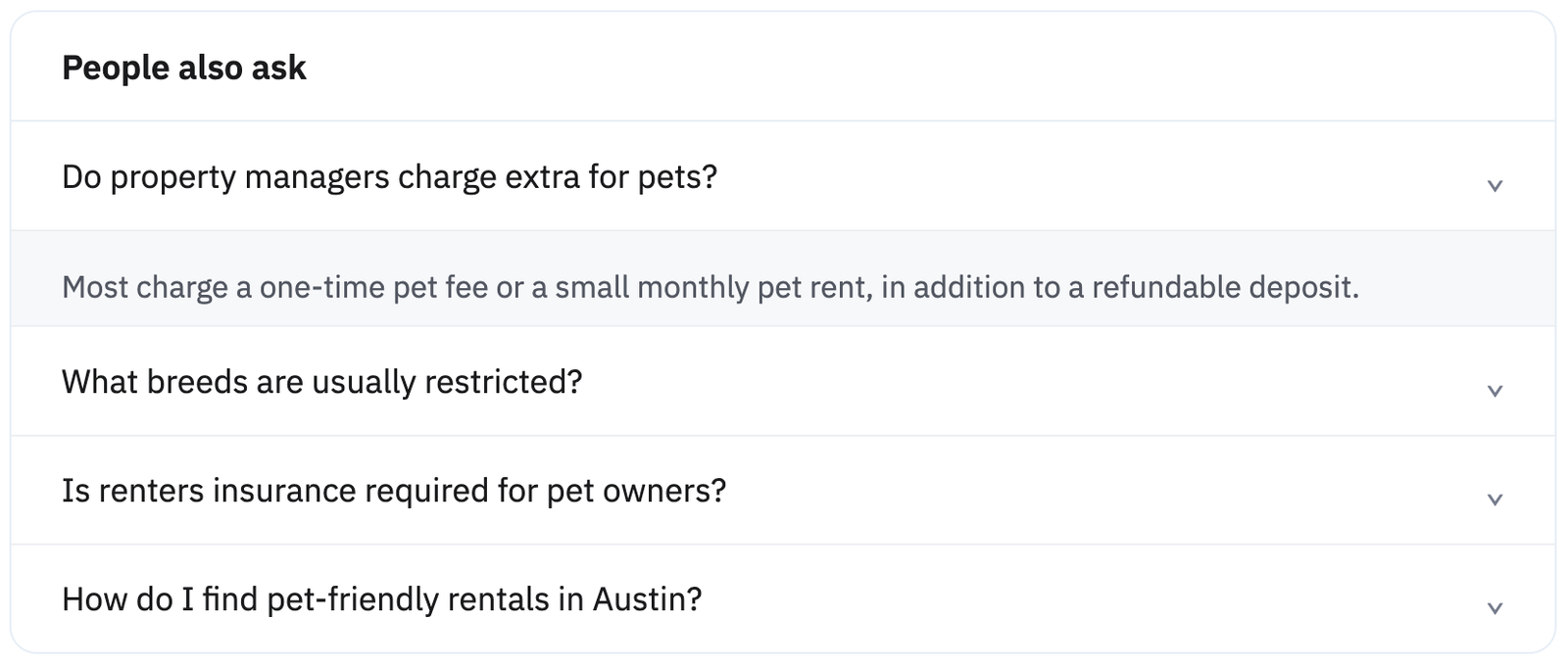
People Also Ask: Google's expandable questions reveal what related questions real searchers have.
Related searches: The list at the bottom of results surfaces additional terms tied to the same search.
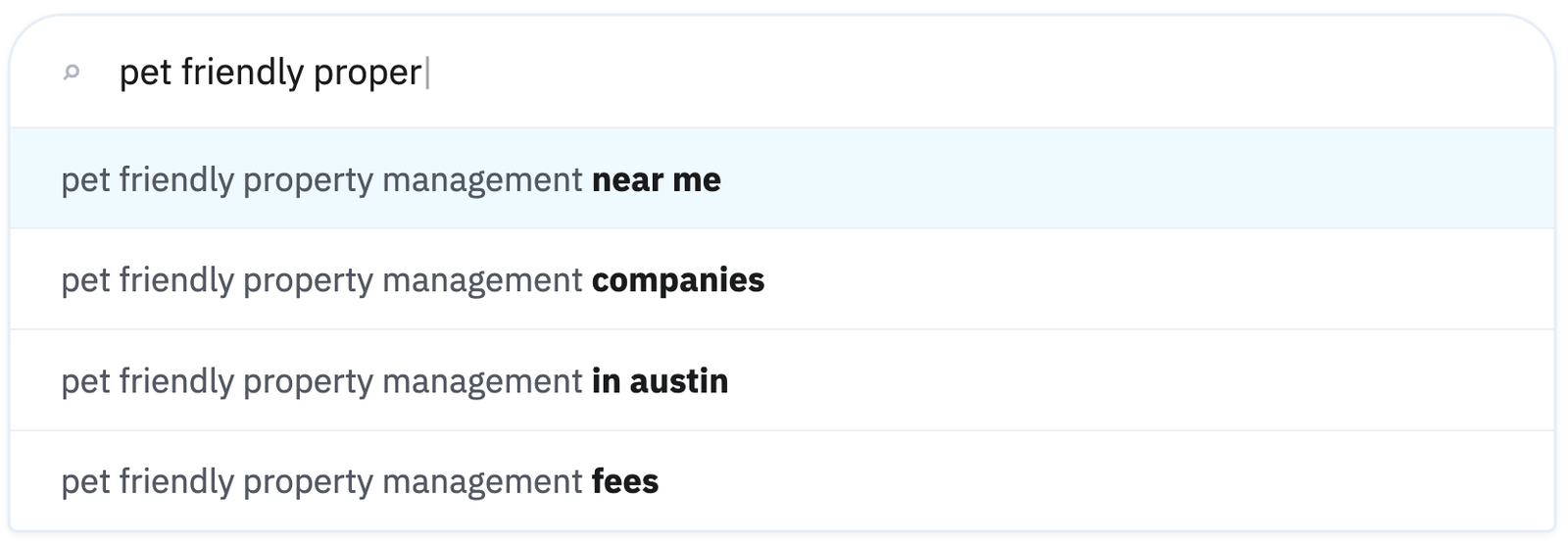
Google autofill: Typing a seed keyword into Google's search bar surfaces real autocomplete suggestions.
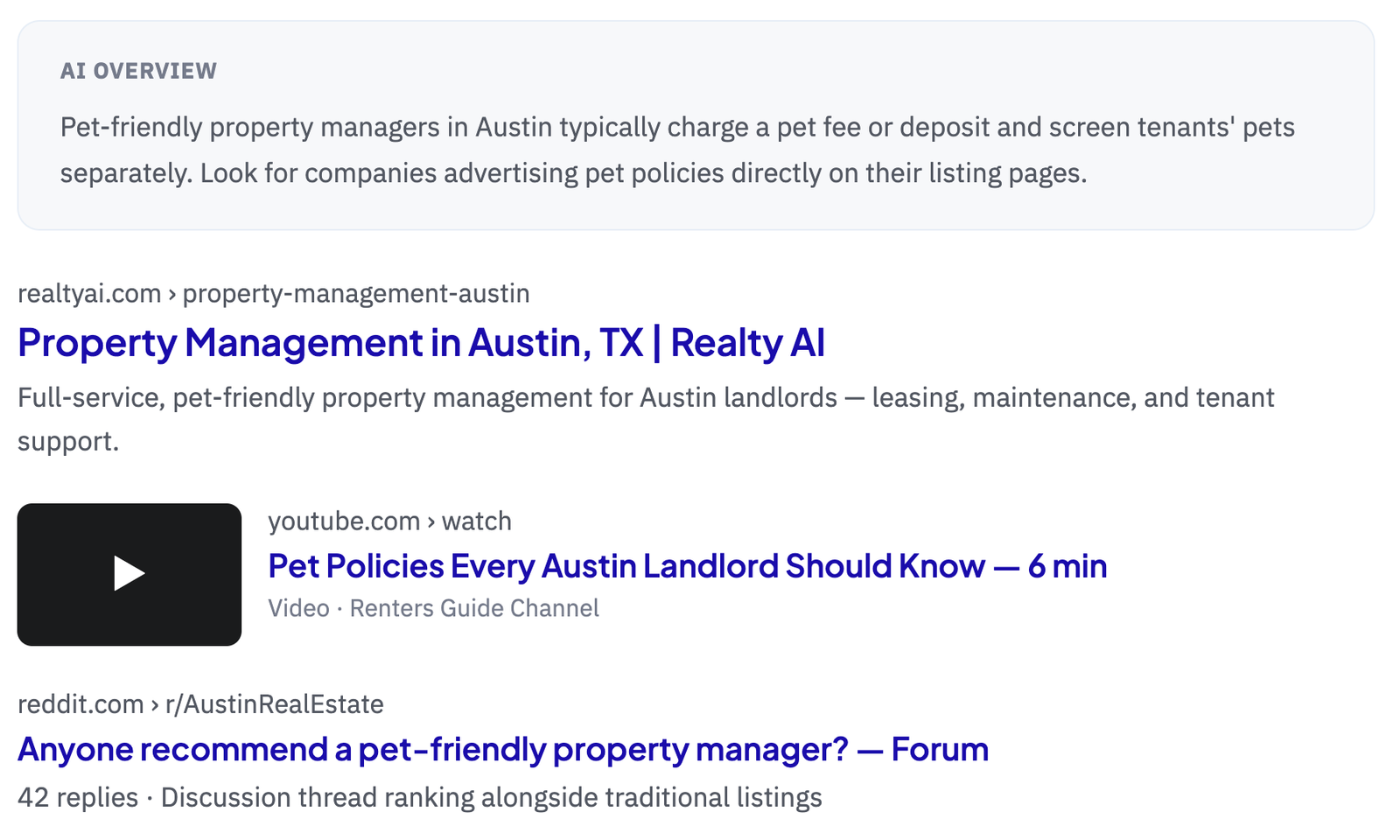
SERP features: Note what's already ranking, video content, forums, or an AI Overview, since it signals the content format Google favors for that keyword.
Pro Tip: In addition to analyzing what is already ranking for a keyword, use these different SERP features to find gaps in search intent.
Property Management Content Marketing
Content marketing means regularly publishing articles, guides, and resources that answer real questions owners and tenants have, rather than only building service pages. This builds topical authority allowing your site to naturally earn organic traffic.
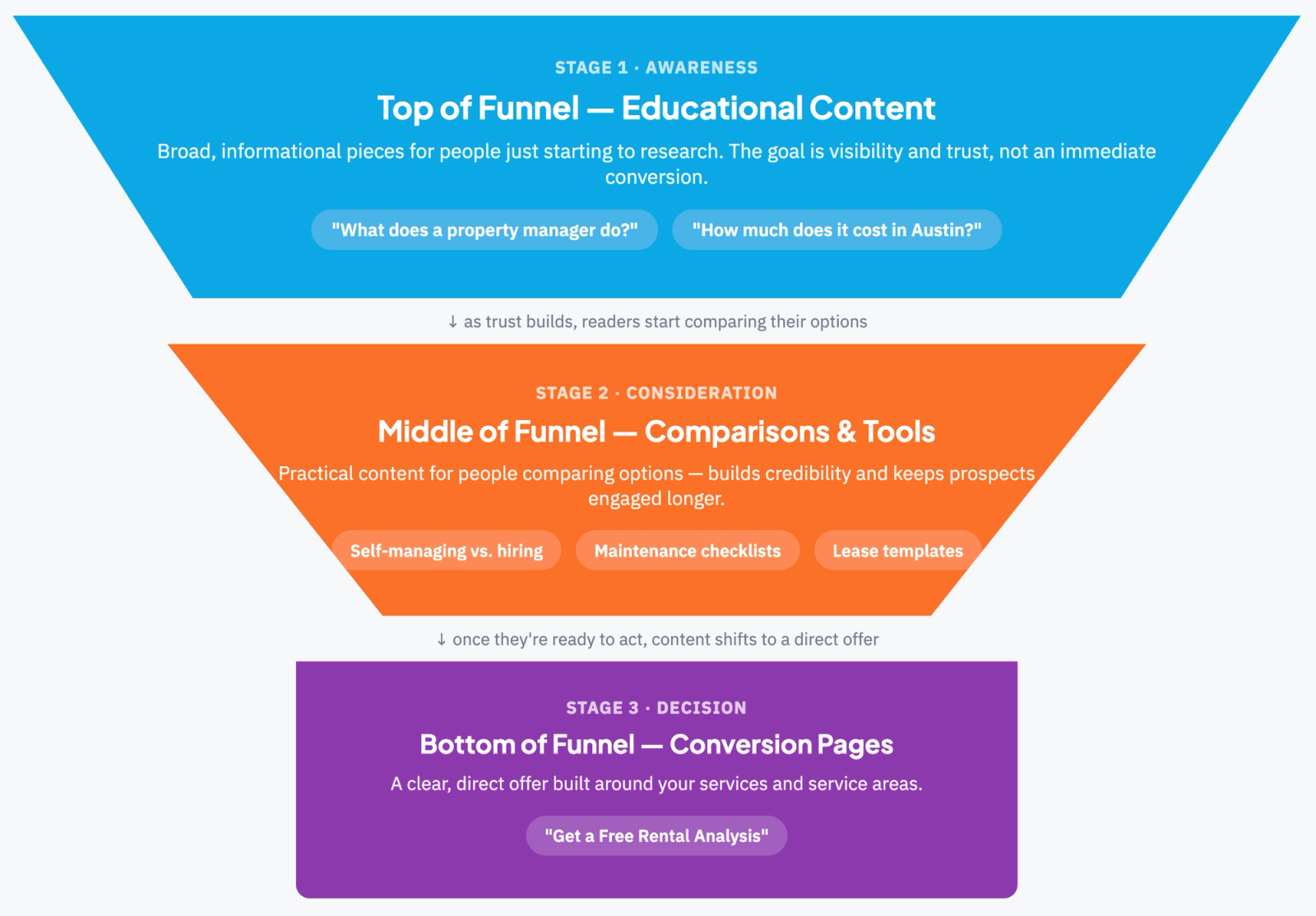
Top of Funnel: Educational Content
These are broad, informational pieces aimed at people just starting to research, often searching "what is" or "how does" style questions.
The goal is visibility and trust, not an immediate conversion.
"What does a property manager do?"
"How much does property management cost in [city]?"
"Landlord's guide to [state] eviction laws."
Middle of Funnel: Comparisons, Checklists & Templates
Once someone understands the basics, they start comparing options and looking for practical tools to help them decide or prepare.
This content builds credibility and keeps prospects engaged longer.
"Self-managing vs. hiring a property manager: which is right for you?"
Seasonal maintenance checklists for property owners.
Downloadable lease agreement or move-in inspection templates.
"What to look for during a rental walkthrough."
Bottom of Funnel: Conversion-Focused Landing Pages
At this stage, prospects are ready to act, so content shifts from education to a clear, direct offer built around your services and service areas.
"Property Management Services in [City]"
"Get a Free Rental Analysis"
"Request a Management Proposal"
Local SEO For Property Managers
Local SEO ensures your company shows up when owners, investors, and tenants search in the specific markets you serve, through your Google Business Profile, citations, and location-specific content, putting you in front of the exact people ready to hire a manager or sign a lease.
Google My Business Profiles
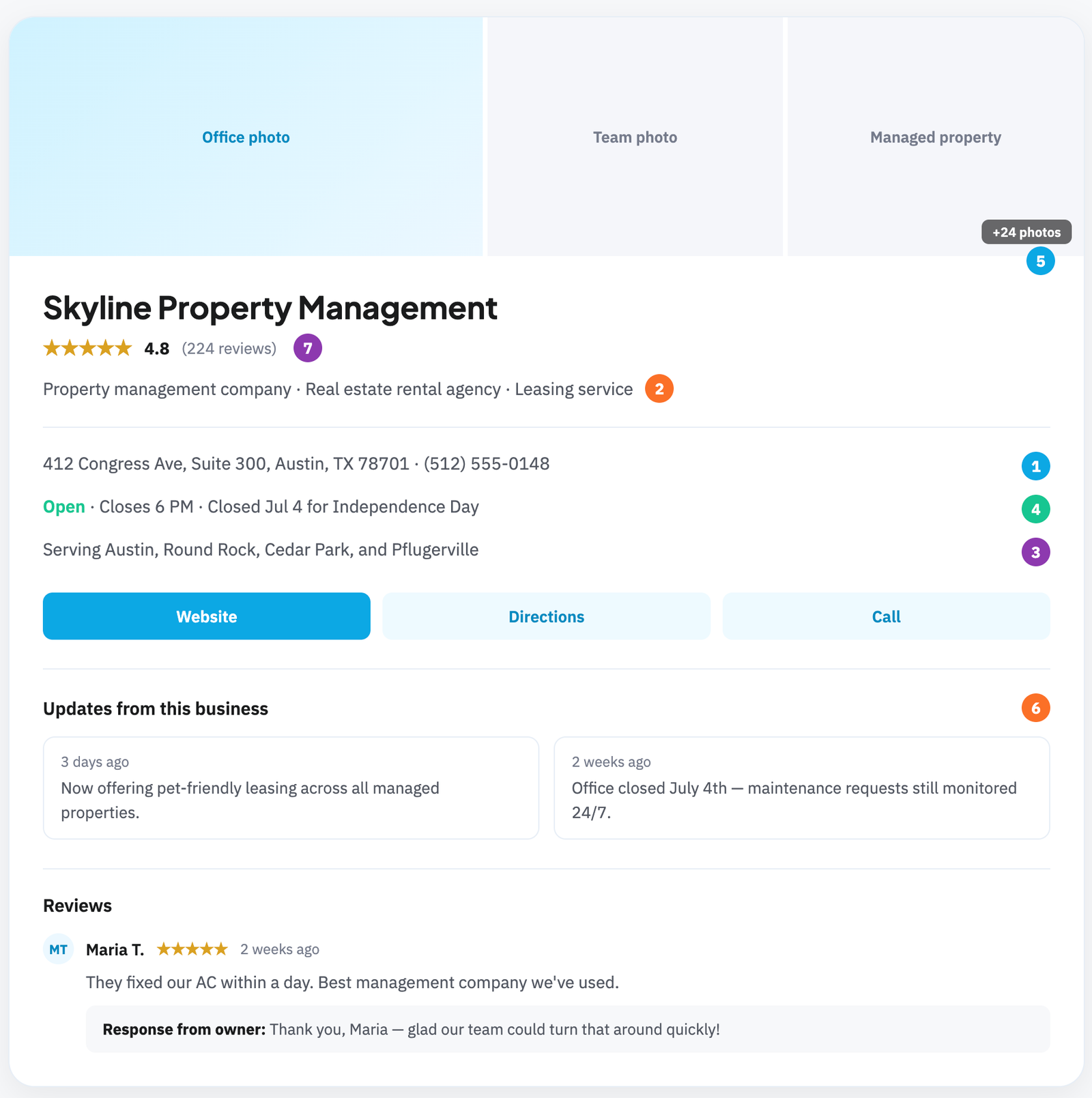
A Google Business Profile is a free business listing that determines how you show up in Google Maps, local search results, and the map pack, giving prospective clients key details about your business before they ever land on your website.
Key parts to optimize:
Business name, address, and phone number: must be accurate and consistent with what appears elsewhere online.
Categories: choose the correct primary category (e.g., "Property Management Company") plus relevant secondary categories.
Service areas: list every city or neighborhood you actually serve.
Hours: keep current, including holiday hours.
Photos: add real photos of your office, team, and managed properties, listings with photos get significantly more engagement.
Posts: regular updates keep the profile active and signal relevance to Google.
Reviews: consistent, recent reviews with thoughtful responses directly influence both trust and local ranking.
Q&A section: monitor and answer questions publicly asked on your profile.
Local Citations
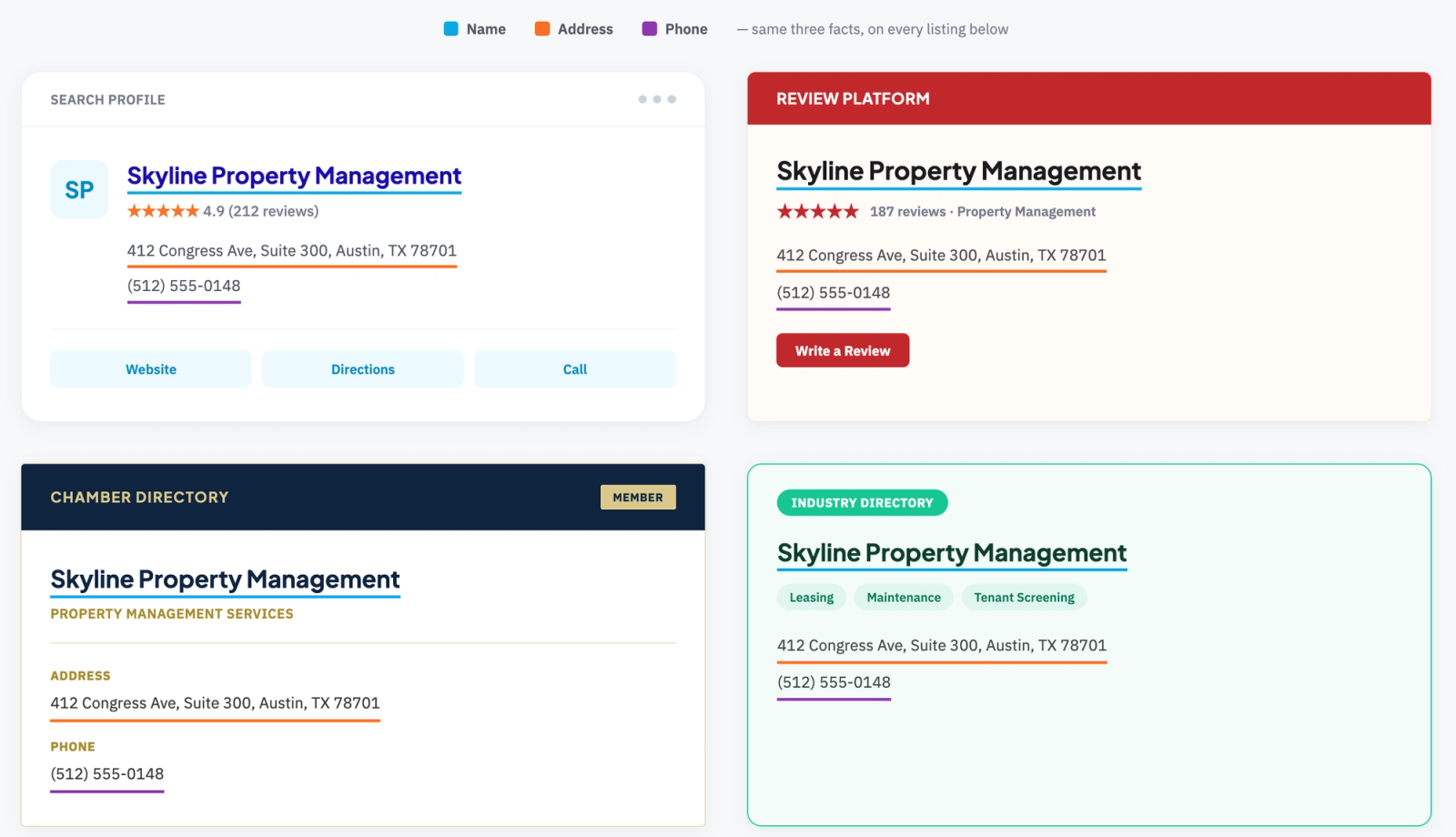
Local citations are mentions of your business name, address, and phone number across directories and platforms, even without a link, and they help owners, investors, and tenants find and trust your business no matter where they encounter it online.
Keep NAP details identical across every listing.
Prioritize high-authority directories like Google Business Profile, Yelp, and BBB.
Add industry-specific directories, like property management associations and local chamber listings.
On-Page SEO
On-page SEO covers everything you control directly on a page to help it rank and convert, from the words in your title tag to how pages link to each other, turning search visibility into actual inquiries from owners, investors, and tenants.
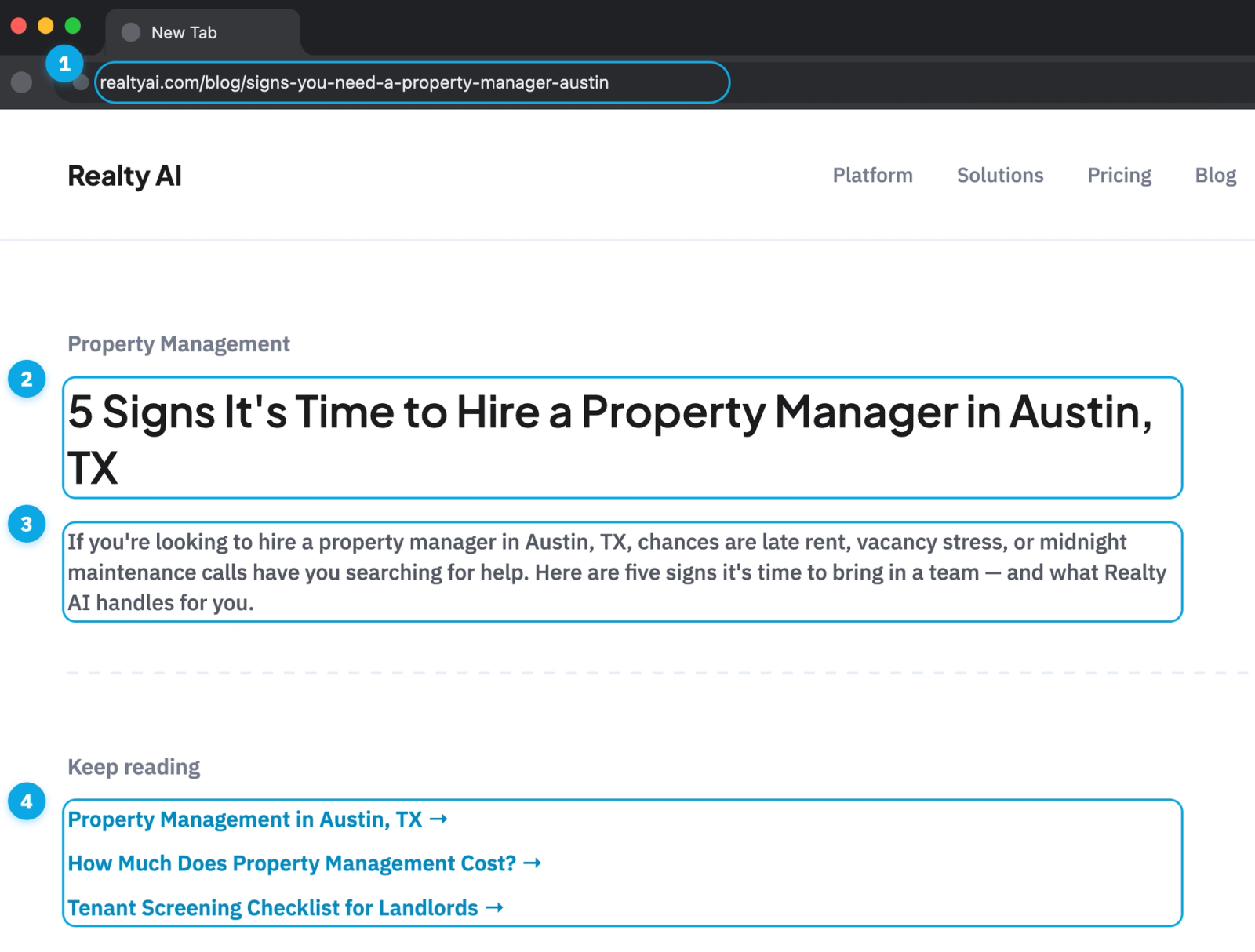
1. URL: Short and descriptive, like /property-management-austin, not a string of numbers or parameters.
2. H1: A clear, single headline that matches the page's main keyword, distinct from the title tag.
3. First paragraph: Lead with the target keyword and a clear statement of what the page offers, since this is what both readers and search engines weigh most.
4. Internal links: Link to related pages (like other service areas or relevant blog posts) using descriptive, keyword-relevant anchor text instead of generic phrases like "click here."
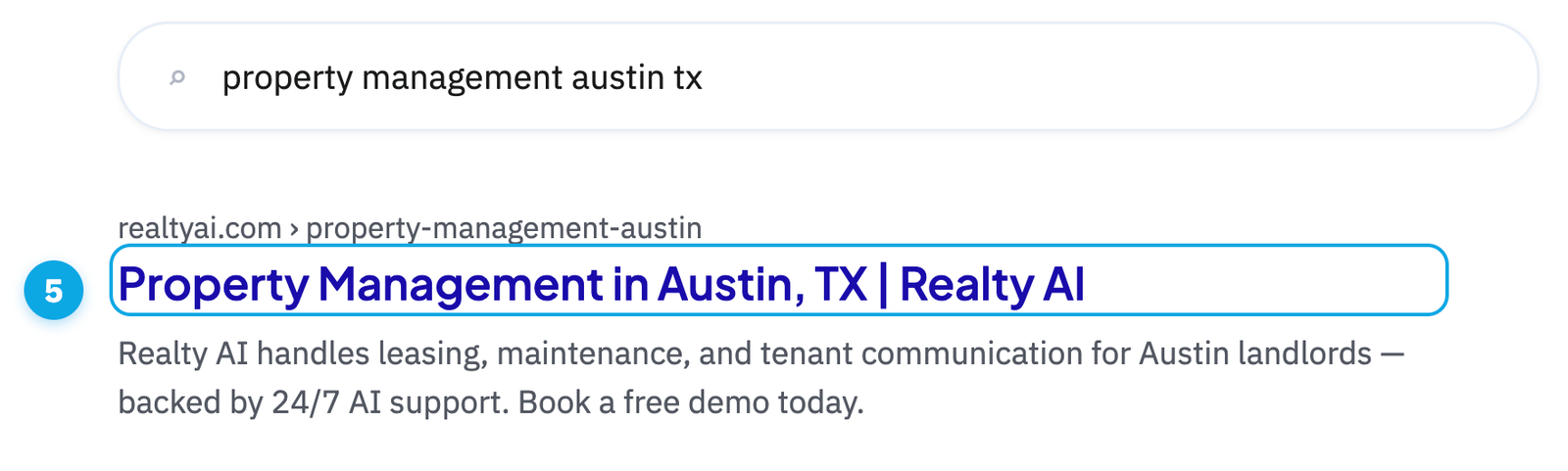
5. Title tag: include your target keyword and location near the front, like "Property Management in Austin, TX | [Company]."
Off-Page SEO
Off-page SEO covers everything that builds your authority outside your own site, primarily backlinks, citations, and reviews.
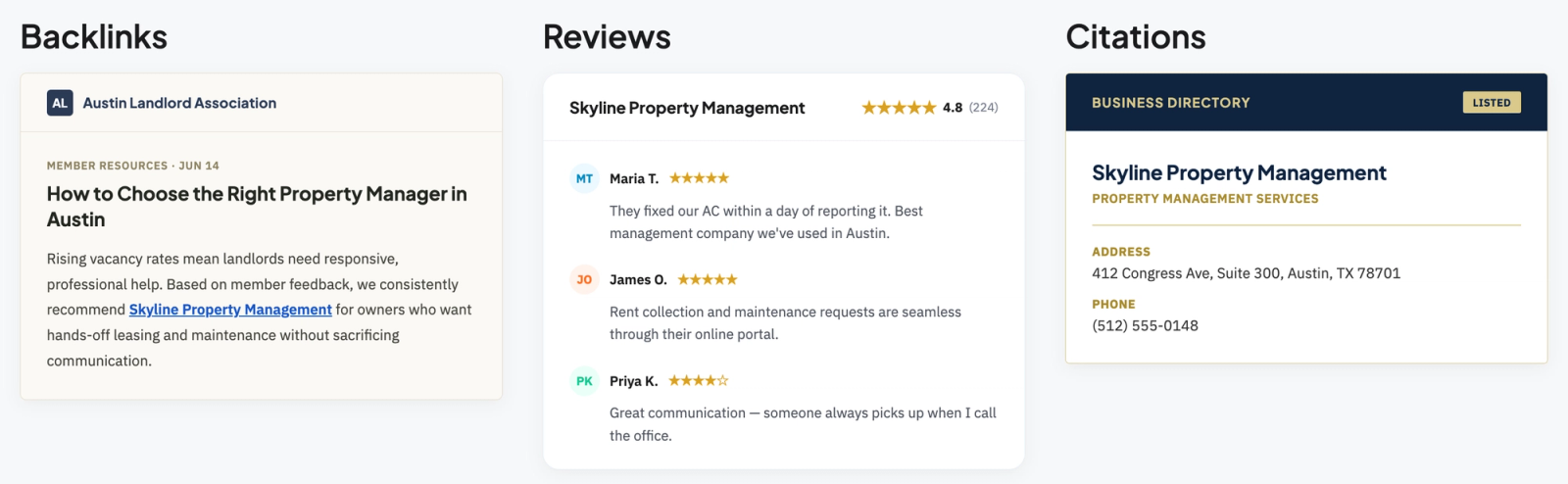
Backlinks: Links from other sites, like local news, landlord associations, or real estate blogs, that vouch for your site and directly strengthen your ability to rank.
Citations: Consistent mentions of your business name, address, and phone number across directories.
Reviews: Ratings and feedback on platforms like Google and Yelp that build trust and influence local rankings
Backlinks carry the most weight of the three, but not all links are equal. Effective backlink building means earning links that have:
Relevance: Comes from a site related to real estate, property management, or your local market, not an unrelated industry.
Authority (DR): A healthy Domain Rating, generally 30+, signaling the site itself is trusted and established.
Placement: Sits within the body of real content, not tucked into a footer or sidebar.
Traffic: The linking site gets real visitors who could plausibly click through to you.
Dofollow: Passes ranking authority to your site (a "nofollow" link mostly doesn't).
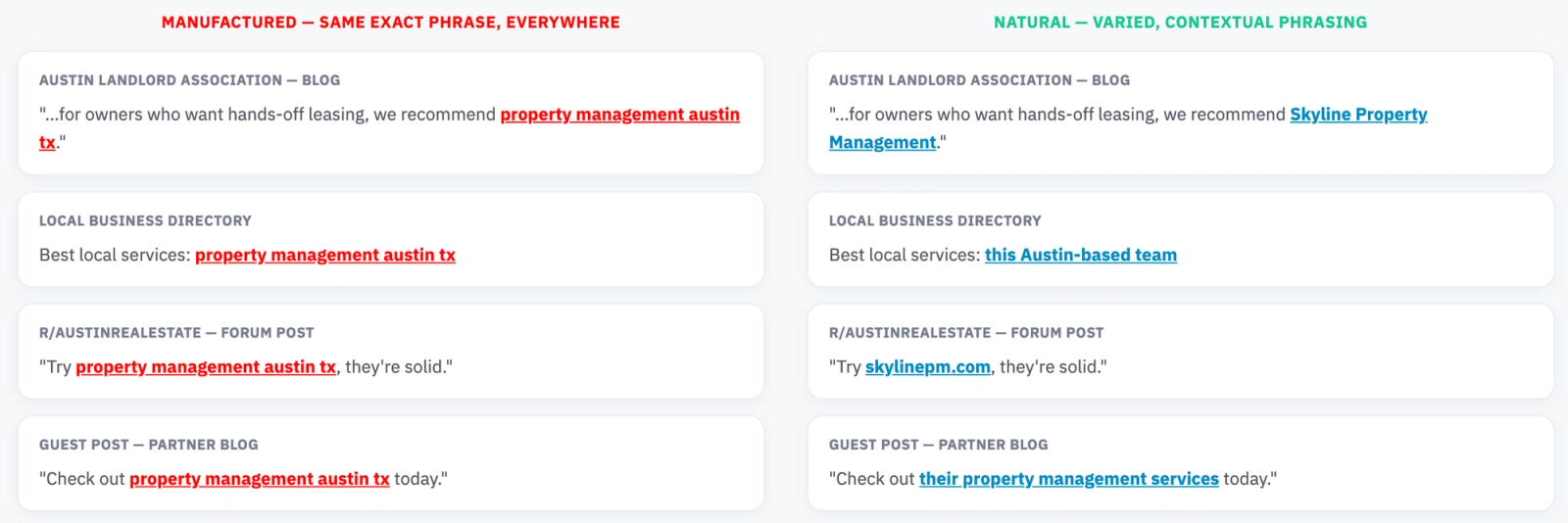
Anchor text: Natural, descriptive text rather than the same exact keyword repeated across links.
Technical SEO
Technical SEO ensures search engines can properly crawl, index, and load your site, the foundation that determines whether owners, investors, and tenants ever find you in search results at all. Even the strongest content and offers underperform if technical issues are quietly blocking your visibility.
What Are Core Web Vitals?
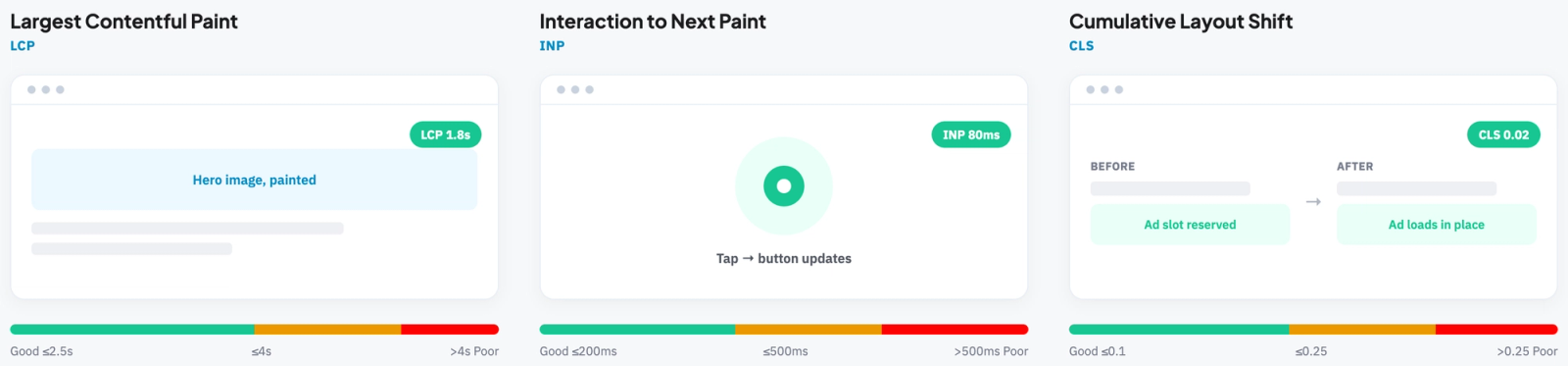
Core Web Vitals are three simple measurements based on real-world page experience that Google uses to judge how fast and smooth a page feels to use.
While they aren’t a direct ranking factor, if property owners get frustrated with your website because it loads too slowly, then they won’t work with you.
Largest Contentful Paint (LCP): How long the main content takes to load, ideally under 2.5 seconds.
Interaction to Next Paint (INP): How quickly the page responds when someone clicks or taps, ideally under 200 milliseconds.
Cumulative Layout Shift (CLS): How much the page visually jumps around while loading, ideally under 0.1.
How Does Schema Markup Support Property Management SEO?
Schema markup helps search engines understand exactly what's on a page, improving how you appear in results. For property managers, this means:
LocalBusiness or Organization schema on your homepage and location pages, surfacing your business name, address, hours, and reviews directly in search results and Maps.
Event schema on open house and touring pages, allowing tour dates and times to appear directly in search results so prospective tenants can see availability at a glance.
JSON
<script type="application/ld+json">

{
"@context": "https://schema.org",
"@type": "Event",
"name": "Open House: 2-Bedroom Apartment in Downtown Austin",
"description": "Tour this newly renovated 2-bedroom, 1-bath apartment in downtown Austin, featuring in-nit laundry, secure parking, and walkable access to local restaurants and shops.",
"startDate": "2026-07-15T10:00:00-05:00",
"endDate": "2026-07-15T13:00:00-05:00",
"eventAttendanceMode": "https://schema.org/OfflineEventAttendanceMode",
"location": {
"@type": "Place",
"name": "456 Congress Ave, Unit 2B",
"address": {
"@type": "PostalAddress",
"streetAddress": "456 Congress Ave",
"addressLocality": "Austin",
"addressRegion": "TX",
"postalCode": "78701",
"addressCountry": "US"
}
},
"organizer": {
"@type": "Organization",
"name": "Your Property Management Company",
"url": "https://www.yourwebsite.com"
}
}
</script>
Property Website Technical SEO Checklist
International SEO for Property Managers
International SEO is the practice of optimizing your site so search engines show the right version of a page to the right audience, based on their location and language.
It helps you rank in local search results in each market you serve, avoids duplicate content penalties from having similar pages in different languages, and gives visitors a page that actually feels built for them.
There are 3 key ways to structure your website for international traffic:
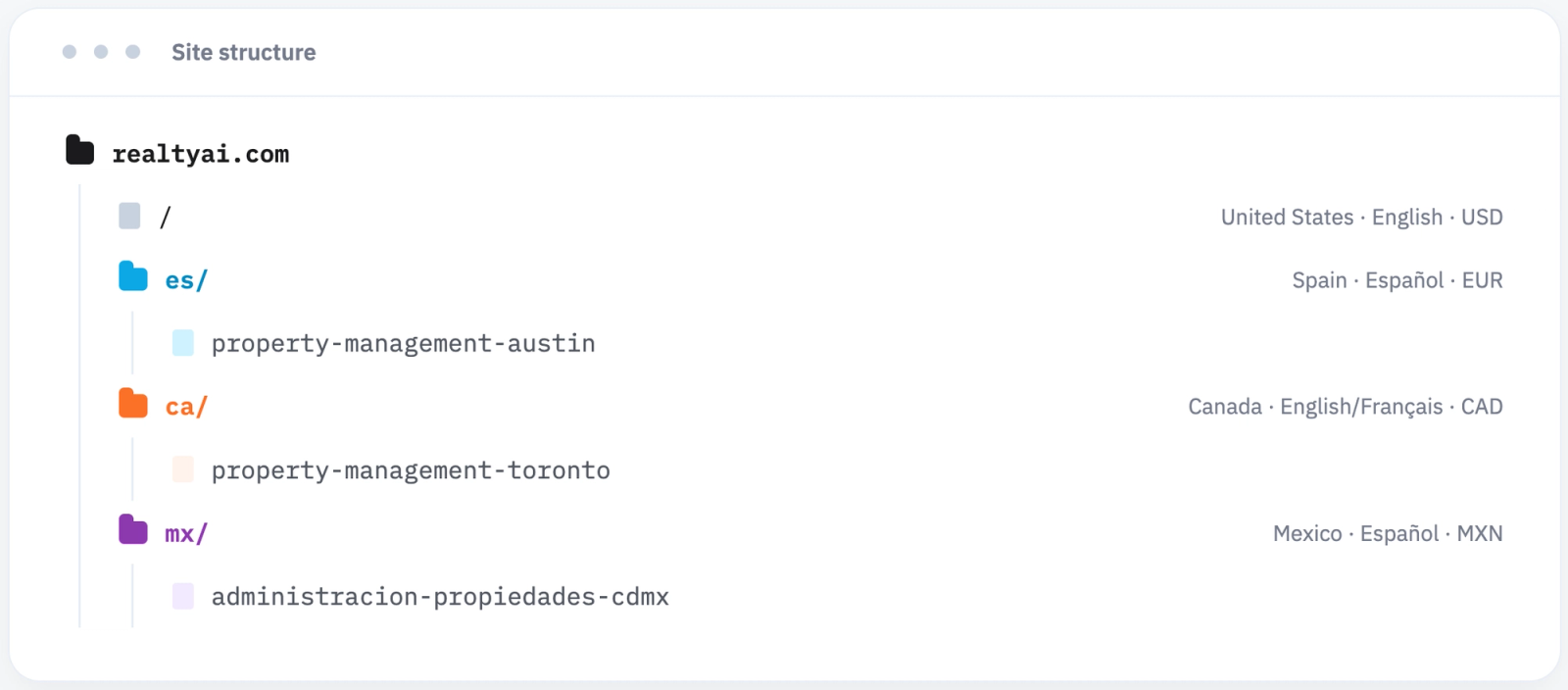
Subfolders: Structure your site with country or language-specific subfolders, like /es/ for Spanish or /ca/ for Canada, keeping everything under one domain while clearly separating each market.
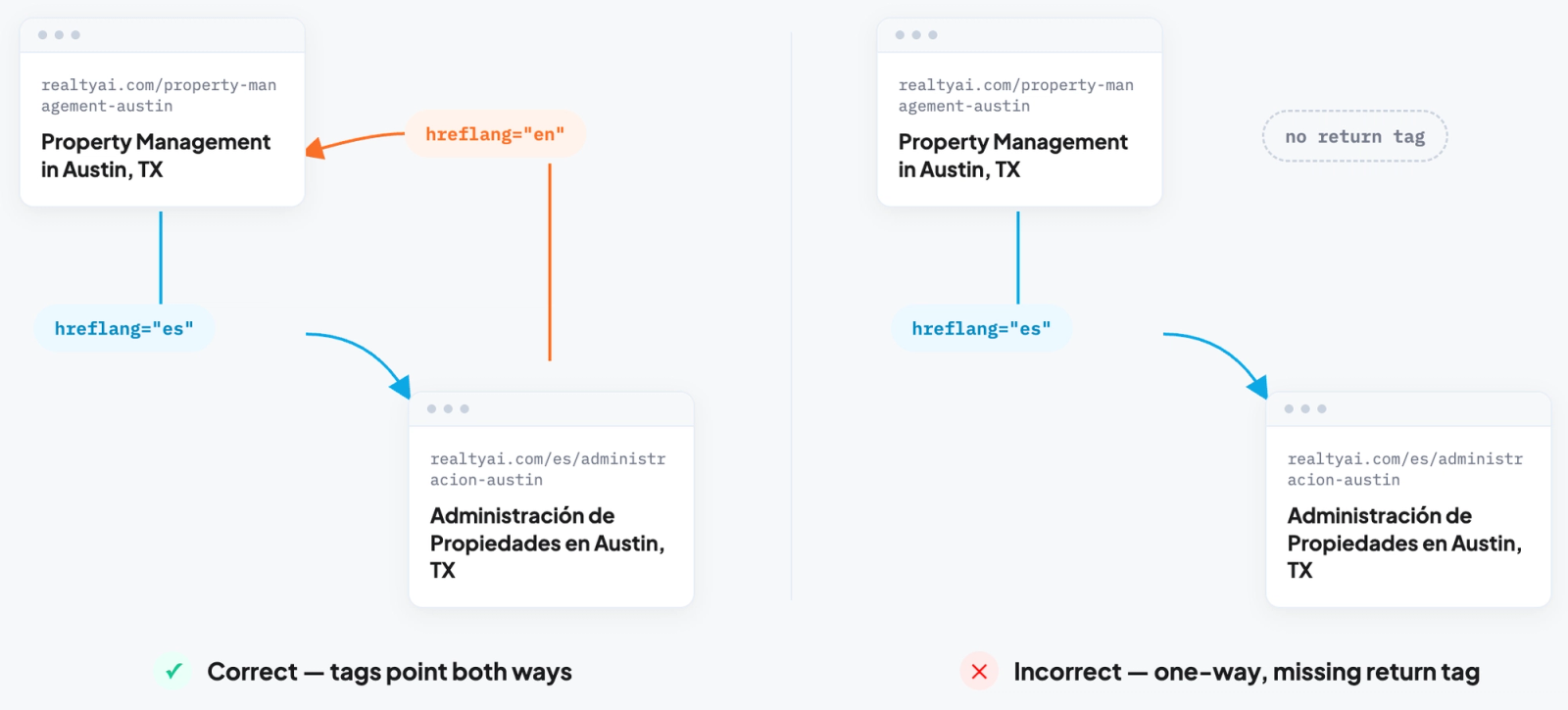
Hreflang tags: Tell Google which version of a page to show based on a searcher's language and location, preventing duplicate content issues.
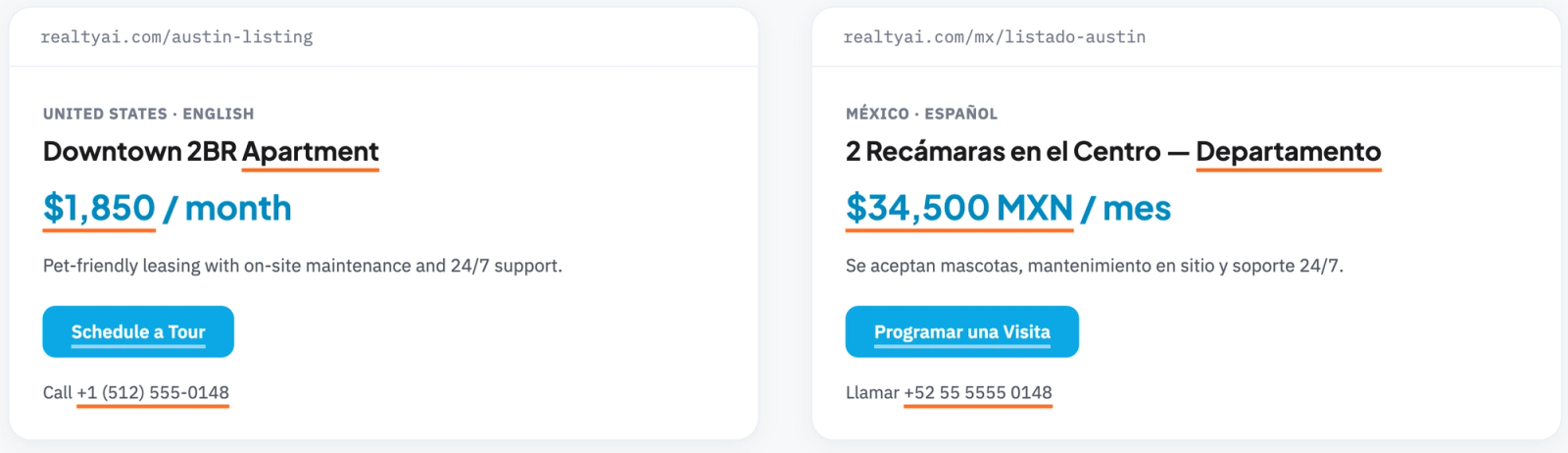
Localization: Goes beyond translation, adapting currency, terminology, and contact details to fit local norms in each market.
How Do You Start an SEO Audit for Your Website?
Set Up Analytics Tracking
Before auditing anything, make sure Google Search Console and Google Analytics 4 are properly installed and verified. These give you the baseline data the rest of your audit will be measured against.
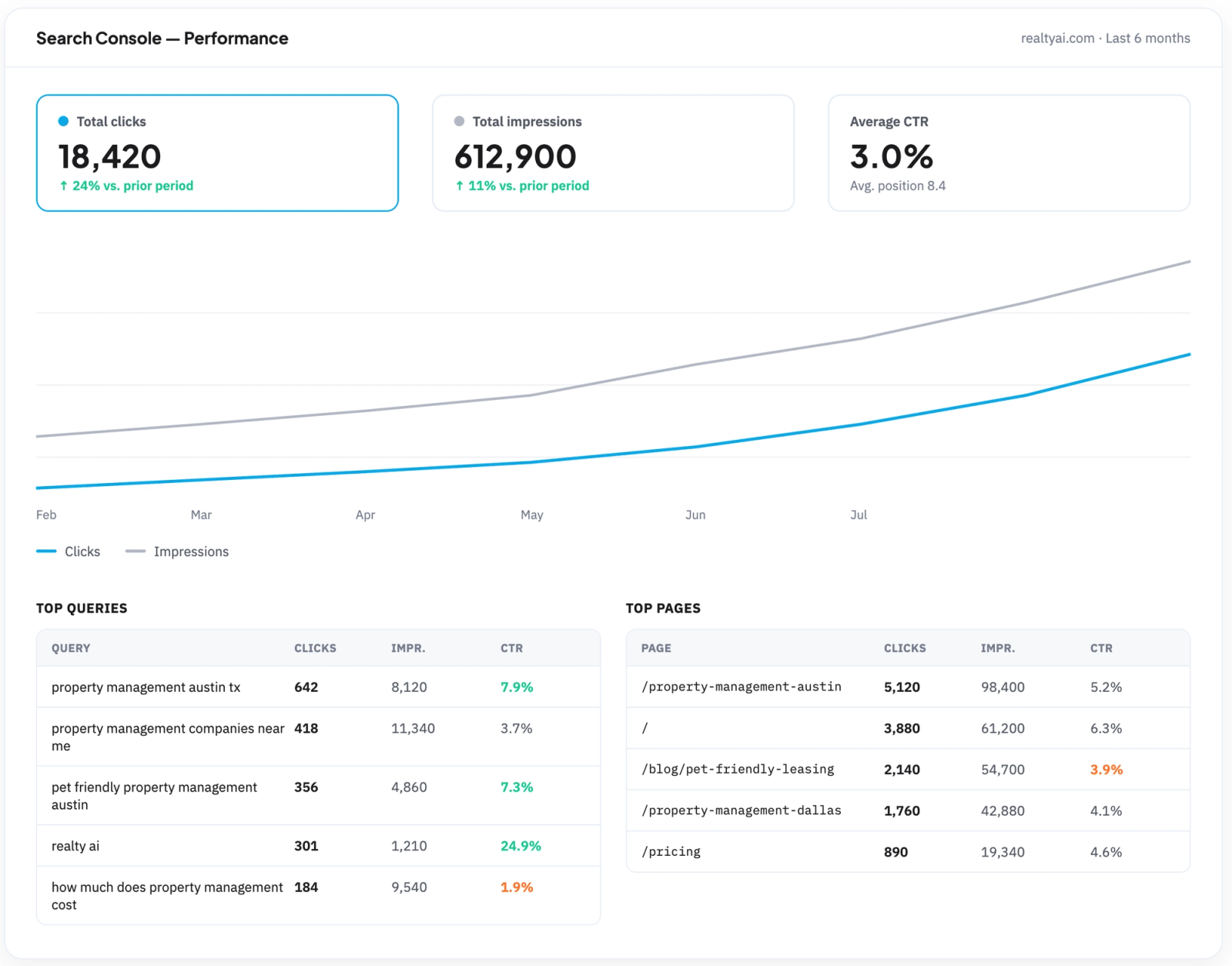
Clicks: actual visits to your site from search results.
Impressions: how often you appeared in results, whether or not someone clicked.
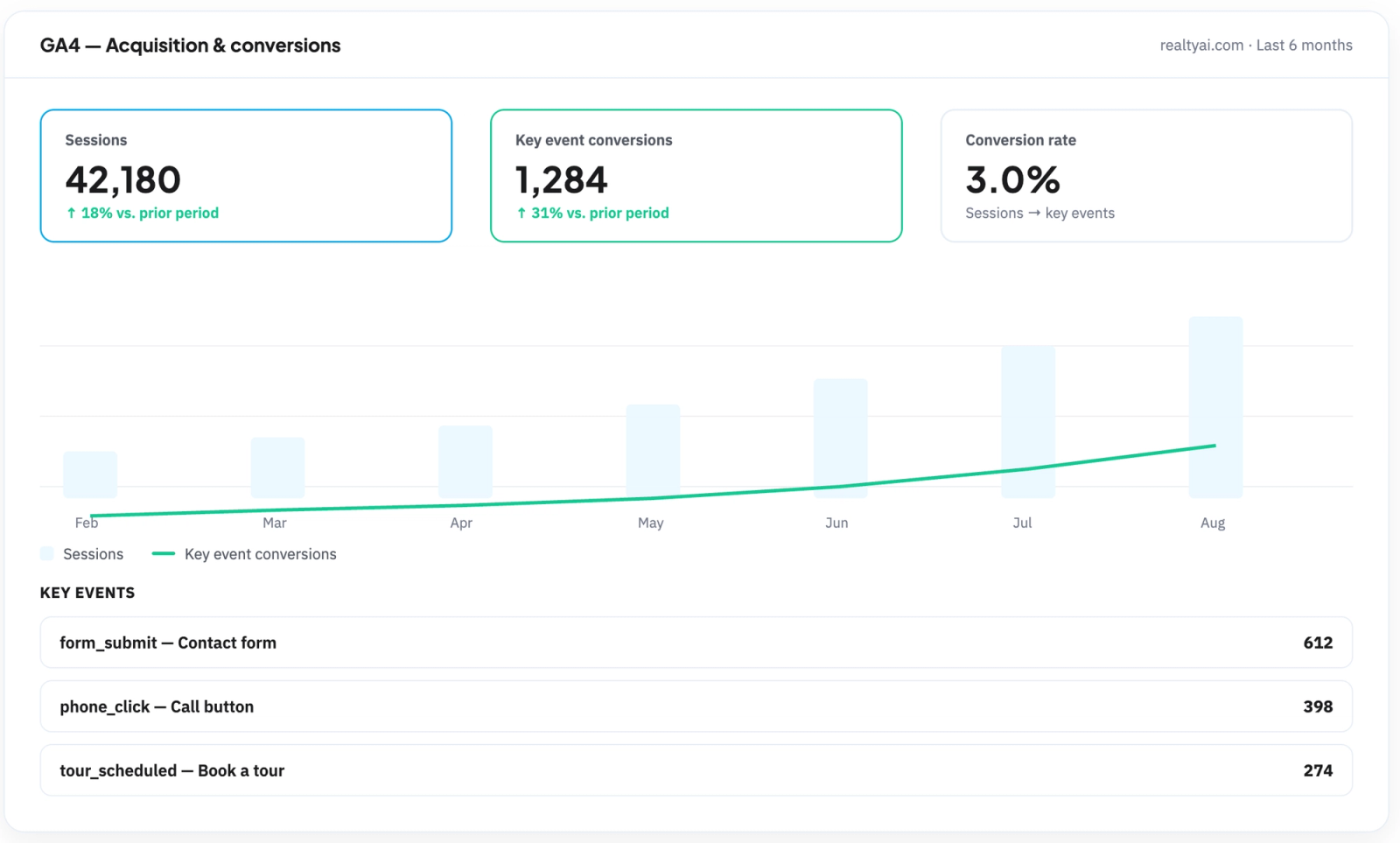
Sessions: overall site traffic and engagement tracked in GA4.
Event tracking: set up in GA4 to measure real conversions, like form submissions, phone clicks, or scheduled tours, connecting SEO traffic to actual business results.
Crawl Your Site
Run a full site crawl using a tool like Screaming Frog to surface indexing issues, broken links, duplicate content, and pages accidentally blocked from search engines.
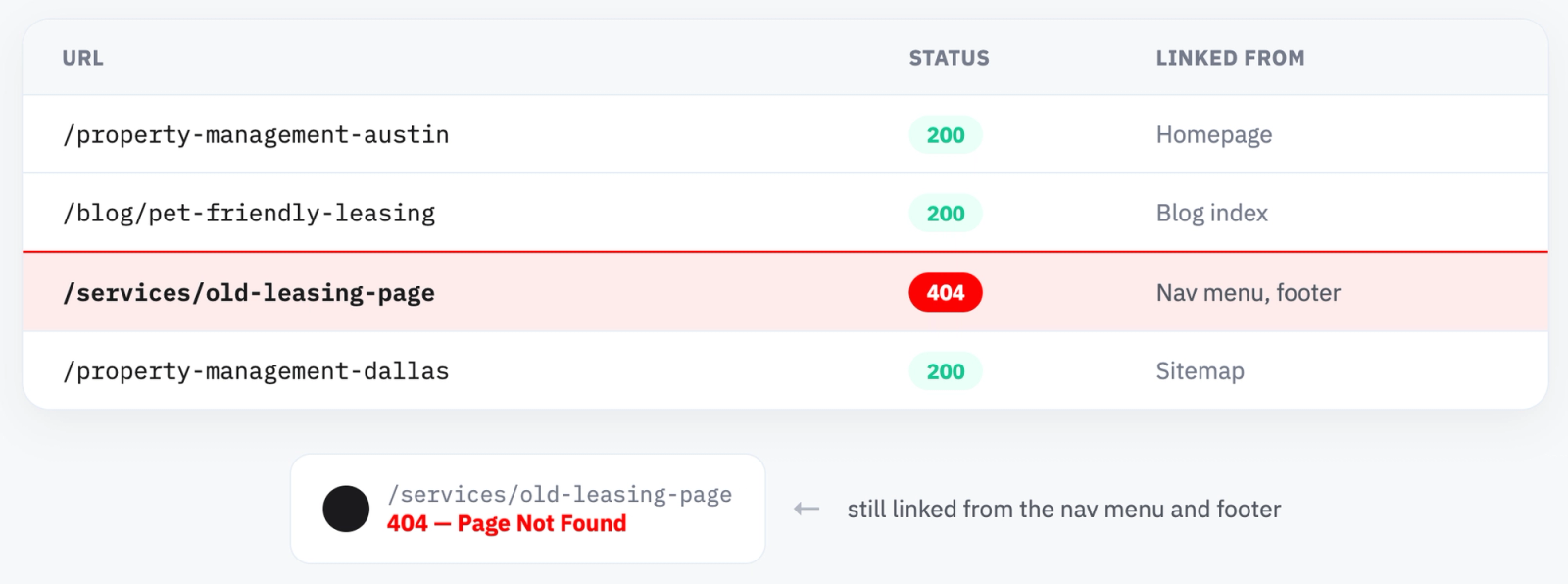
404 errors: Broken pages that waste crawl budget and hurt user experience.
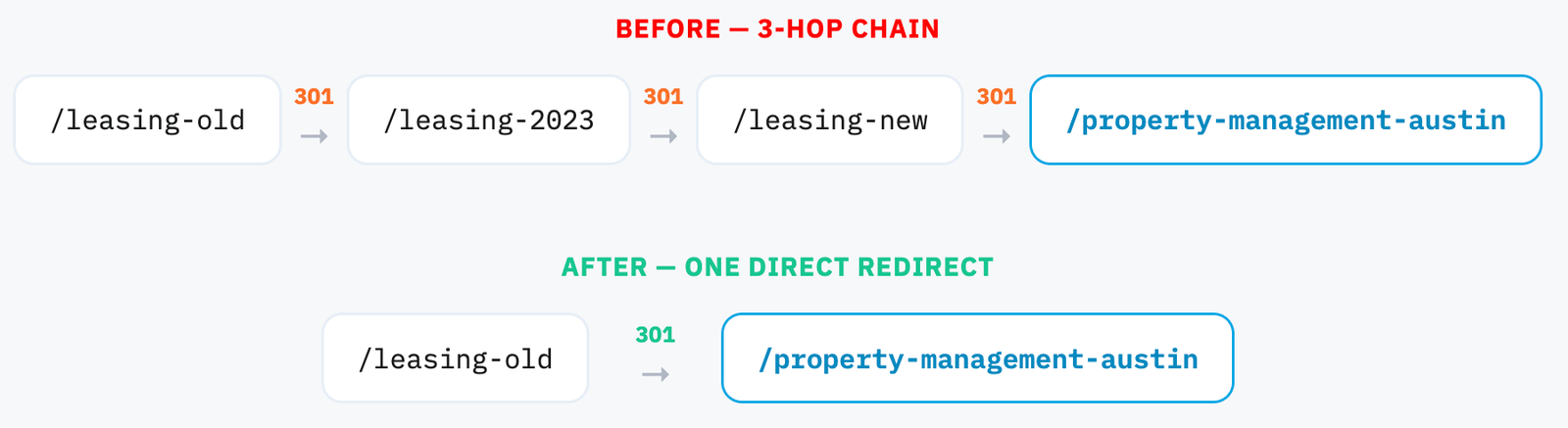
Redirect chains and loops: Clean up multi-step redirects into single, direct ones.
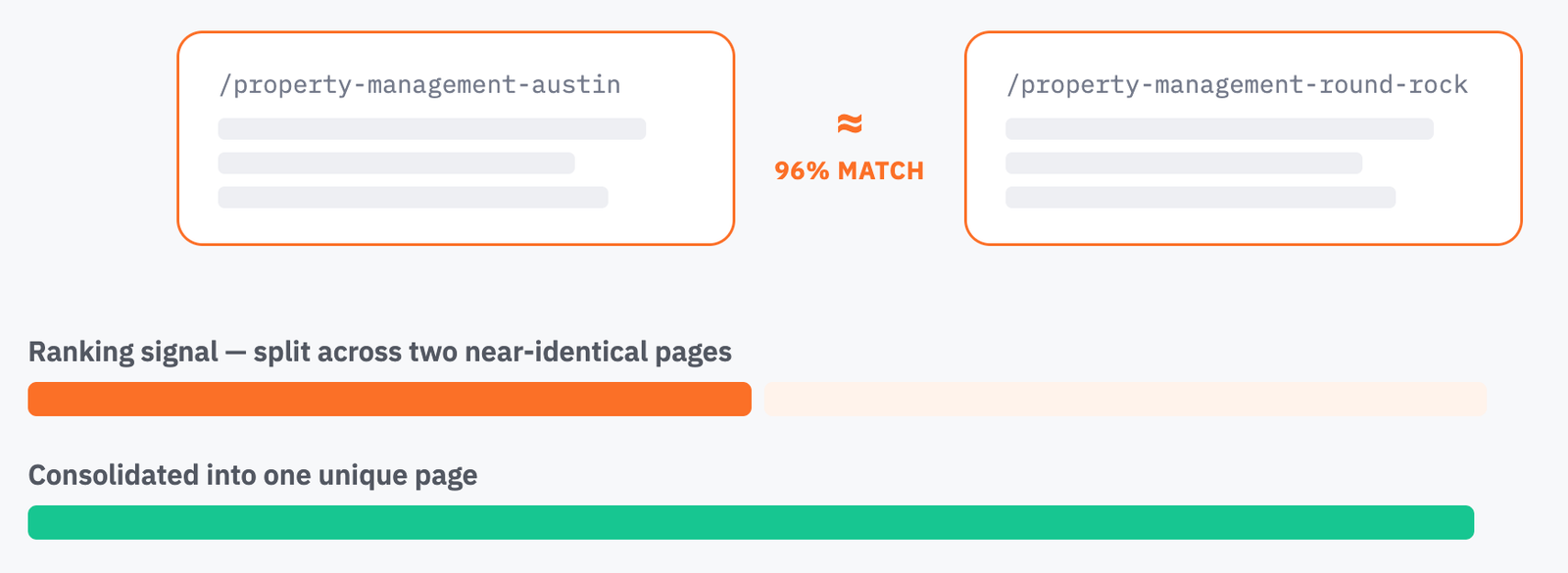
Duplicate content: Pages with near-identical content that split ranking signals.
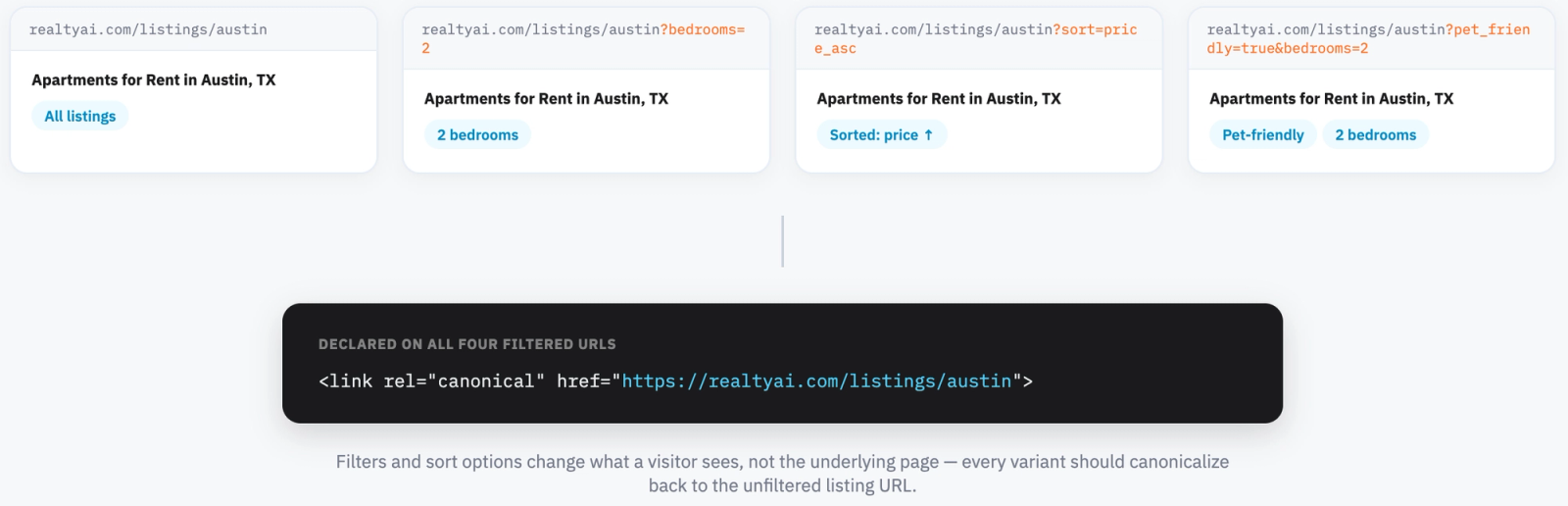
Canonical tag issues: Missing or incorrect canonicals confusing which version should rank.
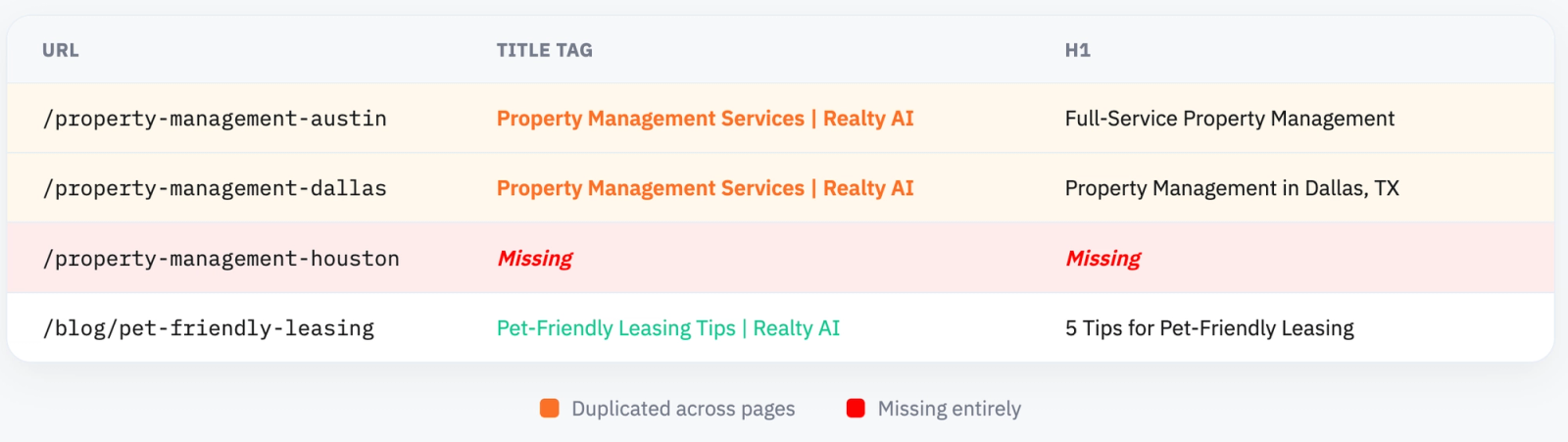
Duplicate and missing metadata: Title tags and H1s that repeat across pages or are missing entirely.
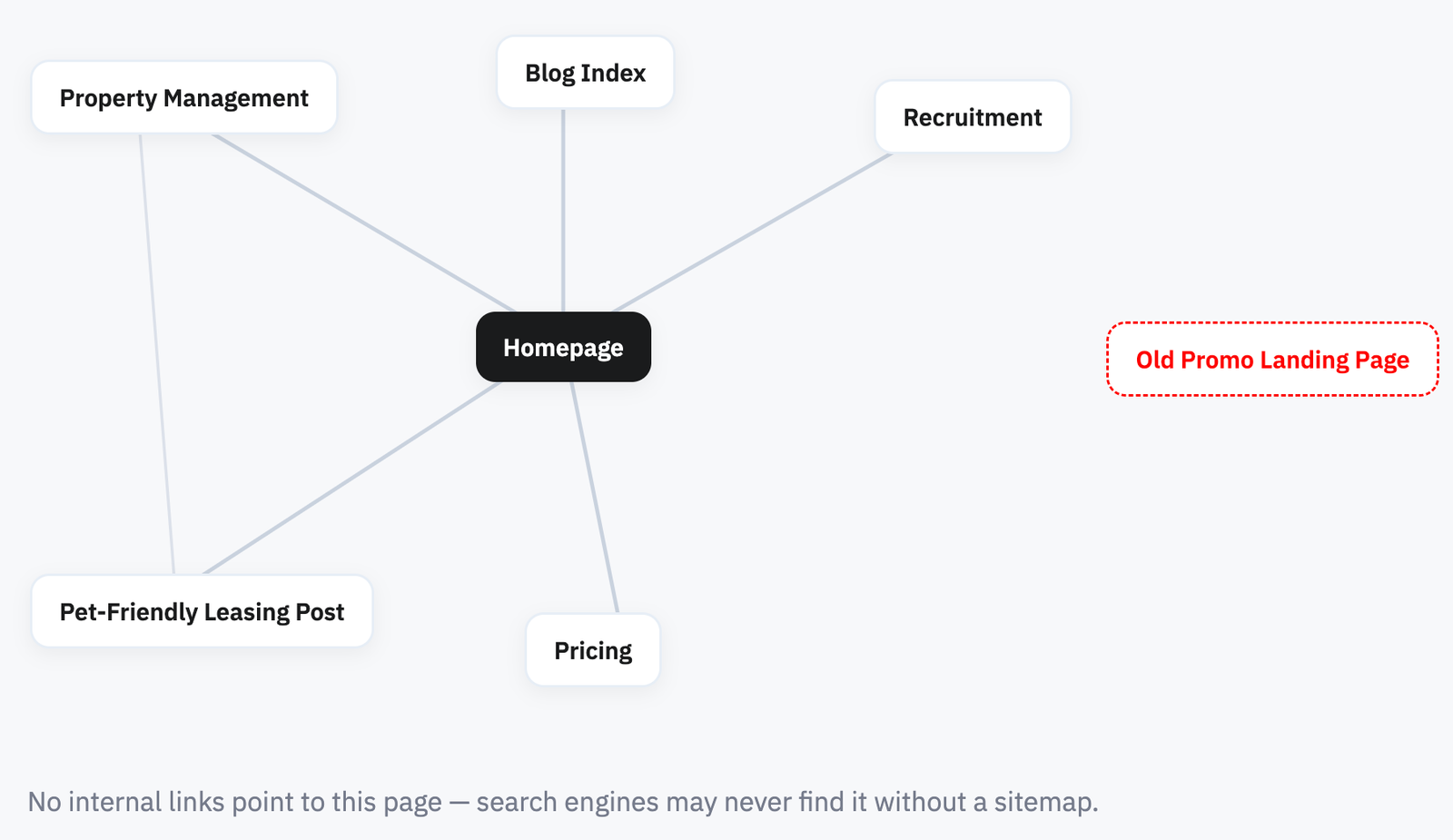
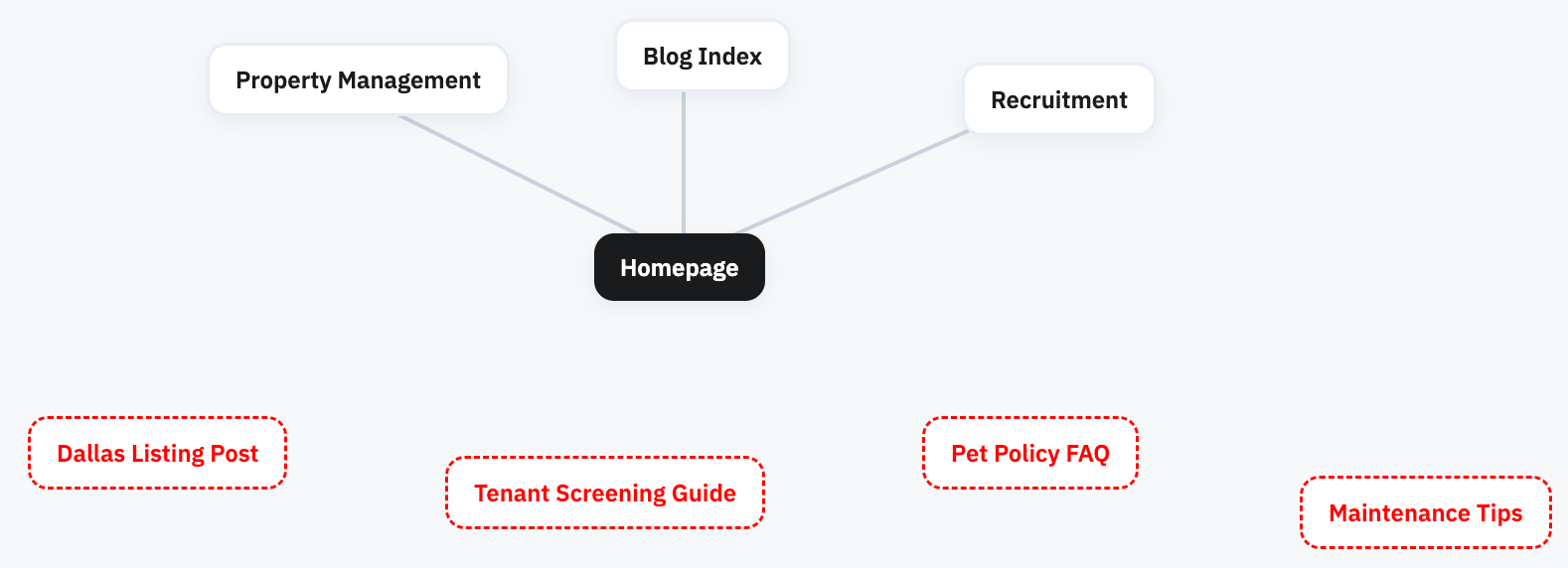
Orphan pages: Pages with no internal links pointing to them, making them hard for search engines to find and rank.
Evaluate Content Quality
Pull your top pages by organic traffic from Search Console or GA4, and compare that against your full site to see which pages are pulling weight and which are dead weight.
Flag content worth fixing:
Thin content: Pages with little real depth or substance, often written just to target a keyword rather than answer a question fully.
Outdated information: Pricing, laws, or market data that's no longer accurate, a real risk in a niche like property management.
Low engagement despite visibility: Pages earning impressions or even clicks but with high bounce rates or short time on page, a sign the content isn't matching intent.
Cannibalizing pages: Multiple pages competing for the same keyword, splitting your ranking potential instead of consolidating it.
Missing content: Gaps where competitors rank for relevant terms and you have no page addressing them at all.
Prioritize fixes on pages closest to ranking or already getting some traffic as improving a page already on page two of results is often faster and higher-impact than starting from scratch.
Common SEO Mistakes To Avoid
Keyword Stuffing
Keyword stuffing is repeating the same exact keyword phrase unnaturally throughout a page in an attempt to rank for it.
It matters because Google's algorithms are built to detect this pattern, and rather than boosting rankings, overused keywords make content harder to read and can trigger a ranking penalty.
A good rule of thumb: if reading the page out loud sounds robotic or repetitive, it's likely stuffed.
Exact-Match Anchor Text Backlinks
This happens when the same precise keyword phrase is used as the clickable anchor text across many of your backlinks, rather than varied, natural phrasing.
It matters because a natural link profile has a mix of anchor types, so heavy reliance on one exact phrase looks manufactured to Google and can flag your entire link profile as manipulated.
Neglecting Technical Health
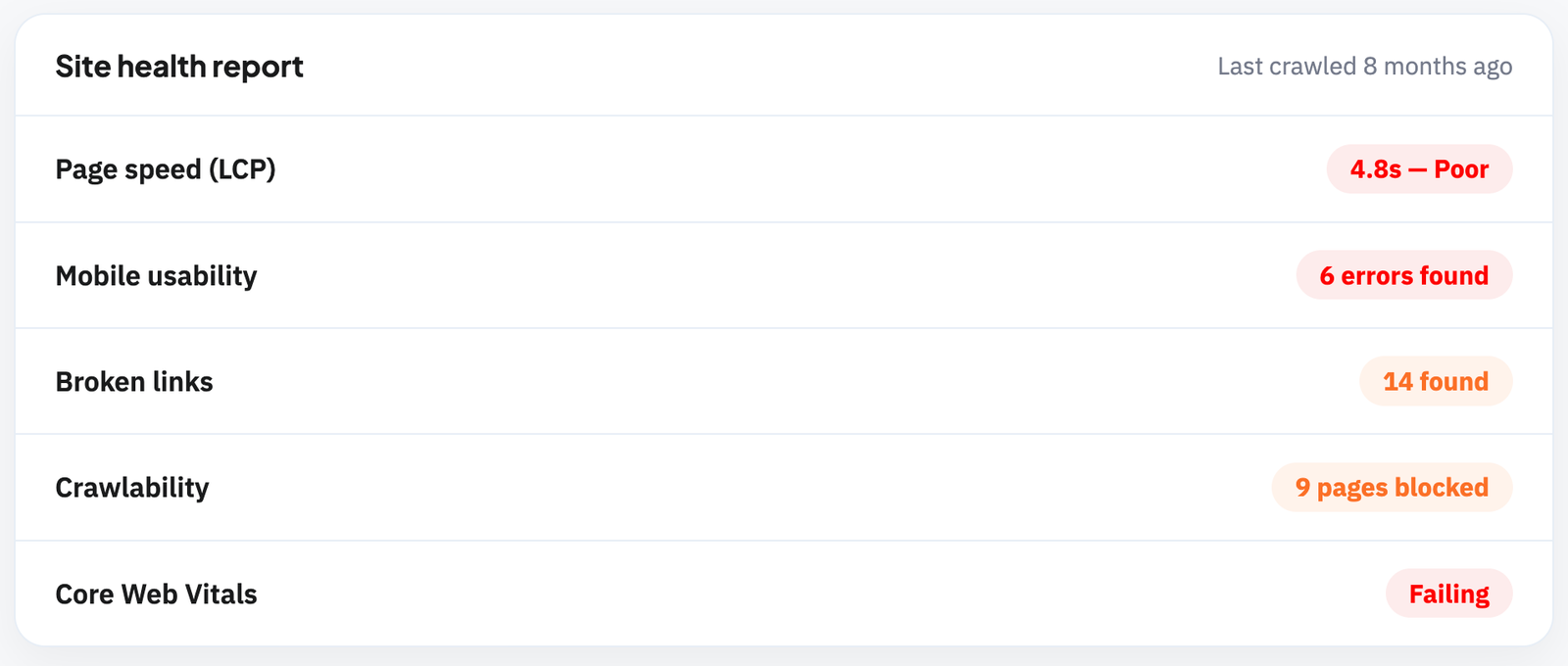
Technical health covers the underlying performance of your site, page speed, mobile usability, broken links, and crawlability.
It matters because these issues quietly undercut your rankings even when your content and backlinks are strong, since search engines struggle to properly crawl and rank a site that's slow or error-prone.
Inconsistent NAP Across Directories
NAP consistency means your business Name, Address, and Phone number match exactly across every directory and listing where your business appears.
It matters because mismatches confuse search engines trying to confirm your business is legitimate and established, directly weakening your local ranking signals.
Watch for small variations, like an abbreviated street name or an old phone number, that quietly persist on outdated directory listings..
Ignoring Reviews and Reputation
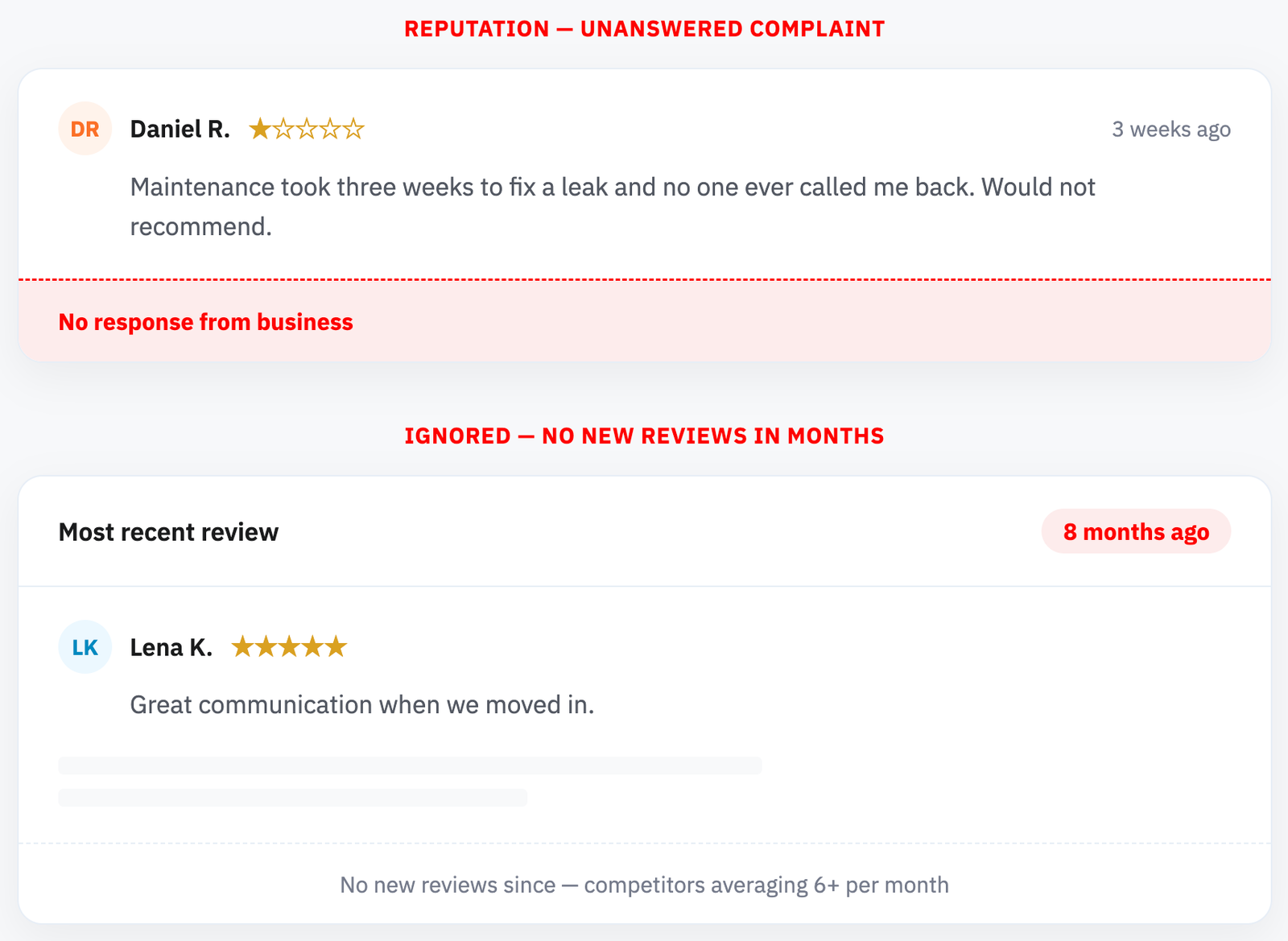
Reviews are a core local ranking signal, not just a trust indicator for prospective clients.
Watch your review velocity and response rate closely, a steady stream of recent reviews, paired with thoughtful responses to both positive and negative feedback, builds trust with both search engines and prospective clients.
Weak Internal Linking
Internal linking is how you connect pages on your own site to each other, guiding both users and search engines through your content.
It matters because pages with few or no internal links pointing to them are harder for search engines to discover and rank, and they miss out on authority passed from your stronger, more established pages.
Watch for orphan pages with zero internal links, and be deliberate about linking new content back to existing pages.
Letting Content Go Stale
Stale content is a page published once and never revisited, even as the information it contains becomes outdated.
It matters because outdated pricing, laws, or market data can quietly erode both trust and rankings over time, especially in a niche like property management where regulations and costs shift regularly.
Watch your highest-traffic pages first, and set a recurring schedule to review and refresh them, since regularly updating high-value content signals to search engines, and readers, that it's still accurate and worth ranking.
How Do You Track SEO Performance for a Property Management Site?
1. Define Your Core KPIs
Start with the business outcomes that actually matter, not just traffic.
For property managers, this typically means new leases signed, owner inquiries, and rental applications sourced from organic search, the metrics that tie SEO directly to revenue.
2. Track the Indirect Metrics That Feed Them
These core KPIs are the result of smaller, upstream metrics moving in the right direction. Track them monthly to spot problems before they show up in your bottom line:
Organic traffic: overall visits from search, and specifically to owner and tenant-facing pages.
Keyword rankings: movement on your priority owner and tenant keywords.
Clicks and impressions: from Google Search Console, showing visibility and click-through rate.
Google Business Profile activity: calls, direction requests, and profile views.
Referring domains and backlinks: growth in your link profile over time.
Conversion rate: the percentage of organic visitors who submit a form, call, or apply.
3. Use the Right Tools
Google Search Console: Clicks, impressions, and keyword-level search data.
Google Analytics 4: Sessions, conversions, and event tracking.
Ahrefs or Semrush: Keyword rankings and backlink profile growth.
Your CRM or property management software: To connect leads and leases back to their original source.
Pair Your SEO Strategy With Strong Property Management
Rankings bring owners and tenants to your door, but the way you run the properties behind them decides whether they will stay.
The strongest property management companies treat operations as part of the same flywheel.
The everyday property management tips that keep vacancies low and residents loyal are what produce the steady, high quality reviews that lift the local rankings you're working to earn.
Turn Your SEO Traffic Into Leases
Ranking well is only half the equation, what happens after someone lands on your site determines whether that traffic turns into a signed lease.
A leasing AI chatbot engages prospective tenants and owners the moment they arrive, answers questions instantly, and qualifies leads 24/7 so none of the traffic your SEO efforts earn goes to waste.
Book a demo today to see how it can turn your website visitors into leases.
Related articles
More in SEO & Marketing
Keep reading in the same category to go deeper on the topics that matter to your team.
Answer engine optimization explained for real estate: how AI answers pick their sources, what to publish, what to measure, and the fair housing line to stay behind.
Generative engine optimization for real estate teams: how to get cited by ChatGPT, Gemini and AI Overviews, with a checklist and the data behind it.
About Madison
The AI assistant built for real estate lead gen
Madison is Realty AI's conversational assistant for real estate websites. It engages visitors instantly, qualifies buyers, sellers, and renters through natural dialogue, routes summaries to your CRM, and keeps your team focused on closing.
5.0 average from 2,500 customer reviews
“We captured 3 new transactions worth over $3.3 million in just a few months using Realty AI.”
Sarah Logue
Broker & Owner, Top 0.1%
“Within our first week of using Realty AI, I had an engaged seller ready on the phone. This has never happened before in 4 years.”
Mark Jensen
Owner & Broker of Record
“It feels like having a personal assistant on my website 24/7, sending me instant notifications so I never miss a potential client.”