How to Use ChatGPT for Real Estate: A Practical Guide for Agents
A practical guide for agents on how to use ChatGPT for real estate: day-to-day use cases, the prompt formula, setup, and the modes that get the most out of the tool.
Output quality tracks with how you ask. Use this formula:
Act as [role] → Write [content type] → For [audience or situation] → Following these constraints: [length, tone, format, specific details]
The same request at three levels:
Vague: "Write a listing description for a condo."
Okay: "Write a 150-word listing description for a 2-bedroom condo in downtown Toronto targeting first-time buyers."
Excellent: "Act as a real estate copywriter specializing in urban condos. Write a 150-word listing description for a 2-bed, 1-bath condo on the 12th floor at King and Spadina in Toronto. Highlights: exposed brick, floor-to-ceiling windows, rooftop terrace access, building gym, one parking spot. Target buyer: a working professional aged 28-40 buying their first home. Tone: confident, aspirational, not salesy. End with one line that creates urgency without using 'opportunity.'"
Plain text
Act as a real estate copywriter specializing in urban condos. Write a 150-word listing description for a 2-bed, 1-bath condo on the 12th floor at King and Spadina in Toronto.

Highlights: exposed brick, floor-to-ceiling windows, rooftop terrace access, building gym, one parking spot.

Target buyer: a working professional aged 28-40 buying their first home.

Tone: confident, aspirational, not salesy. End with one line that creates urgency without using the word 'opportunity.'
The four components of every prompt:
Role: who ChatGPT should act as.
Context: the property, client, or scenario it needs to know.
Output: word count, format, tone, platform.
Constraints: what to include, what to avoid, what to end with.
Setting Up ChatGPT for Your Team
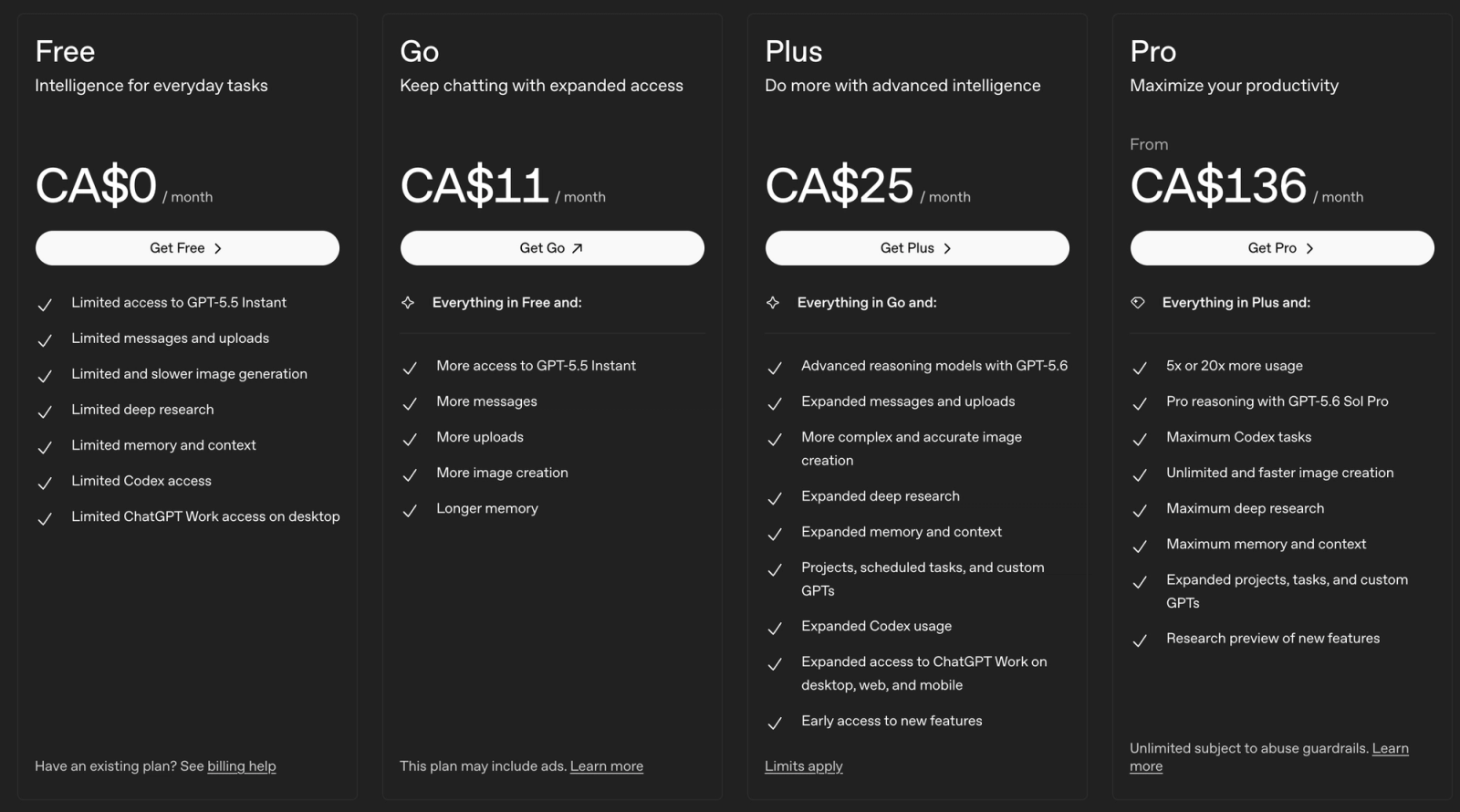
Individual plans:
Free: occasional use, like a one-off email. Limited access to premium modes.
Go: more messages, uploads, and images than Free, but shows ads.
Plus: the standard for daily use, with fuller access to deep research, images, voice, and Custom GPTs. Right for most agents.
Pro: for heavy deep-research or data workflows. Overkill for most content needs.
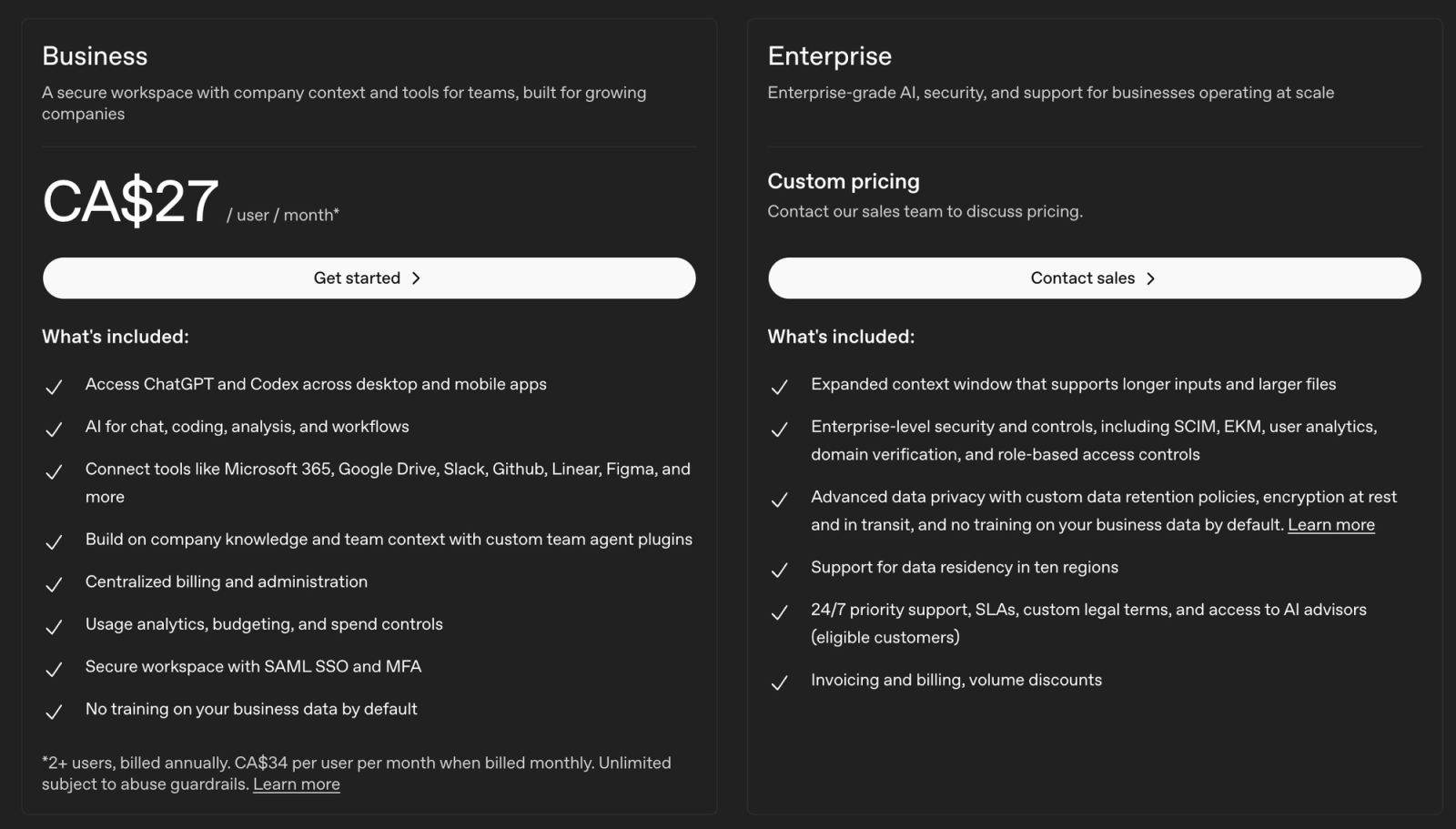
Team plans:
Business: shared workspace, admin controls, and shared prompt libraries.
Enterprise: for 100-plus agents needing SSO and enterprise-grade security.
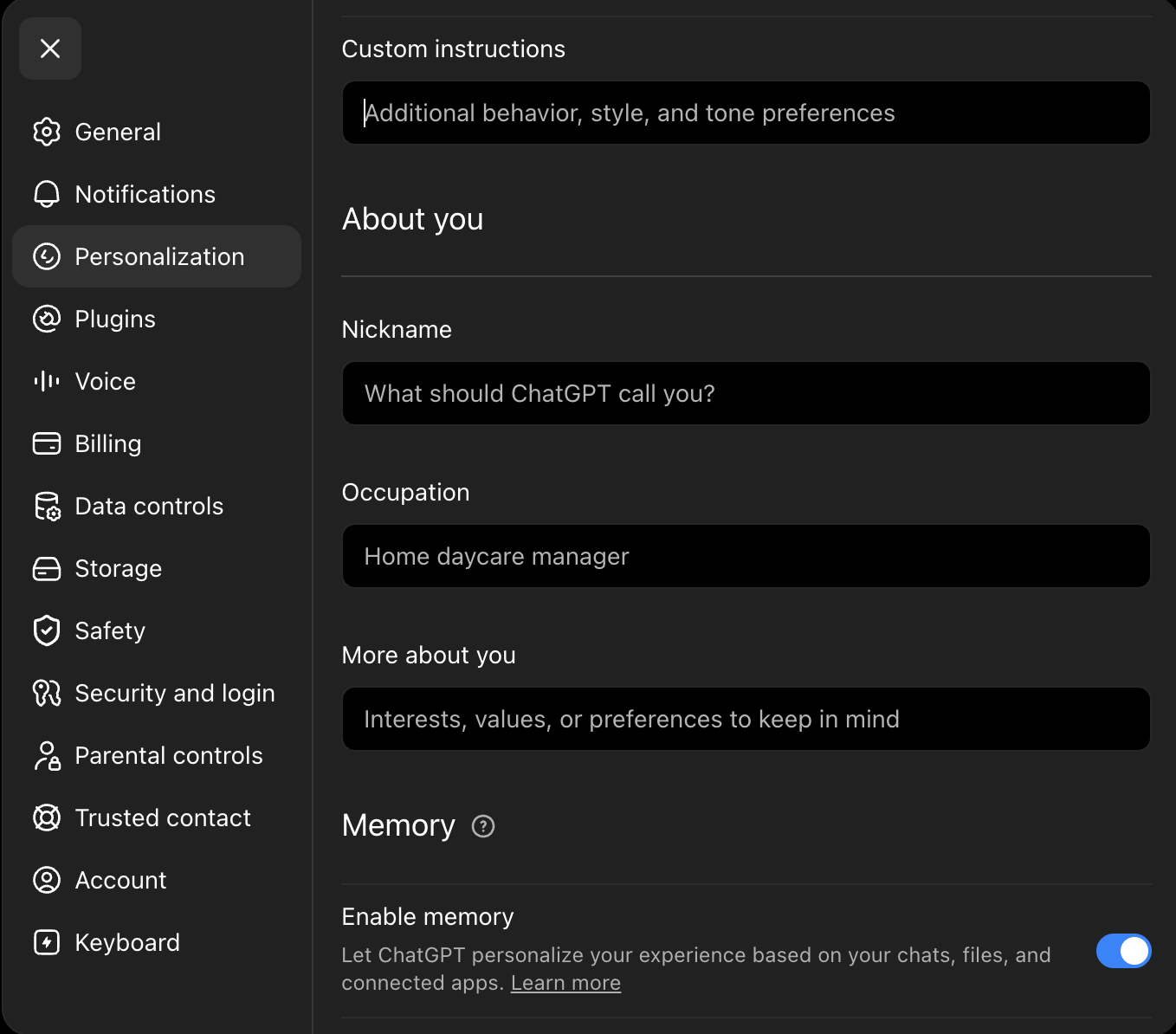
Set custom instructions once. In Settings > Personalization, paste in your brokerage name, primary market, and brand voice. Every prompt then inherits that context, so you stop re-explaining who you are.
Getting the Most Out of ChatGPT
ChatGPT is several tools in one, and the best habit is simple: research first, then write.
Deep research mode: research first
Reads the live web and returns a sourced, cited report.
This is best for:
Local market talking points
What's driving rates right now
The backbone of a quarterly market update
Example of prompt to use:
Plain text
Act as a real estate market analyst researching the [NEIGHBOURHOOD / CITY] housing market for [MONTH, YEAR].

Research the current market and produce a sourced briefing I can use with buyers and sellers. Cover:
- Median and average sale price, and how they've moved over the last [3 / 6 / 12] months
- Average days on market and the current sale-to-list ratio
- Active inventory and new listings vs. the same period last year
- Current mortgage rate environment and any recent changes
- 2-3 local trends or factors shaping the market right now
- What each finding means for buyers, and what it means for sellers

Requirements:
- Use only sources from the last [90 days]. Prioritize primary sources: the local real estate board, the MLS, government housing data, and major lenders.
- Cite every statistic with the source and its date so I can verify it.
- Flag anything you could not confirm from a reliable source rather than estimating.
- Format as a scannable briefing with clear headings and short bullet points.
- Note [REGION]-specific context I should confirm before quoting it to a client.
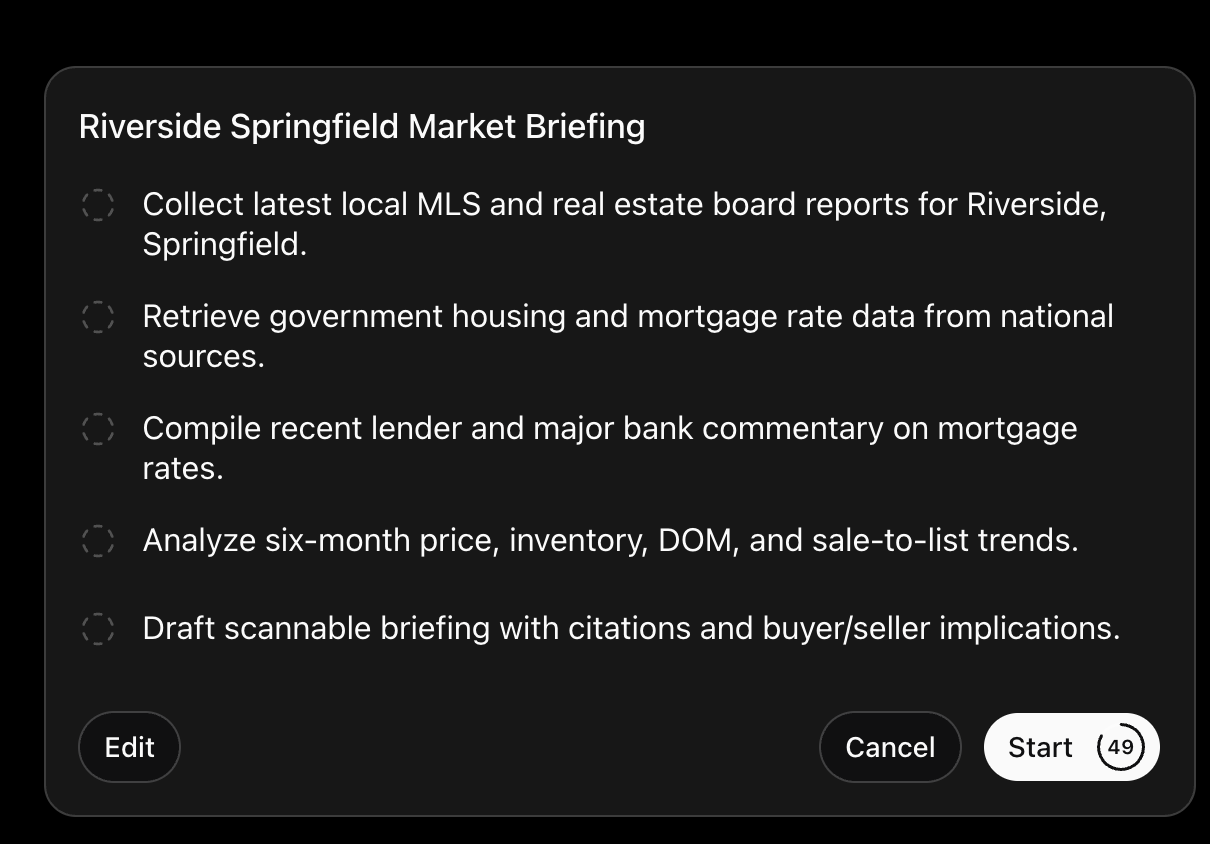
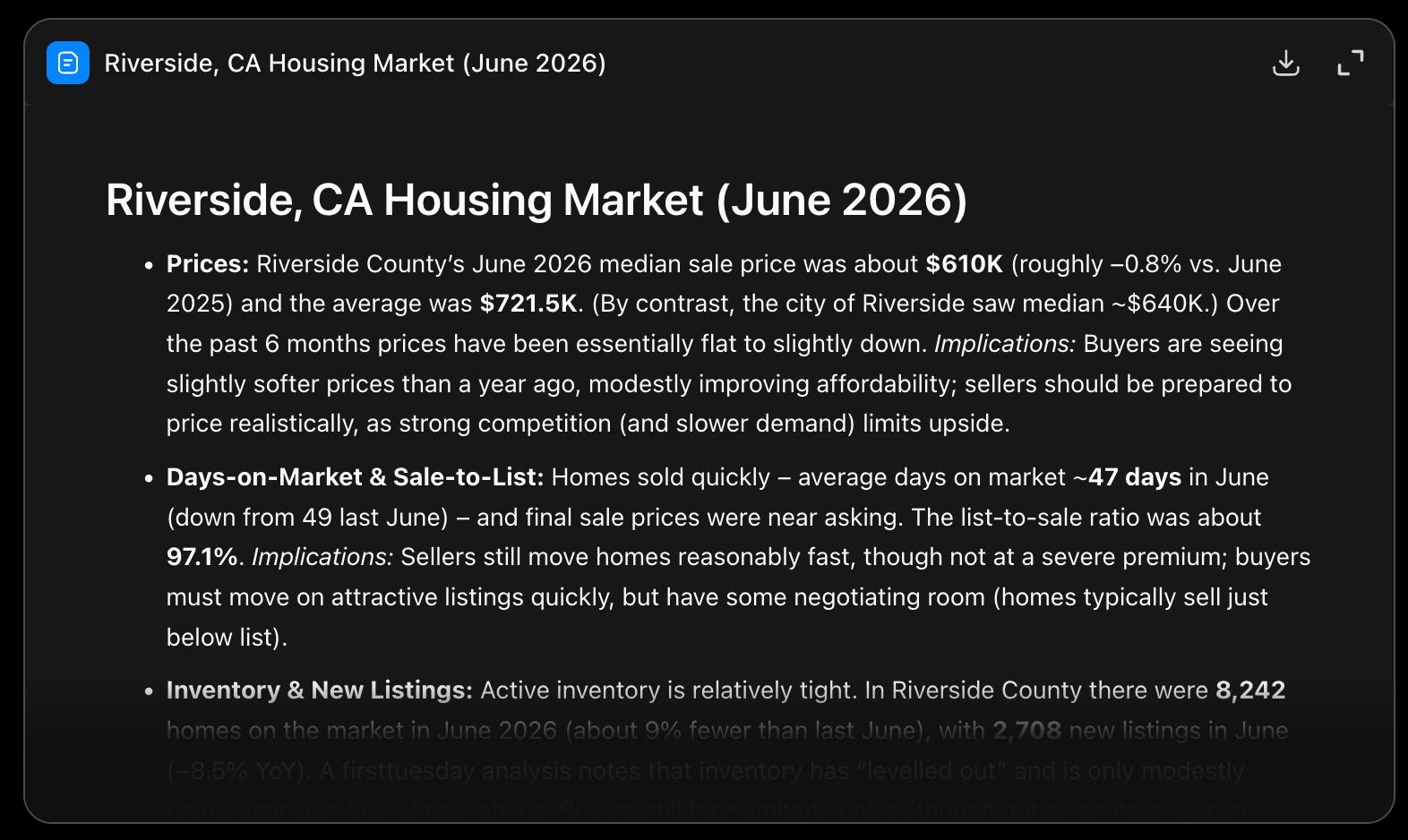
Example of research mode starting
Example of research mode output:
Caution: treat it as a starting point. Verify every stat against a primary source (your board, the MLS, a government release) before it reaches a client.
Write, with the research in context
Once the research is in the chat, ask ChatGPT to shape it into the deliverable:
A newsletter section
A social carousel
A listing-appointment talking-points sheet
Because the facts are already there, the writing stays grounded instead of generic.
Data and document analysis
Upload files and let ChatGPT read them. Best for:
MLS CSV exports (trends, days on market, price per square foot)
Prelist inspections and strata documents (plain-language summaries)
Facts sheets as prep for pricing and listings
Image generation
Create visuals directly in the chat:
Open house flyer concepts
Social graphics and quick mockups
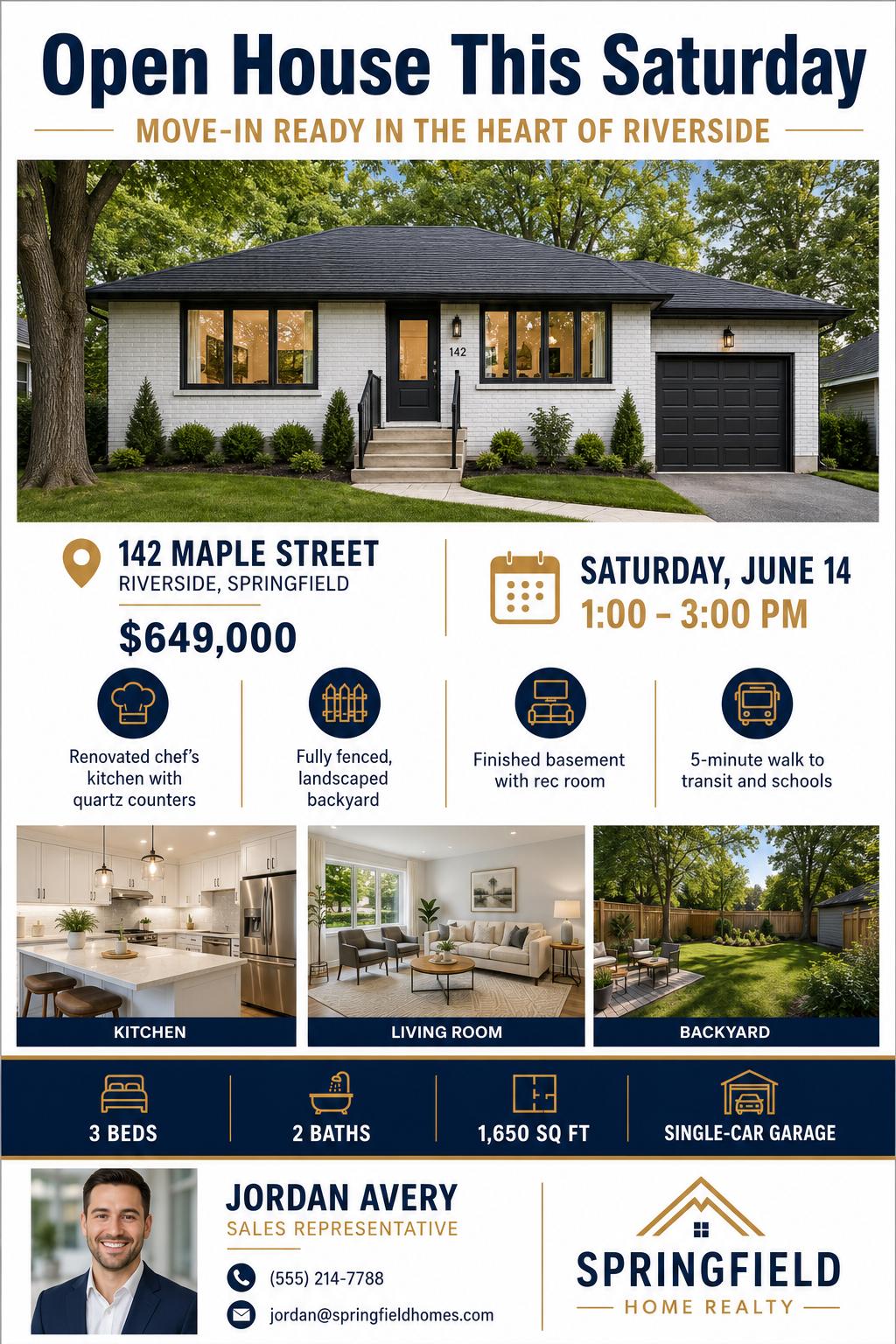
Example of open house flyer
Example of a prompt to use:
Plain text
Create a professional real estate open house flyer, portrait orientation (8.5x11 inches).

Property: [BEDROOMS]-bedroom, [BATHROOMS]-bathroom [PROPERTY TYPE] at [ADDRESS].
Open house: [DAY, DATE], from [START TIME] to [END TIME].
Price: [$PRICE].

Headline (top of flyer, large): "[HEADLINE, e.g., Open House This Saturday]".
Subheadline: "[SUBHEADLINE, e.g., Move-In Ready in the Heart of [NEIGHBOURHOOD]]".

Reserve a large horizontal area near the top for the main property photo, and three small square areas lower down for interior photos. Use neutral gray placeholder blocks labeled "PHOTO" so I can drop in real listing images afterward.

Key features, shown as four short bullet points with small icons:
- [FEATURE 1]
- [FEATURE 2]
- [FEATURE 3]
- [FEATURE 4]

Details band (clearly formatted): [BEDROOMS] Beds | [BATHROOMS] Baths | [SQ FT] sq ft | [PARKING].

Agent contact block at the bottom with placeholders for a headshot and logo:
- Agent: [AGENT NAME], [TITLE]
- Phone: [PHONE]
- Email: [EMAIL]
- Brokerage: [BROKERAGE NAME]

Style: [STYLE, e.g., modern and minimal]. Color palette: [COLORS, e.g., navy, white, and soft gold]. Clean sans-serif typography, generous white space, and strong visual hierarchy so it is easy to read from a few feet away. Keep all text crisp and legible. No unrelated stock house photos and no fake MLS numbers.
Not for: real listing photos. AI images should never misrepresent an actual home.
Voice and record modes
Voice: dictate showing details on the go, or roleplay an objection-handling call.
Record: capture a meeting or voice note and turn it into a summary with action items.
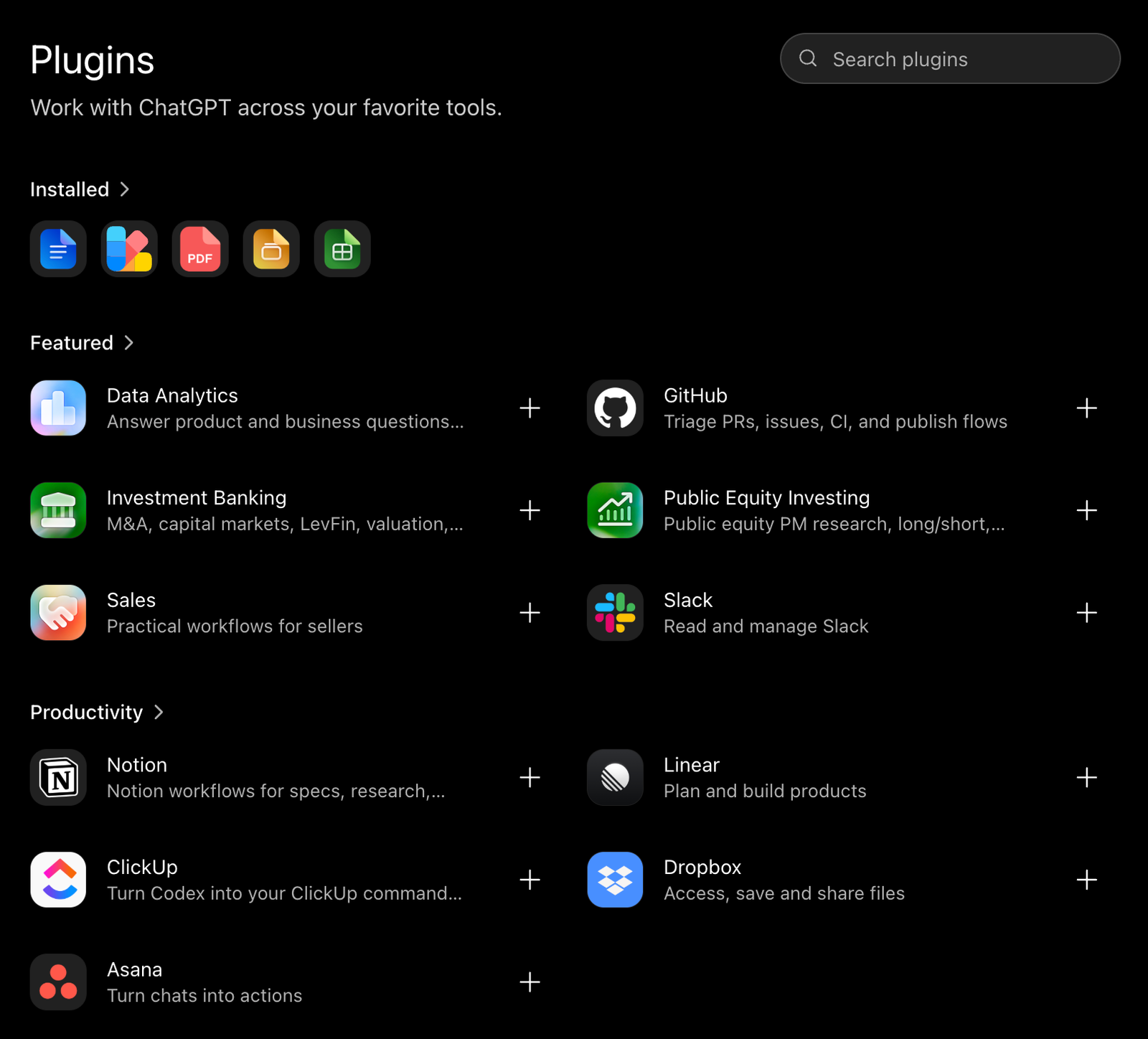
Plugins and apps
Connect ChatGPT to your other tools so it isn't limited to the chat window:
Zillow app: pull listings, photos, maps, and pricing inside the conversation.
Canva: turn a concept into finished marketing graphics.
Zapier / HubSpot: link email, sheets, and CRM records to draft and organize follow-ups.
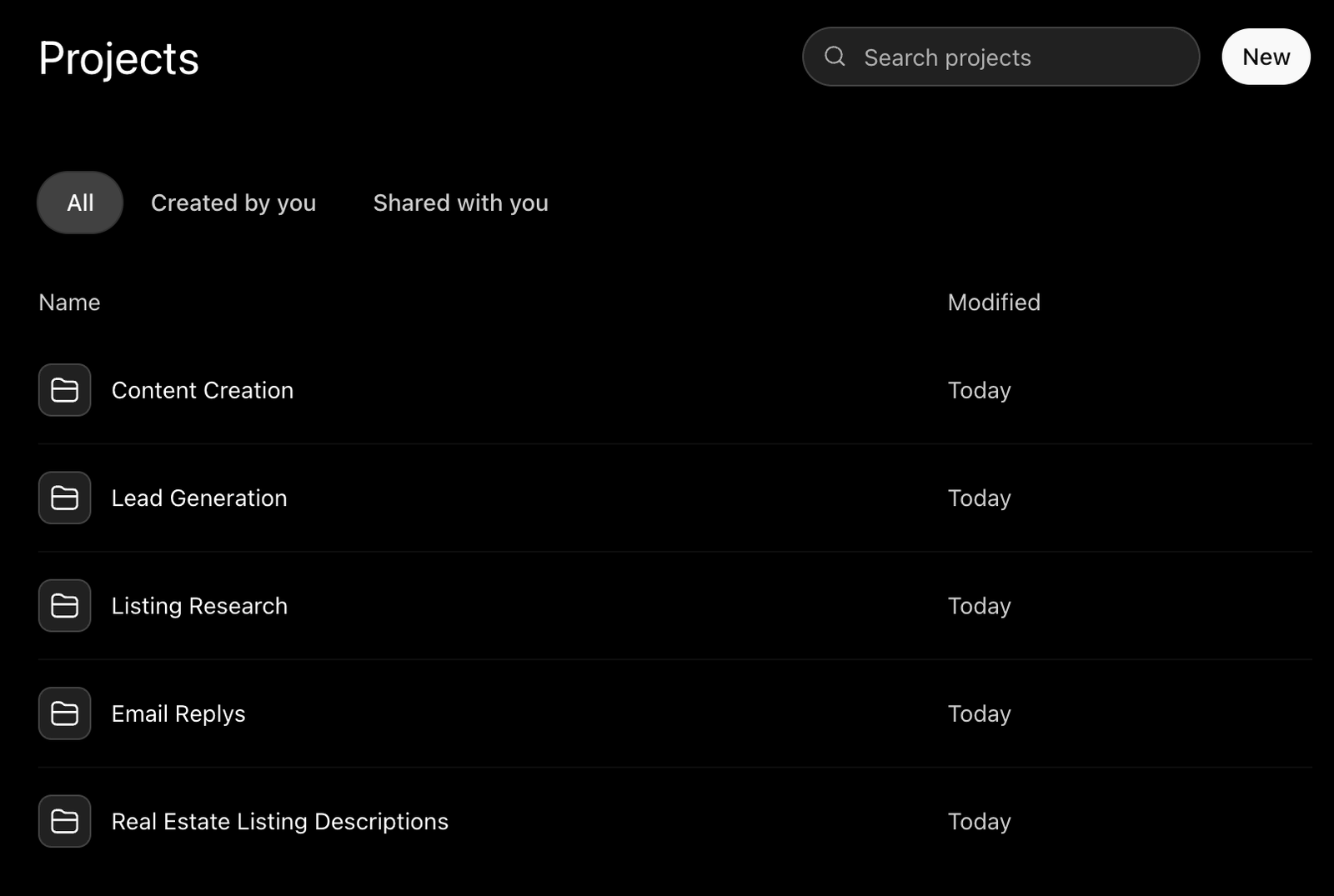
Custom GPTs and Projects
Turn a repeated workflow into a reusable bot, like one that turns MLS data and a facts sheet into a listing-video script in your team's format. Set it up once, and the whole team gets consistent output.
Where ChatGPT Falls Short
Accuracy: it doesn't know your live listings or this week's market unless you tell it. Verify stats, even from deep research.
Compliance: it won't guarantee fair-housing-compliant language. Every client-facing draft needs a human read.
The human element: keep a person in the loop for anything client-facing. Use AI to support the relationship, not replace it.
Conclusion
ChatGPT helps you draft faster. Seeing how Realty AI captures after-hours leads is a short next step.
Book a demo to see it handle website inquiries around the clock.
Related articles
More in AI Playbook
Keep reading in the same category to go deeper on the topics that matter to your team.
Claude MCP and connectors for real estate, explained: how they work, which to connect, how to reach your CRM and MLS, and how to stay safe and compliant.
Claude vs ChatGPT for real estate agents: which wins for writing, contracts, images, and automations. A clear task-by-task breakdown for working agents.
How to use Claude for real estate: use cases, background automations, which Claude and model to pick, plans, and connecting your tools with MCP.
About Madison
The AI assistant built for real estate lead gen
Madison is Realty AI's conversational assistant for real estate websites. It engages visitors instantly, qualifies buyers, sellers, and renters through natural dialogue, routes summaries to your CRM, and keeps your team focused on closing.
5.0 average from 2,500 customer reviews
“We captured 3 new transactions worth over $3.3 million in just a few months using Realty AI.”
Sarah Logue
Broker & Owner, Top 0.1%
“Within our first week of using Realty AI, I had an engaged seller ready on the phone. This has never happened before in 4 years.”
Mark Jensen
Owner & Broker of Record
“It feels like having a personal assistant on my website 24/7, sending me instant notifications so I never miss a potential client.”