What Is a Real Estate Chatbot? A Plain-English Guide for Agents
So, what is a real estate chatbot? It’s software on your website that answers visitors, captures their details and hands the serious ones to you, even at 2 a.m. or mid-showing.
Nathan SmithPublished Oct 12, 2025Updated Nov 18, 202612 min read
Is it worth it? Look at who’s visiting. Based on our conversation data, 40.5% of visitors are actively searching and another 22.9% are ready to act. (More data, NAR research and ten client case studies are further down if you want the receipts.)
Who's actually visiting your site
40.5%
of visitors are actively searching
22.9%
of visitors are ready to act
Source: Realty AI conversation data
And what do most of them get? A contact form.
Ouch.
Here’s the thing. You’re paying real money for ads, portal leads and a nice-looking website... all to land someone who’s ready to talk, then ask them to fill in six fields and wait.
So we pulled everything we know about real estate chatbots into one place. What they do, how they work, what they cost, where they break, and how to test one without betting your year on it.
Full disclosure: we build a chatbot (her name is Madison). So yes, we’re biased. But you’ll find a few spots below where we tell you a chatbot is the wrong tool.
Already sold and just need to pick one? Our best real estate AI chatbots roundup compares them side by side. Still weighing it up? Stick around.
Start with the full definition below. Half the confusion around chatbots comes from one word meaning four different things.
What Is a Real Estate Chatbot?
A real estate chatbot is software on your website that chats with visitors in plain language, answers property and service questions, and collects contact details so an agent can follow up.
It works around the clock and passes the conversation to a person when one is needed.
Think of a front desk that never closes. A visitor types a question, the chatbot answers or asks one back, and a lead lands in your CRM with the whole conversation attached.
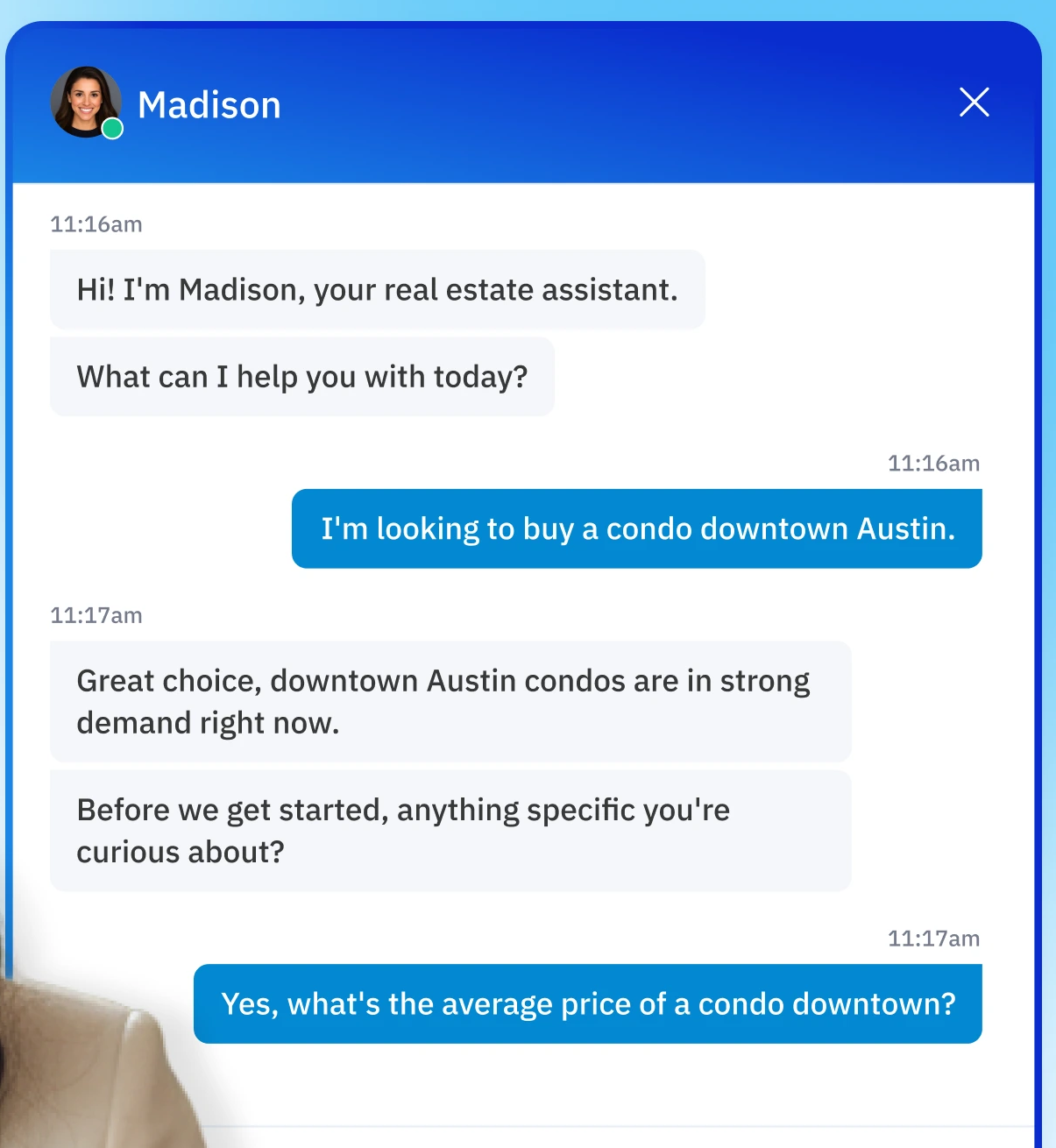
Madison greeting a visitor and asking a follow-up question. Example conversation from Realty AI's website.
What can a real estate chatbot do?
Capture 24/7. It starts the conversation when someone lands on a listing at 11pm and nobody at the office is awake.
Qualify. It asks about timeline, budget range, area and whether they're buying, selling or renting, then scores the answers.
Book appointments. It offers times, confirms the booking and sends a reminder, or hands over a booking link if you'd rather not share your calendar.
Answer questions. It handles the repeat stuff about listings, neighbourhood basics and how your service works.
Chat can run on your website, and some tools also cover Facebook Messenger and WhatsApp. Confirm the channel list with any vendor before you assume it.
So what do visitors actually ask?
Realty AI data: The split below comes from our own conversation data on Canadian real estate websites in 2025.
Topic
Share of conversations
Property search
24.8%
Contact an agent
15.9%
General questions
12.8%
Pricing
12.3%
Property details
11.6%
Most of those are answerable in seconds. The 15.9% asking for an agent are the ones you least want to leave waiting.
What visitors ask a chatbot
What visitors ask a chatbot
Share of conversations
Property search
24.8%
Contact an agent
15.9%
General questions
12.8%
Pricing
12.3%
Property details
11.6%
Most of these are answerable in seconds. The 15.9% asking for an agent are the ones you least want to leave waiting.
Source: Realty AI conversation data on Canadian real estate websites, 2025
Is a chatbot the same as live chat, a web form, a virtual assistant or an AI agent?
No. They all capture leads, but they differ on who does the talking and when.
Option
Who answers
Available
Best at
Live chat
A person
Staffed hours only
High-value, complex conversations
Web form
Nobody, the visitor waits
Always, but passive
Visitors who already know what they want
Virtual assistant (human)
A remote person
Set shifts
Calls, scheduling, admin
Real estate chatbot
Software
24/7
First response and qualification
AI agent
Software that takes actions
24/7
Multi-step tasks across tools
Chatbot, live chat, form, assistant or AI agent?
I want…
Look at
Live chat
A person answers, but only during staffed hours.
A person for high-value, complex conversations: Live chat
Something for visitors who already know what they want: A web form
Help with calls, scheduling and admin: A virtual assistant (human)
First response and qualification, around the clock: A real estate chatbot
Multi-step tasks across my tools: An AI agent
Live chat needs someone watching the window and actively responding.
A virtual assistant is a person on shifts again actively responding.
"AI agent" gets thrown around loosely. Its essentially an autonomous AI that can complete actions for you based on certain conditions
Pros: Predictable, cheap to run and easy to audit because every path is scripted.
Cons: Breaks the moment a visitor asks something off the buttons, and feels stiff.
Keyword
Pros: Quick to set up and handles common phrases without much fuss.
Cons: Matches words, not meaning, so "what would this run me monthly?" can get a generic pricing line.
AI conversational
Pros: Understands natural language, handles follow-ups and can ask about a down payment before answering.
Cons: Needs guardrails, content upkeep and transcript reviews to stay accurate.
Which type of chatbot?
Show me the trade-offs of…
Pros
Predictable, cheap to run and easy to audit because every path is scripted
Cons: it breaks the moment a visitor asks something off the buttons, and it feels stiff.
A rule-based chatbot: Predictable, cheap to run and easy to audit because every path is scripted
A keyword chatbot: Quick to set up and handles common phrases without much fuss
An AI conversational chatbot: Understands natural language, handles follow-ups and can ask about a down payment before answering
What data does a real estate chatbot collect, and where does it go?
That data usually lands on the vendor's database, then moves to your CRM or email. Before you sign, get written answers to these:
Where it's stored, and in which region.
How long it's kept, and whether you can set the retention period.
Who else sees it, including any third-party AI provider that processes the messages.
We can't answer those for a vendor you haven't named, so treat them as demo questions. The safety section has the full checklist.
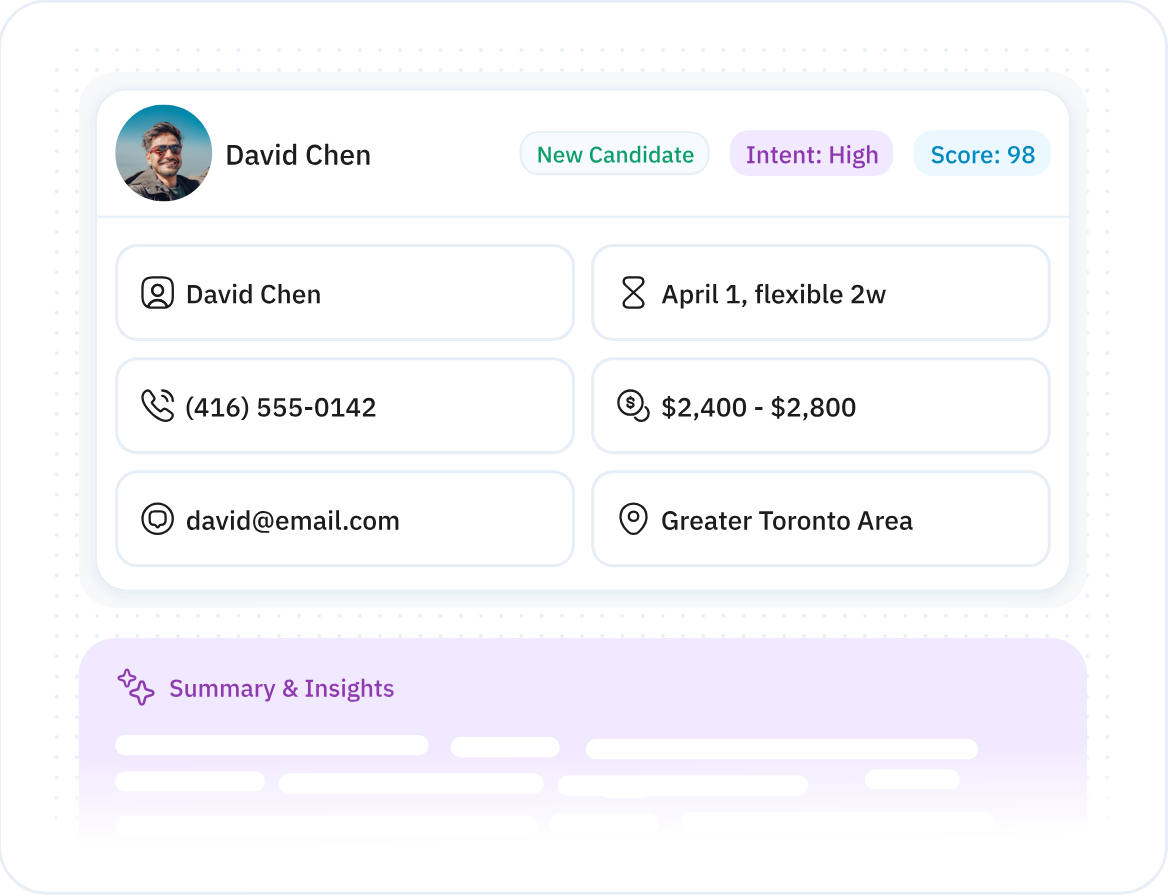
What a captured lead looks like in Madison.
Can a real estate chatbot connect to my CRM?
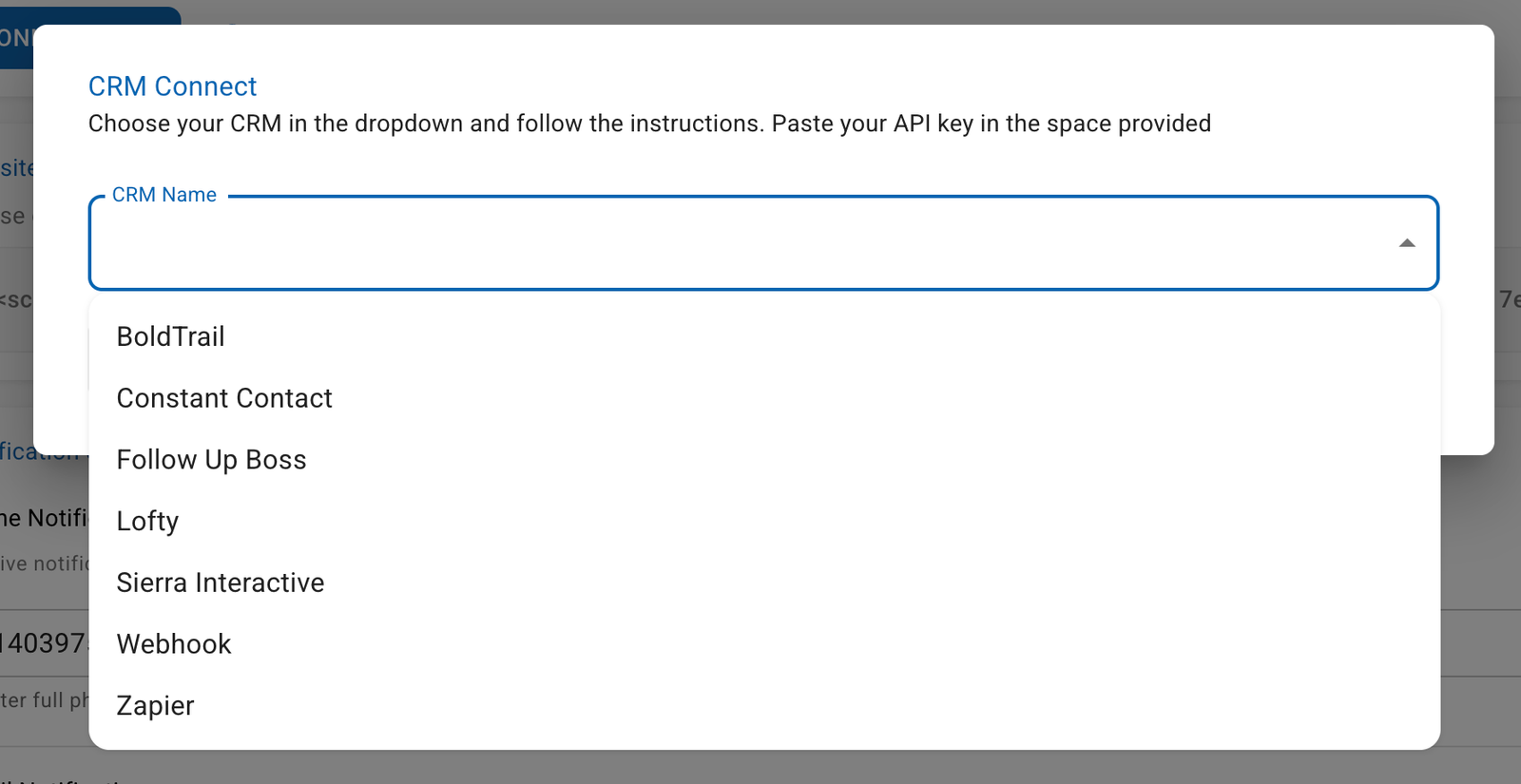
Yes, through a direct API connection. The most common integrations are Follow Up Boss, BoldTrail and Lofty. For any other CRM, use Zapier or a webhook.
Can a real estate chatbot connect to my calendar?
Yes, through Google or Outlook sync, or a simple booking link. If you don’t want a bot touching your calendar (fair enough), a booking link or a text alert to a human works fine.
Can a real estate chatbot use my listing data?
Yes, but this is where vendors differ most. The bot should have a live MLS connection and internet access, so it can read your site content and the wider web too. Then ask how often the feed refreshes and whether it can accurately answer “Is this still available?”
When does a real estate chatbot hand a lead off to a human?
When the visitor asks for a person, or asks something a chatbot shouldn’t answer. The bot then routes the conversation straight to you or your team.
Common triggers:
The visitor asks for a person, even once.
They ask about legal or contract issues, like disclosures, liens or lease clauses.
They bring up something sensitive, like a divorce, a death or money stress.
They show high intent, like “I want to see it today.”
Before the handoff, the bot captures everything you need to pick up the conversation:
Name, phone and email
The full transcript
The page the visitor was on
What they’re looking for, plus an intent score
How do I set up a chatbot on my real estate website?
Most chatbot platforms are a project. You build a conversation flow, customize it, test it, tweak it, then test again. Plan on hours or weeks, depending on the vendor.
Realty AI: Madison comes pre-trained for real estate, so setup is five steps and about 15 minutes.
Here's the full walkthrough. There's no flow builder to learn and no FAQ library to fill in.
Step 1: Paste the embed code on your website
After you sign up, you'll get a short embed code by email. Paste it into your site header, either inside your CMS (Webflow, WordPress, Squarespace) or hand it to a developer with one instruction: "Add this to the site header."
Madison also has custom configurations for the major real estate website providers, including BoldTrail (KvCore), Lofty, INCOM, Sierra Interactive and MoxiWorks. That's the only moment in the setup that touches code.
Step 2: Confirm Madison appears on your site
Reload your site and look for the chat widget in the lower corner. If you can see it, Madison is live.
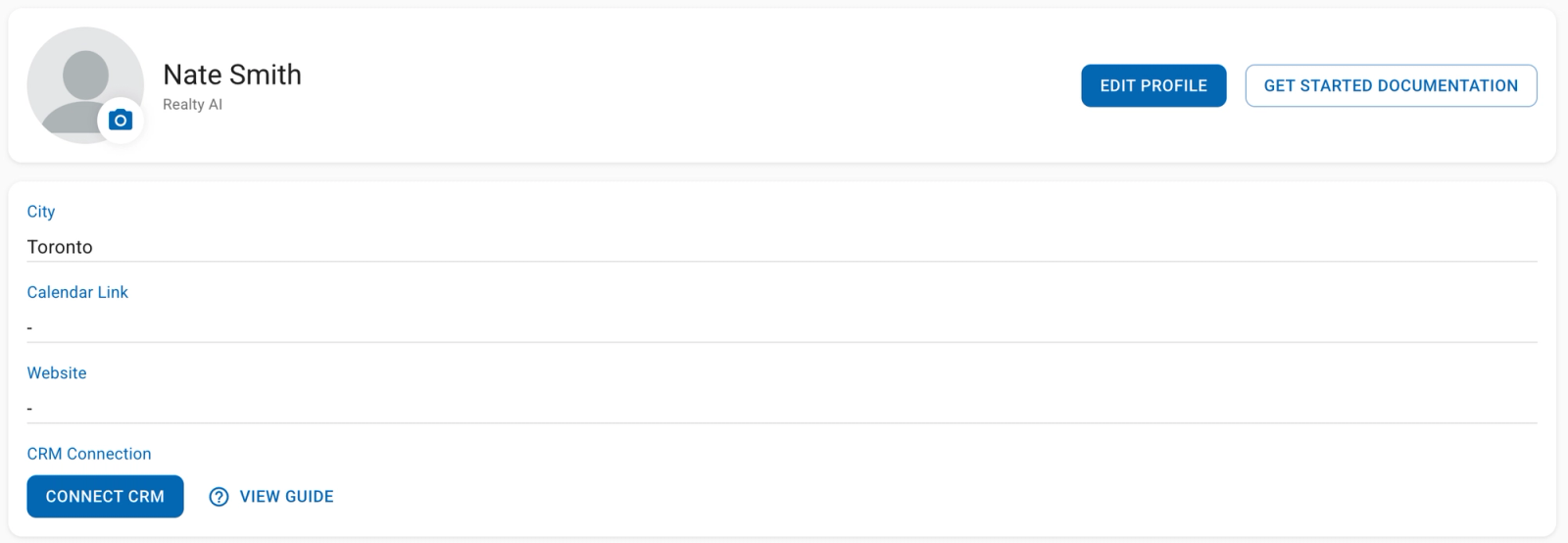
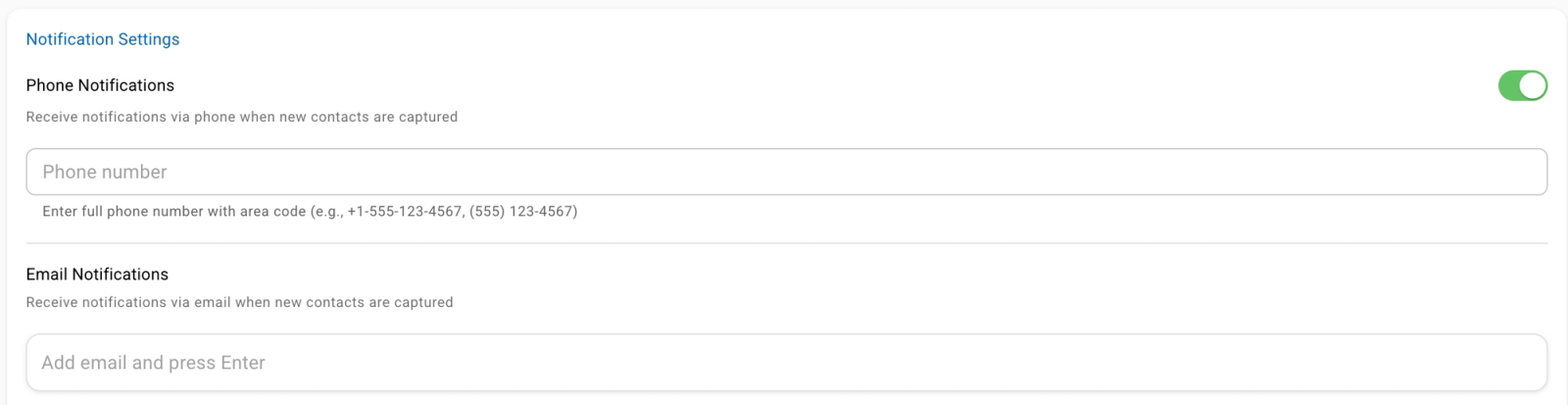
At this point you only need to add an email and a phone number to receive leads. Everything else is optional.
Step 3: Connect your calendar, CRM, phone and email
This is where Madison plugs into the tools your team already uses.
Calendar link: Google Calendar, Outlook or Calendly, so visitors can book showings right in the chat.
CRM: Follow Up Boss, KVCore, Sierra Interactive and others. Every lead lands in your CRM with the full transcript attached.
Phone numbers: Add the numbers that should get a text when a new lead is captured.
Email notifications: Add the emails that should get an alert for each new lead.
Step 4: Set your brand settings
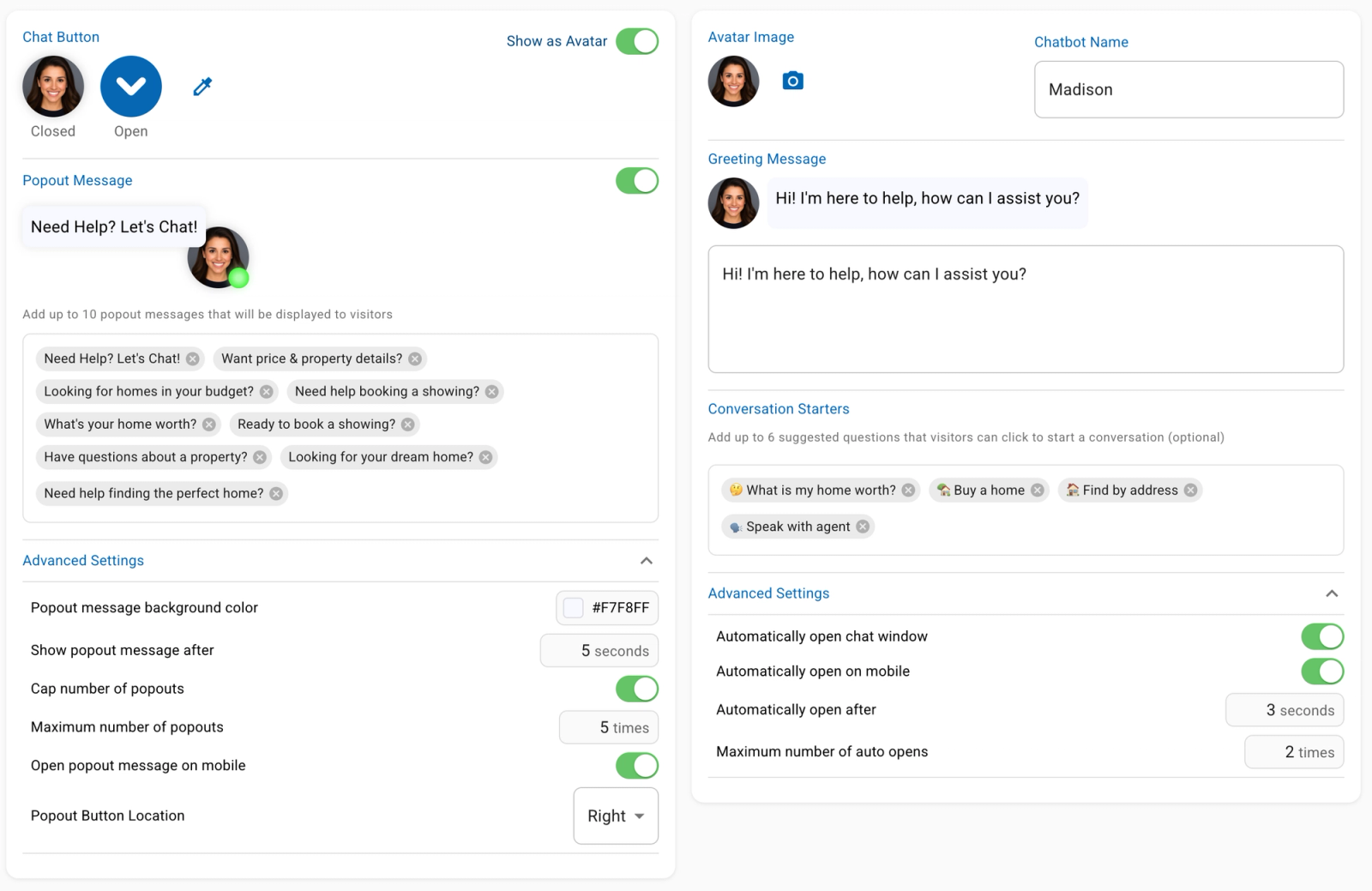
This is where Madison stops looking like a third-party widget and starts looking like part of your team.
Chat button color: Match your brand palette.
Logo or avatar: Upload your logo or a custom image.
Avatar name: Use a team member's name or a separate brand name.
Opening message: Keep it friendly and simple, like "Hi! My name is Alex from [Brokerage Name], how can I assist you?"
Conversation starters: Clickable questions that kick off a flow and help visitors self-identify as buyers or sellers.
Popup timing: Set how many seconds after landing the widget opens, and how many times it opens.
Page placement: Left or right. Right is standard and matches what visitors expect.
Step 5: Add your website URLs and extra context
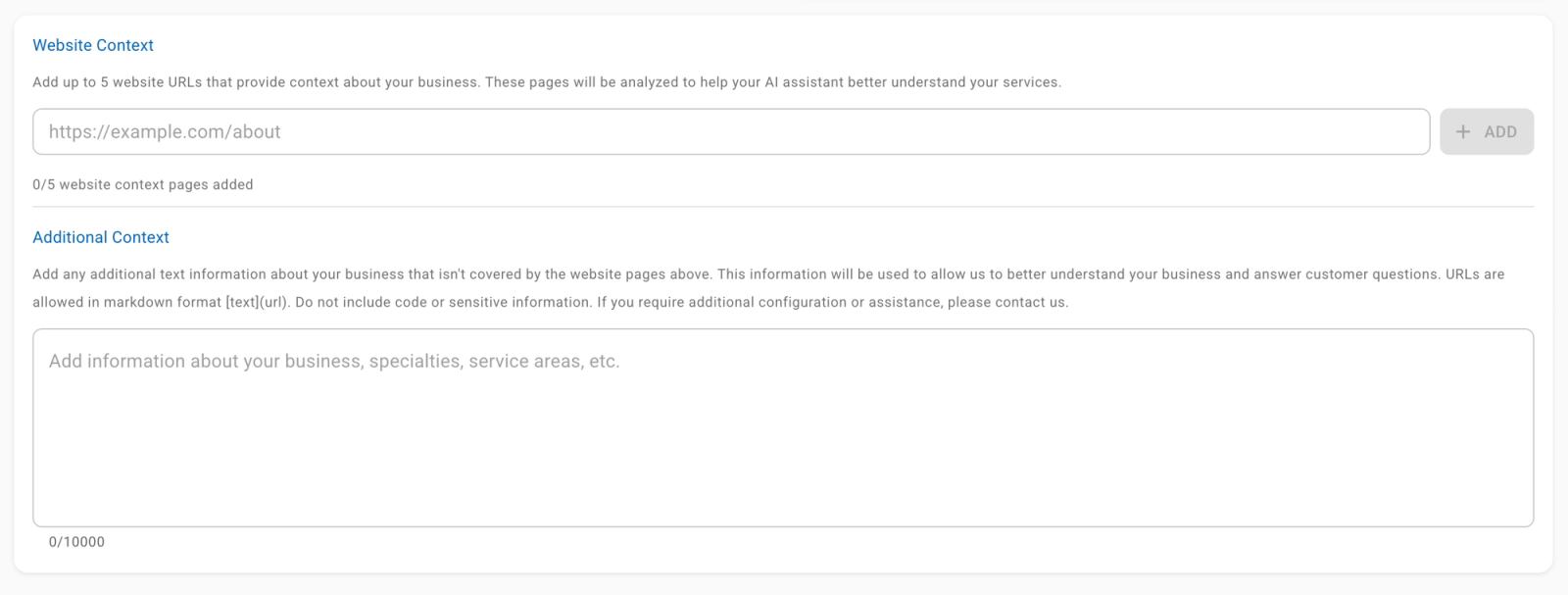
Point Madison at your existing content so it answers accurately. Add the URLs of your key pages, like listings, neighbourhood guides, agent bios, market reports and your about page.
Madison reads them to build its knowledge base, so you never write an FAQ response yourself.
Website URLs: Specific pages that cover the parts of your business visitors ask about most.
Additional context: Specializations like luxury, downsizing or waterfront, plus any custom flows for your business.
Once Madison is live, the fastest way to get your agents on board is to have one agent test it and compare the first leads with your form submissions.
The dashboard then tracks three numbers: contacts collected, total conversations and time saved.
Would rather skip the setup? If you book a demo, we can handle it for you.
Set up Madison in 5 steps
0/5 (0%)
How to Choose a Real Estate Chatbot
Run through this before you commit:
It connects to your CRM and passes the fields you need.
It can book or hand off to a human without a dead end.
It answers from your content and refuses off-topic or legal questions.
It reports on leads, qualified rate and appointments.
The vendor can explain where data is stored and for how long.
Before you commit to a chatbot
0/5 (0%)
Also decide between pre-configured and build-your-own. Pre-configured is ready fast, while a build-your-own tool can eat 10 to 20 hours of setup before it performs.
What features matter most?
Rank them by how directly they touch a lead, and test one thing in each.
Feature
Test this
CRM integration
Send a test lead and check every field arrives
Booking
Book a showing end to end as a visitor
Human handoff
Type "I want to talk to someone" and see who gets alerted
Customization
Change the greeting and questions without a developer
Reporting
Find leads, qualified rate and appointments on one screen
How much does a real estate chatbot cost, and how is it priced?
There are three main models:
1. Flat monthly You pay the same amount every month, usually tiered by features or number of sites. Budgeting is easy. You pay the same in a slow month as in a busy one, though, and lower tiers can still cap conversations.
2. Pay per lead You pay only when the bot captures a lead, so the upfront risk is low. Vendors define “lead” differently, so check whether it means any email address or a qualified contact. Costs also climb fast when your marketing works.
3. Usage-based You’re billed on conversations or messages. It’s cheap when traffic is light. A big ad push or a listing that takes off can make the bill hard to predict.
Which chatbot pricing model fits you?
I want…
Pricing model
Flat monthly
You pay the same every month, usually tiered by features or number of sites. You pay the same in a slow month as in a busy one, and lower tiers can still cap conversations.
Predictable budgeting: Flat monthly
Low upfront risk: Pay per lead
A low bill while traffic is light: Usage-based
How do I calculate ROI?
Take the value of the extra closings the chatbot produces, subtract its cost and divide by that cost. Use your own numbers:
Plain text
ROI = ((extra closings x average commission) - total cost) / total cost
Total cost = chatbot fees + the time you spend managing it
Here's an illustrative example with made-up numbers. A $100 a month chatbot costs $1,200 a year, and if it helps book one appointment that turns into a $9,000 commission, you're up $7,800.
Work out your chatbot ROI
Cost per year
$1,200
Closings value
$9,000
Net gain
$7,800
ROI
650%
Starts on this guide's illustrative example, with made-up numbers: a $100 a month chatbot costs $1,200 a year, and one extra closing worth a $9,000 commission leaves you $7,800 ahead. ROI is the value of the extra closings, minus the cost, divided by the cost. Use your own numbers.
Is a Real Estate Chatbot Safe and Compliant?
Yes, if you pick a vendor that handles data properly and sets guardrails. Treat safety, fair housing and visitor experience as selection criteria, not afterthoughts.
Is a real estate chatbot safe for lead data?
It can be, but verify it. Look for these basics:
Encryption in transit and at rest
Compliant data storage with a stated region
Deletion of a visitor's data on request
Role-based access for your team
Clear answers on retention and third-party sharing
Chatbot data safety basics
0/5 (0%)
Does a chatbot create fair housing or compliance risk?
It can, if it's allowed to steer visitors or answer questions it shouldn't. The Fair Housing Act covers race, color, national origin, religion, sex, disability and familial status, and in May 2024 HUD said the Act applies to housing advertising and tenant screening that use AI.
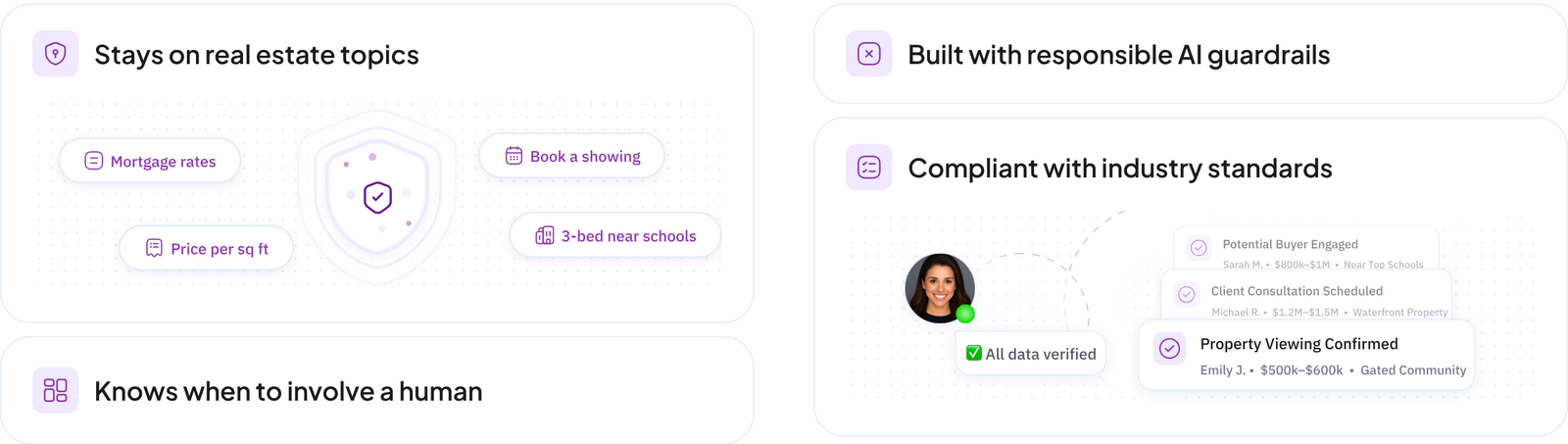
Good guardrails keep the bot describing properties and areas, and never who should live there. Skip crime-rate answers and "who lives here" answers, and keep it away from protected classes.
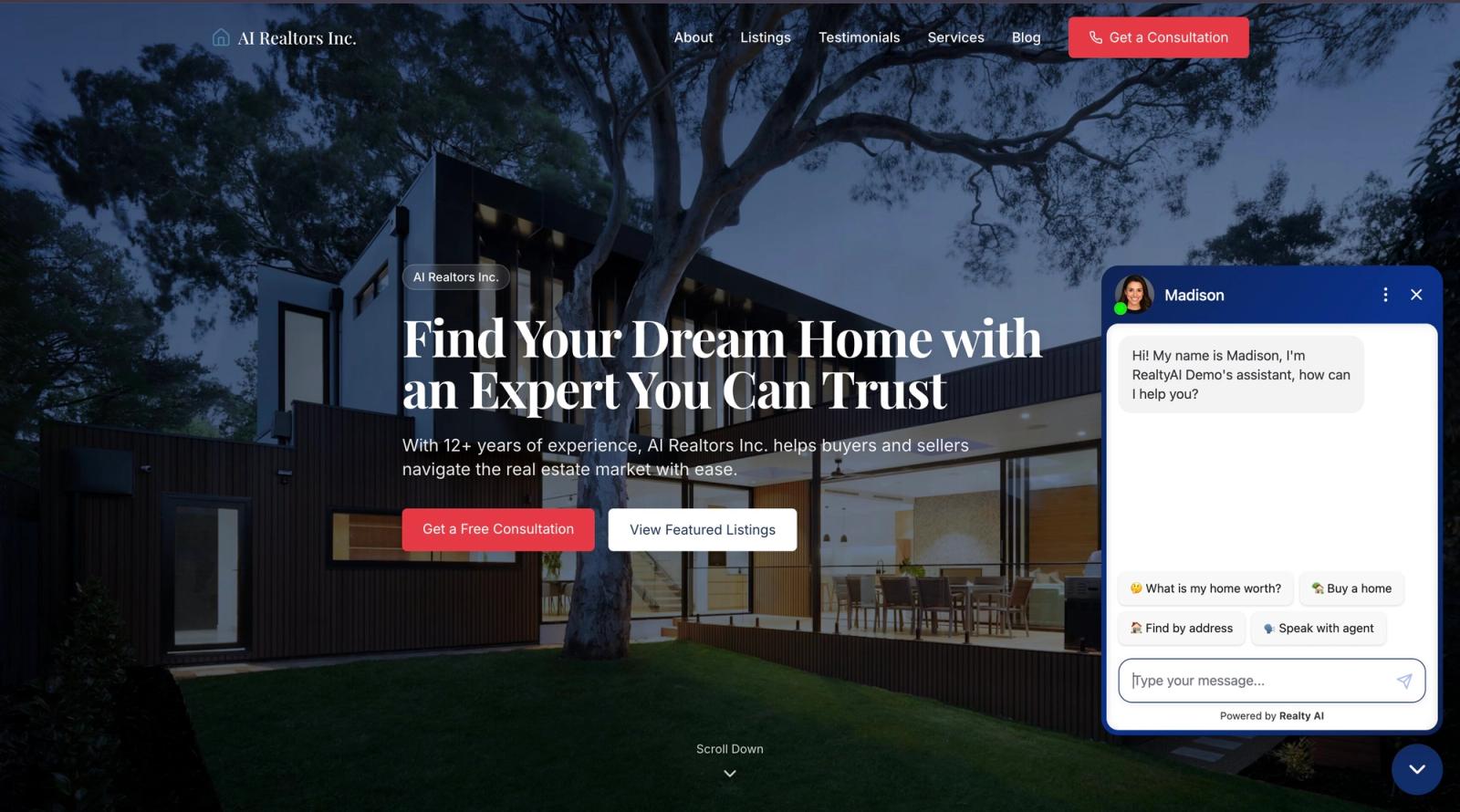
The guardrails Madison ships with, as described on Realty AI's website. Ask any vendor to show you the equivalent in a live test.
Will a chatbot hurt the visitor experience or feel robotic?
Only if it's set up badly. Test it yourself, read the transcripts and fix the spots where it gets stuck.
Realty AI data: Just 0.1% of conversations were abandoned mid-chat, so people who start usually finish.
Do people bail mid-chat?
0.1%
of conversations were abandoned mid-chat
So people who start usually finish.
Source: Realty AI data
The Bottom Line
A real estate chatbot is worth testing if your site gets steady traffic and you want faster first responses. Set guardrails, measure one outcome and run the 30-day pilot before signing anything long.
Real estate AI chatbot vs alternatives: how ISAs, VAs, live chat, forms, AI agents, ChatGPT and answering services compare on cost, coverage and leads.
Gemini vs Claude for real estate agents, compared task by task: listings, market research, contract review, cost, and the verification step both tools need.
How to use Gemini for real estate: Workspace setup, a four-part prompt formula, and two dozen copy-ready prompts for Gmail, Docs, Sheets, Slides, market reports and visuals.
About Madison
The AI assistant built for real estate lead gen
Madison is Realty AI's conversational assistant for real estate websites. It engages visitors instantly, qualifies buyers, sellers, and renters through natural dialogue, routes summaries to your CRM, and keeps your team focused on closing.
5.0 average from 2,500 customer reviews
“We captured 3 new transactions worth over $3.3 million in just a few months using Realty AI.”
Sarah Logue
Broker & Owner, Top 0.1%
“Within our first week of using Realty AI, I had an engaged seller ready on the phone. This has never happened before in 4 years.”
Mark Jensen
Owner & Broker of Record
“It feels like having a personal assistant on my website 24/7, sending me instant notifications so I never miss a potential client.”