How to Use Gemini for Real Estate: A Practical 2026 Guide
Learning how to use Gemini for real estate is less about chatting in a separate window and more about putting Google's AI to work inside the tools you already run your business in: Gmail, Google Docs, Sheets, and Slides. This guide shows how to use Gemini across Google Workspace to draft email, write listings, analyze deals, and build client presentations.
Nathan SmithPublished Aug 25, 2026Updated Sep 15, 202611 min read
Most agents open the Gemini app, ask one question, and never touch it again. The real payoff comes when Gemini for real estate works right inside your inbox, documents, and spreadsheets, handling the writing and busywork where it already lives.
Here's what we'll cover:
Gmail: drafting and summarizing client email
Google Docs: listing descriptions, letters, and marketing copy
Google Sheets: comps, market analysis, and lead data
Google Slides: listing presentations and buyer decks
Drive and the Gemini app: document review, research, and images
One caveat before we start: Gemini can run your back office, but it can't capture the buyers already on your website. A real estate chatbot does that, qualifying visitors around the clock so no lead slips away.
Let's get started.
How Agents Use Gemini Across Google Workspace
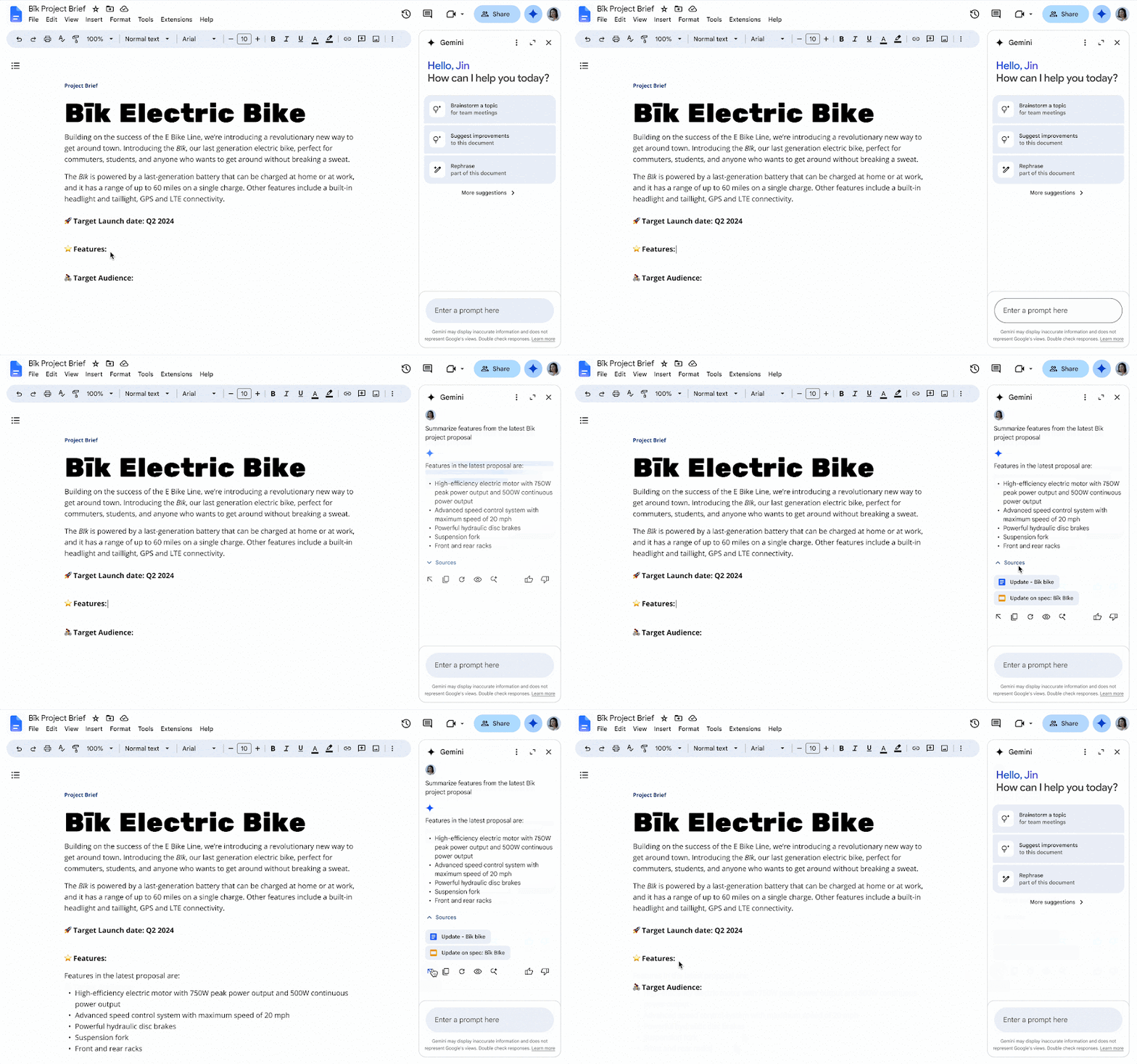
Gemini's real advantage for agents is that it lives inside the apps where your work already happens. Open the Gemini side panel in any Workspace app and it can read the email, document, or sheet in front of you.
Gmail: faster client email
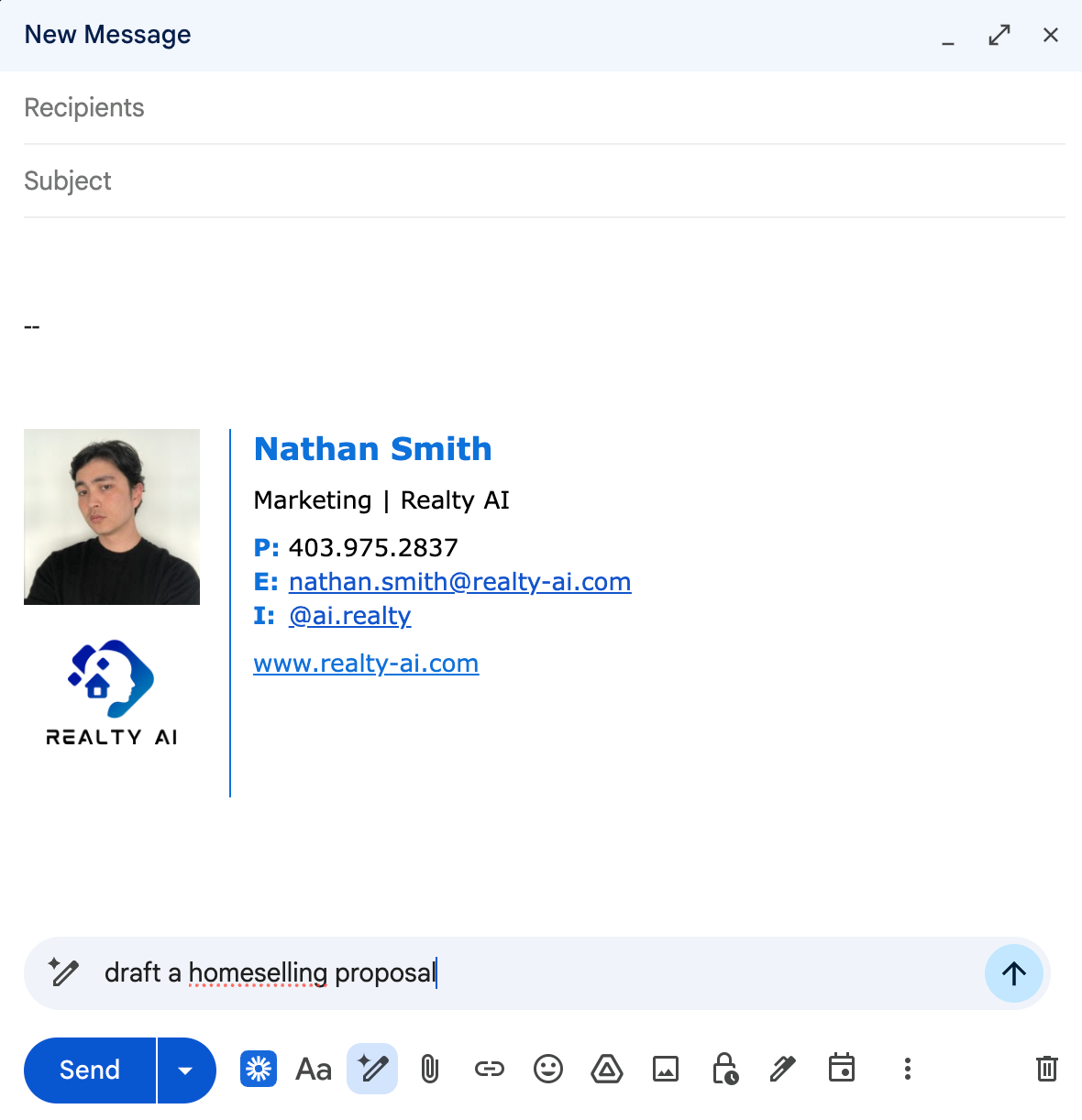
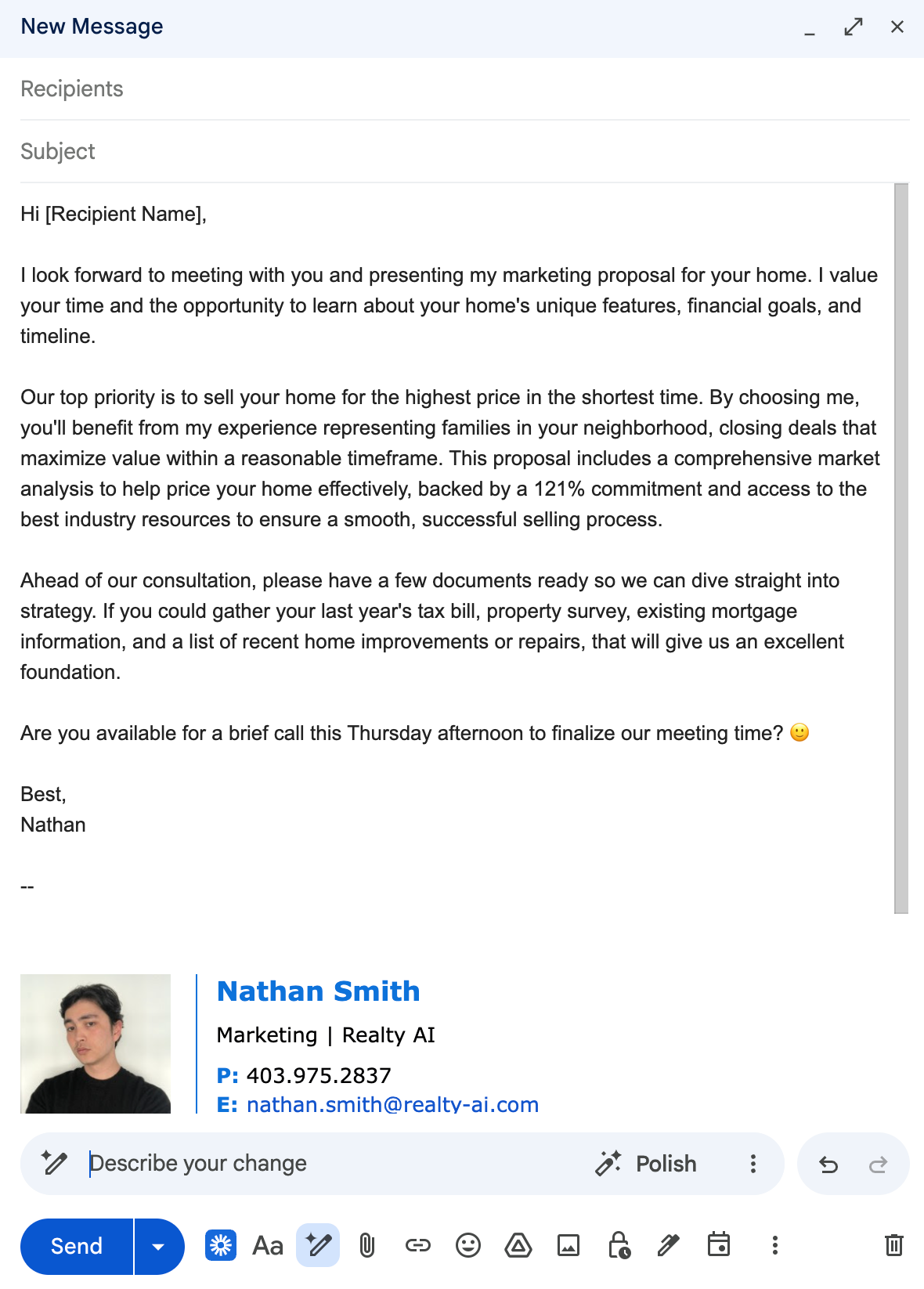
In Gmail, use "Help me write" to draft first-touch replies, follow-ups, and negotiation notes without leaving your inbox. Gemini can also summarize a long thread into the key points and next steps before you respond.
Open a message, ask the side panel to draft a reply in your tone, then edit and send.
Prompt to try in the Gmail side panel:
Plain text
Draft a reply to this buyer's email. Confirm the Saturday 2pm showing at 14 Oak St, ask whether they're pre-approved and their target price range, and keep it warm and under 120 words. Sign off as [Your Name], [Brokerage].
To clear your inbox faster:
Plain text
Summarize this email thread into the key points, any dates or deadlines, and the three actions I need to take next.
Google Docs: listings, letters, and marketing
Docs is where most agents write. Ask Gemini to draft an MLS description, a pre-listing letter, or a neighborhood guide, then refine it right on the page.
Because it reads the document you're in, you can highlight a rough paragraph and ask it to tighten the copy or match your brand voice.
Prompt to try in the Docs side panel:
Plain text
Using the details in this doc, write a 150-word MLS listing description for a 3-bed, 2-bath bungalow with a renovated kitchen, large backyard, and top-rated schools nearby. Target first-time buyers, keep it warm and Fair Housing compliant, and end with a call to book a showing.
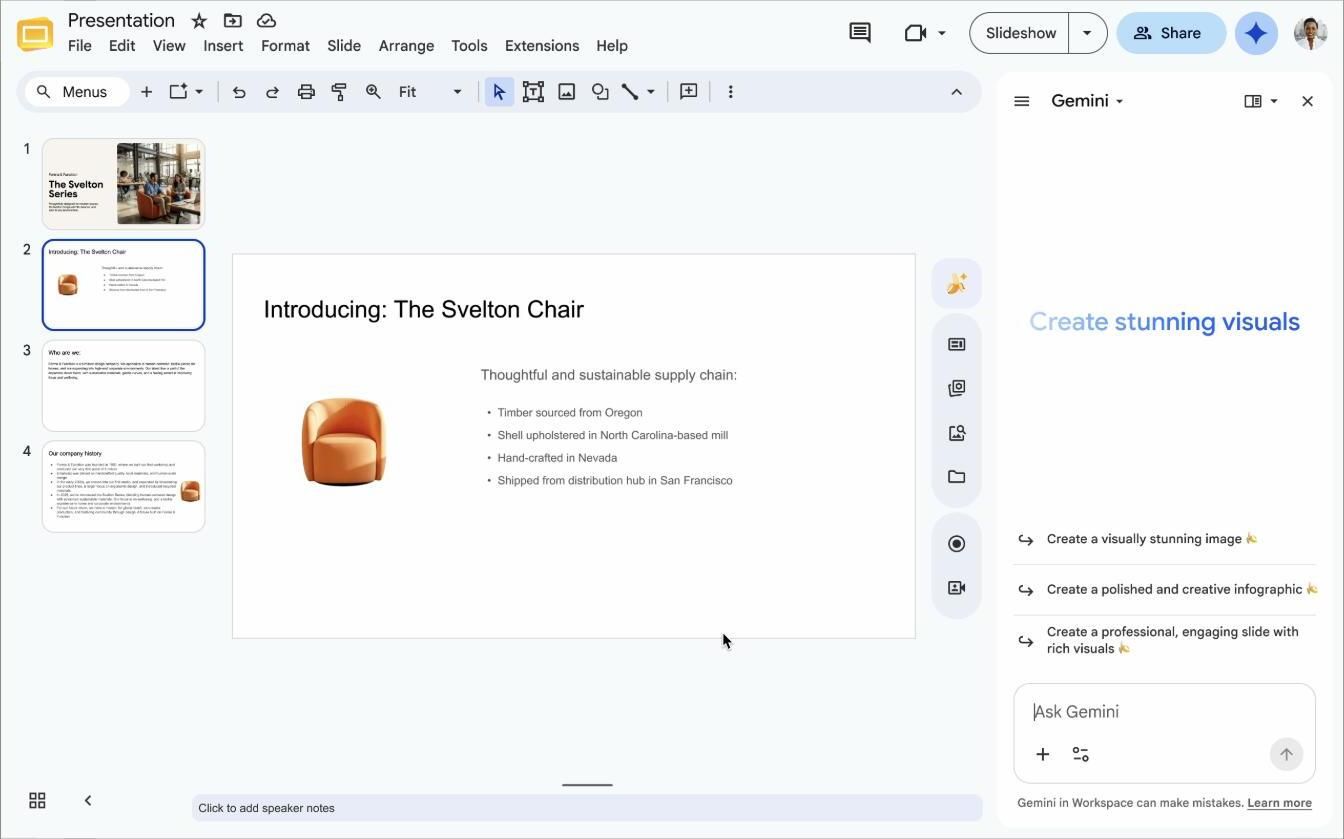
Prompt to try in the Slides side panel:
Plain text
Create a 6-slide listing presentation for 14 Oak St: cover, property highlights, three recent comparable sales, pricing strategy, marketing plan, and next steps. Pull the details from my linked doc and add a hero image on the cover slide.
For buyers:
Plain text
Build a 5-slide buyer consultation deck covering the buying process, current market conditions, financing steps, my services, and what to expect next. Keep the tone reassuring for first-time buyers.
Drive and the Gemini app: review, research, and images
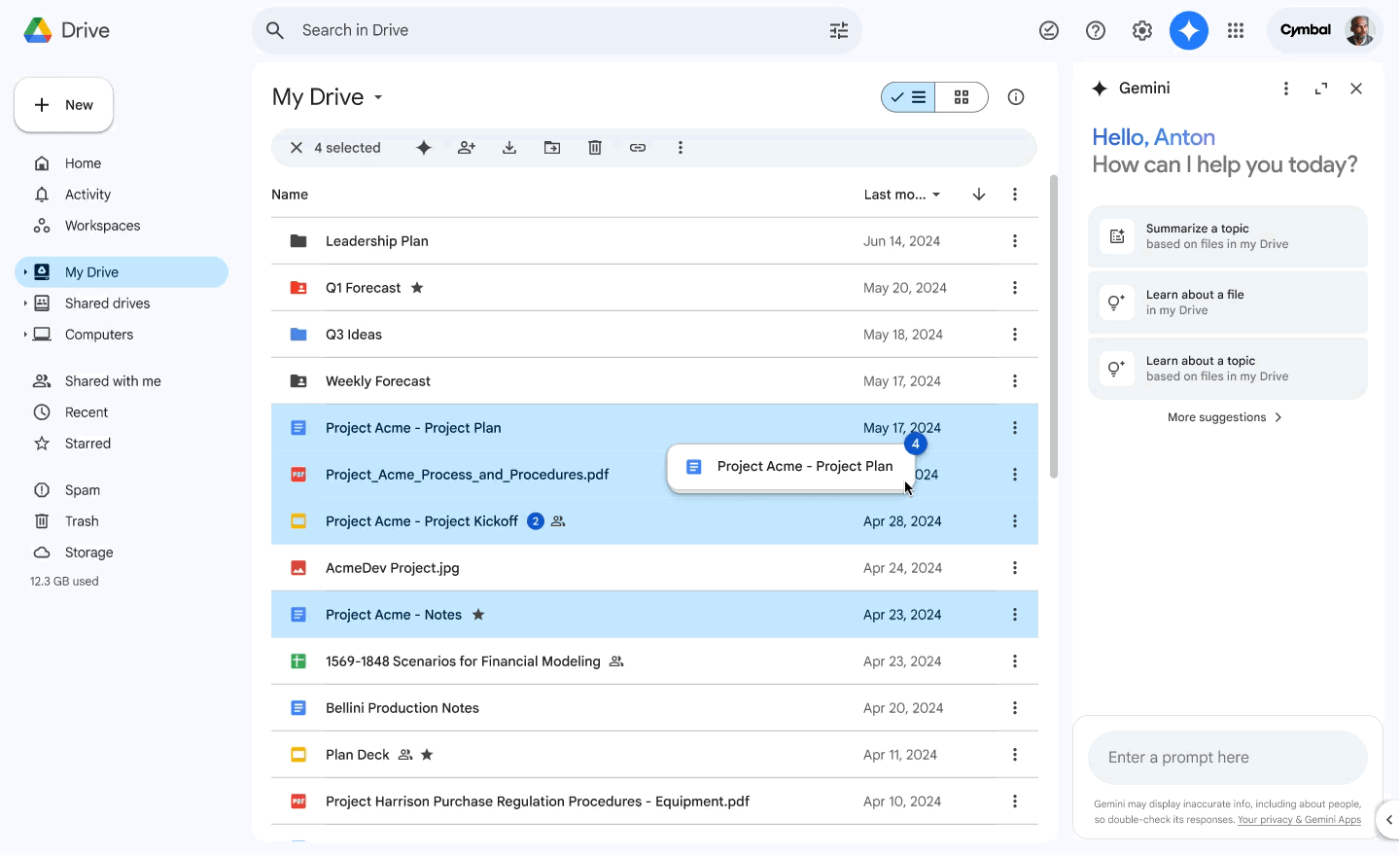
In Drive, ask Gemini about a file without opening it, like pulling the key dates out of a contract. In the Gemini app itself, lean on it for market research grounded in Google Search, disclosure review, and generating marketing images.
Treat document review as a fast first read, never as legal advice or a replacement for your broker.
Prompt to try on a file in Drive or the Gemini app:
Plain text
Review this disclosure packet and list every key date, deadline, and any unusual clause I should flag for my client. Note anything that needs a professional's review. Do not provide legal advice.
For market research in the Gemini app:
Plain text
Summarize the last 30 days of housing activity in [City or ZIP]: median sale price, active inventory, and average days on market, with three takeaways a buyer would care about. Cite your sources and note today's date.
The Prompt Formula That Works
For a pre-listing packet:
Plain text
Draft a one-page pre-listing letter to a homeowner at [address] introducing me, my recent sales in the area, and my marketing plan. Confident and friendly, under 250 words.
Google Sheets: comps and market analysis
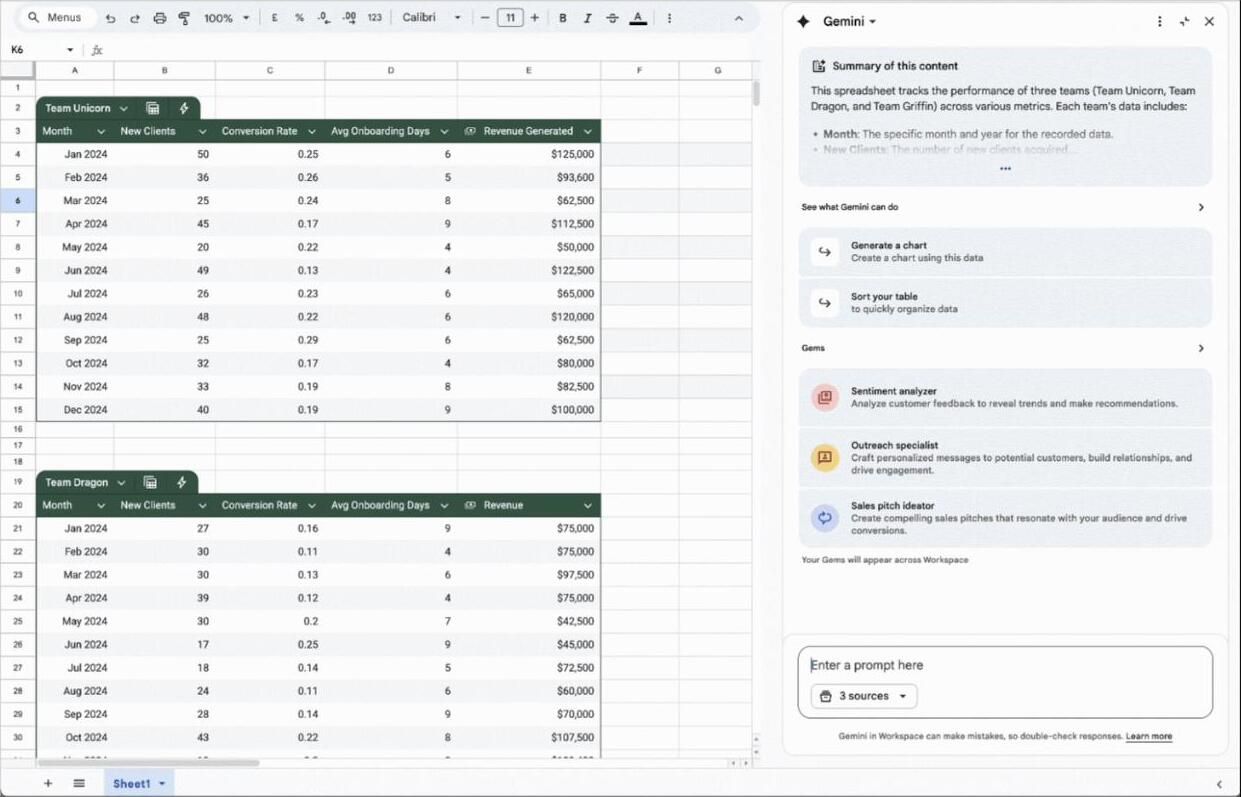
In Sheets, Gemini helps you make sense of the numbers. Point it at a range of comps for the average price per square foot, or have it summarize a column of leads into a quick status overview.
It can also suggest formulas and build simple tables, so you spend less time fighting spreadsheets.
Prompt to try in the Sheets side panel:
Plain text
From this table of comparable sales, calculate the average price per square foot for homes sold in the last 90 days, then list the three comps closest to 1,800 sq ft with their sale price, price per sq ft, and days on market.
To triage your pipeline:
Plain text
Summarize this lead sheet: how many leads are in each status, which five are marked hot, and which have had no contact in over 14 days.
Google Slides: listing and buyer presentations
Slides turns your content into client-ready decks. Ask Gemini to outline a listing presentation or a buyer consultation, then generate supporting images to fill the slides.
It's a fast way to build a CMA or pitch deck that looks polished without starting from a blank slide.
Whether you're typing in the Gemini side panel or the app, vague prompts get vague output. A strong real estate prompt has four parts.
Role: tell Gemini who to be, like "You are a listing copywriter for a luxury agent."
Task: say exactly what you want, like "Write a 150-word MLS description."
Context: give the specifics, the address, features, target buyer, and your brand voice.
Constraints: set the format, length, and rules, like "Fair Housing compliant, no clichés."
A copy-ready example:
Plain text
You are a real estate listing copywriter. Write a 150-word MLS description for a 3-bed, 2-bath bungalow in Riverside with a renovated kitchen, large backyard, and top-rated schools nearby. Target first-time buyers. Keep it warm and concrete, Fair Housing compliant, and end with a call to book a showing.
The more specific and local you are, the less editing you'll do. For a running start, our library of ChatGPT prompts for real estate agents gives you templates that adapt cleanly to Gemini.
Setting Up Gemini for Real Estate
Getting started takes a few minutes.
Sign in at gemini.google.com with your Google account, or open Gemini in the Google app.
Pick your plan. The free tier handles most writing and research; a paid Google AI plan adds the newest models, bigger uploads, and the Workspace side panel.
Open the Gemini side panel in Gmail, Docs, Sheets, and Slides using the Gemini spark icon in the top right (available on eligible Google Workspace and Google AI plans).
Save your brand voice in a note you paste into prompts, so every draft sounds like you.
If you use Google Workspace to run your business, the paid tier usually pays for itself in time saved.
Getting More Out of Gemini in Workspace
Pull in your own files with @
In the Gemini app and Workspace, type @ to reference a specific Drive file, like last month's market report or a listing sheet. Gemini answers from that document instead of guessing.
Build a Gem for tasks you repeat
A Gem is a custom version of Gemini with saved instructions, similar to a reusable assistant. Build a "Listing Writer" Gem with your voice and format once, and every future description comes out consistent without re-explaining yourself.
Ground research in real-time Google Search
Gemini can pull current information from Google, which makes it useful for market trends and neighborhood research. Always confirm the numbers against your MLS, since AI can still get specifics wrong.
Generate images for docs and slides
Gemini can create and edit images right where you need them, marketing graphics for a flyer or concept visuals for a deck. Disclose any AI-edited photos and never alter the actual condition of a property.
Where Gemini Falls Short
Gemini is powerful, but it has limits worth knowing.
It won't capture your website leads. Gemini works for you behind the scenes; it can't engage the visitors browsing your listings in real time.
It can be confidently wrong. Verify prices, dates, and legal details before anything reaches a client.
It isn't a compliance shortcut. You are still responsible for Fair Housing rules and disclosure accuracy in anything it drafts.
For the one job Gemini can't do, engaging and qualifying site visitors, you need a tool built for it, which we'll come back to at the end.
Gemini vs ChatGPT vs Claude
All three write well; the right pick depends on your stack. If you want the full breakdown of the alternative, our guide on how to use ChatGPT for real estate covers that tool in depth.
Tool
Best for
Edge
Gemini
Agents in Google Workspace
Built into Gmail, Docs, Drive, and Google Search
ChatGPT
All-purpose content and prompts
Huge prompt ecosystem and plugins
Claude
Long documents and careful writing
Strong reasoning and file handling
Prefer Anthropic's model instead? Our guide on how to use Claude for real estate does the same for Claude's document handling and workflows.
For a wider comparison, see our roundup of the best AI tools for real estate agents, and match the tool to the task instead of forcing one to do everything.
Can I build an agent using Gemini?
Yes. Gemini lets you create Gems, custom assistants with saved instructions and knowledge, which is the easy way to build a repeatable helper like a listing writer or a market-summary assistant. For fully automated, code-based agents, Google also offers the Gemini API.
Is Gemini free for real estate agents?
The free tier covers most writing and research tasks. A paid Google AI plan adds the newest models, larger uploads, and deeper Google Workspace integration, which is worth it if you use Google tools daily.
Is Gemini better than ChatGPT for agents?
Gemini's advantage is living inside Gmail, Docs, and Google Search, so it fits agents already in that ecosystem. ChatGPT has a larger prompt and plugin ecosystem, and many agents keep both and use whichever fits the task.
Gemini is a genuine time-saver for real estate: it drafts your content, summarizes your data, and works right inside the Google tools you already run. Learn the prompt formula, build a Gem or two, and it quietly handles the busywork.
The one thing it can't do is capture the buyers already on your site. Book a demo to see how Realty AI qualifies website visitors around the clock, so the leads Gemini helps you nurture actually make it to your inbox.
Related articles
More in AI 101
Keep reading in the same category to go deeper on the topics that matter to your team.
Gemini vs Claude for real estate agents, compared task by task: listings, market research, contract review, cost, and the verification step both tools need.
Claude Projects for real estate: build persistent workspaces per client, listing, or farm area, with standing instructions, brand voice, and copy-paste prompts.
About Madison
The AI assistant built for real estate lead gen
Madison is Realty AI's conversational assistant for real estate websites. It engages visitors instantly, qualifies buyers, sellers, and renters through natural dialogue, routes summaries to your CRM, and keeps your team focused on closing.
5.0 average from 2,500 customer reviews
“We captured 3 new transactions worth over $3.3 million in just a few months using Realty AI.”
Sarah Logue
Broker & Owner, Top 0.1%
“Within our first week of using Realty AI, I had an engaged seller ready on the phone. This has never happened before in 4 years.”
Mark Jensen
Owner & Broker of Record
“It feels like having a personal assistant on my website 24/7, sending me instant notifications so I never miss a potential client.”