Claude Projects for Real Estate: Persistent Workspaces, Prompts Included
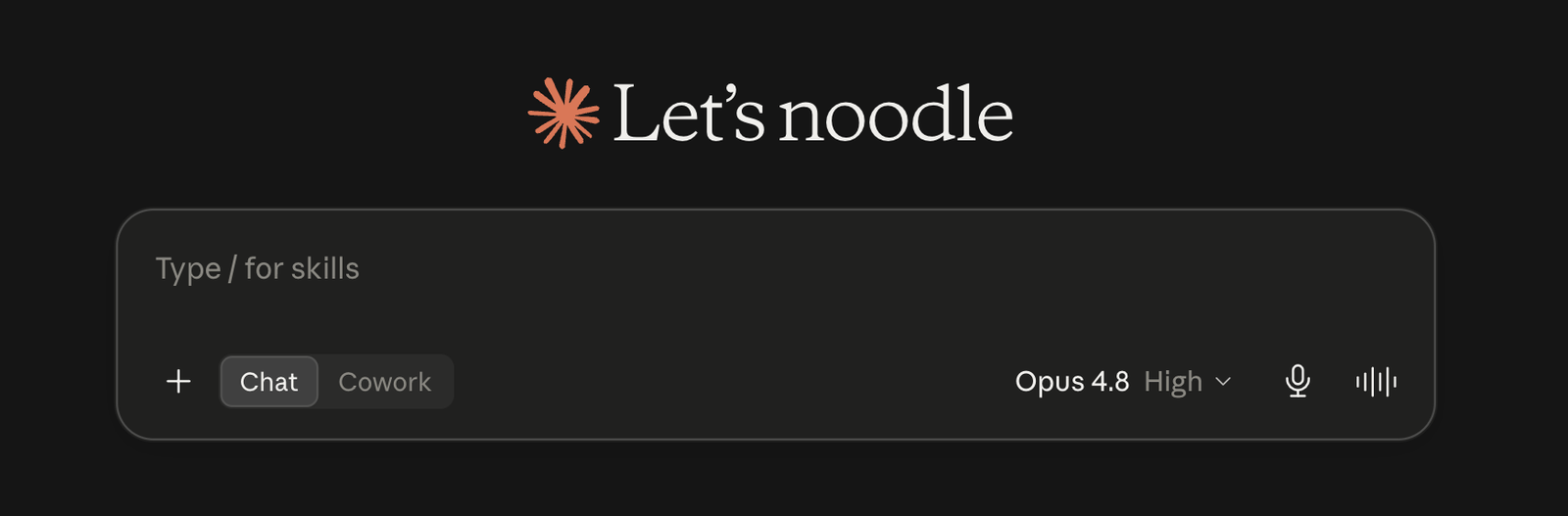
Claude Projects for real estate give you a dedicated workspace for each client, listing, or farm area, one that remembers your files, your standing instructions, and your brand voice. Instead of re-explaining yourself every chat, you set the context once and Claude carries it into every conversation inside that project.
NNathan SmithPublished Aug 17, 2026Updated Aug 17, 202612 min read
Using Claude Projects, agents can keep a separate, on-brand workspace for every relationship and property they manage.
This is the deep dive on Projects specifically; if you're new to Claude overall, start with our broader guide to using Claude for real estate, then come back here.
Here's what we'll cover:
What Claude Projects are and how they differ from a normal chat
Why they fit real estate, per client, listing, and farm area
How to set one up step by step
Copy-paste instructions and prompts to start today
Locking in your brand voice so everything sounds like you
Let's get started.
What Claude Projects Are
A Project is a persistent workspace inside Claude that bundles three things so Claude always has the right context.
It's the difference between briefing a new assistant every morning and working with one who already knows the account.
Piece
What it does
Custom instructions
Standing rules, your role, tone, and output format applied to every chat in the project
Knowledge base
Uploaded files (listing sheets, contracts, market reports) Claude can reference on demand
Isolated history
All chats for that client, listing, or area kept together instead of lost in one long feed
Everything you put in a project stays scoped to that project. Don’t try and ask questions outside of the scope as it will not return a high quality answer.
Projects vs a Normal Chat
A normal chat forgets your setup the moment you start a new one. A Project remembers.
Chat: good for one-off questions. You paste in context each time.
Project: good for anything ongoing. Context lives in the workspace, so every new chat starts warm.
For a single quick task, a chat is fine. For a client you'll work with for months or a farm you market to all year, a Project saves you from repeating yourself.
Why Projects Fit Real Estate
Real estate work is organized around exactly the units a Project is built for: people, properties, and places.
Each one has its own facts, files, and voice, and a Project keeps them separate and ready.
Per client: one workspace holds their criteria, budget, timeline, and every message you've drafted.
Per listing: one workspace holds the specs, disclosures, photos list, and all the marketing copy.
Per farm area: one workspace holds market reports, past newsletters, and your area expertise.
How to Set Up a Project
Creating one takes a couple of minutes.
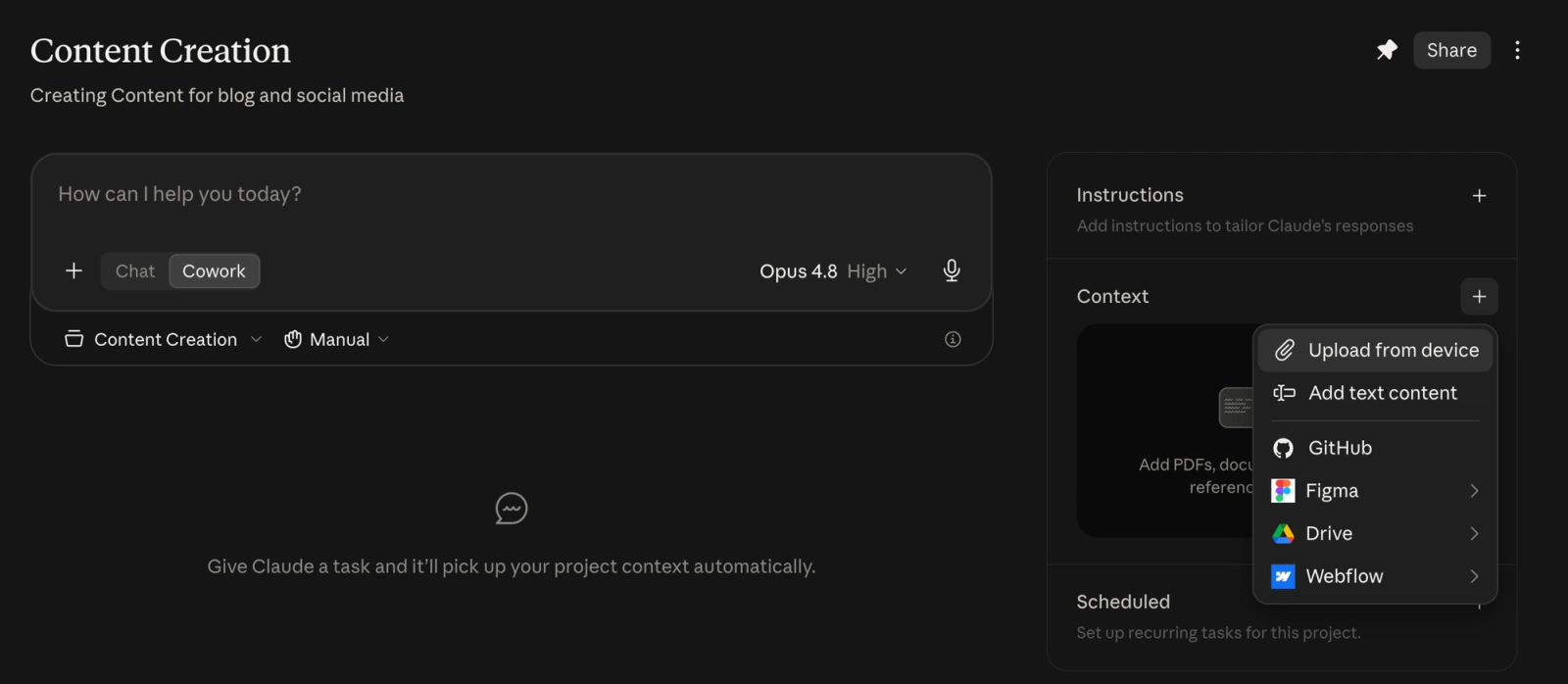
Open Projects in the Claude sidebar and click New Project.
Name it clearly, like "Content Creation" or "Listing Description Generator”
Add custom instructions using the templates below.
Upload your files to the knowledge base: criteria sheets, disclosures, market reports, past emails.
Start a chat inside the project and run one of the starter prompts.
Projects are available on free and paid plans, and paid plans handle much larger knowledge bases, so you can upload more reference files per project.
Copy-Paste Project Setups
Below are ready-to-use custom instructions for the three most useful real estate projects, plus starter prompts to run once each is set up.
Fill in the bracketed parts and paste the instructions into the project's custom instructions field.
Per-Client Project
Custom instructions:
Plain text
You are my dedicated real estate assistant for [CLIENT NAME], a [buyer / seller / investor] I represent as [YOUR NAME] at [BROKERAGE]. Treat the uploaded files as the source of truth and never invent details about this client.

Client profile:
- Type and stage: [e.g., first-time buyer, pre-approved, actively touring]
- Budget and financing: [price range; cash or pre-approved for $X with [lender]]
- Timeline: [e.g., wants to be in by spring, lease ends in April]
- Target areas: [neighborhoods or ZIPs, in priority order]
- Property type: [single-family, condo, townhome, investment]
- Must-haves: [ ]
- Deal-breakers: [ ]
- Household: [partner, kids, pets, life-stage notes that affect the search]
- Communication: [preferred channel and cadence, e.g., text weekly, no calls before 9am]
- Lead source: [where they came from]

Standing instructions:
- Reference the client profile and uploaded files before every answer.
- Write client-facing messages in my brand voice (see the brand voice section) and sign them as [YOUR NAME].
- Lead with anything time-sensitive, like a price drop or a deadline.
- When you recommend homes, tie each one back to their must-haves and budget.
- Flag when something conflicts with their criteria instead of glossing over it.
Starter prompts:
Plain text
Draft a check-in text to [CLIENT] featuring the three newest listings that match their criteria from the uploaded MLS export.
Plain text
Summarize where we are in this deal and the next three steps, then draft the next email to the client.
Per-Listing Project
Custom instructions:
Plain text
You are my listing marketing assistant for [PROPERTY ADDRESS], listed by [YOUR NAME] at [BROKERAGE]. Use the uploaded listing sheet, disclosures, and photo list as the source of truth, and never state a feature that isn't documented.

Property profile:
- List price: [ ]
- Specs: [beds / baths / sqft / lot size / year built]
- Standout features: [the 3-5 things that sell it, e.g., renovated kitchen, view, oversized lot]
- Neighborhood selling points: [schools, walkability, commute, amenities]
- Target buyer: [who this home is for]
- Showing status: [vacant, owner-occupied, or tenant-occupied]

Standing instructions:
- Write in my brand voice (see the brand voice section).
- For MLS public remarks, aim for 150-250 words, front-load the single strongest benefit in the first two lines, and skip ALL CAPS and generic filler like "great 3 bed" that already appears in the listing fields.
- Keep contact info, showing instructions, and lockbox details out of any public-facing copy.
- Keep all copy Fair Housing compliant: describe the property, never who should live there.
- When I name a channel (email, Instagram, flyer), match its length and tone instead of reusing one generic blurb.
Starter prompts:
Plain text
Write a listing description, a Just Listed social caption, and an email to my buyer list for this property.
Plain text
Draft clear answers to the five questions buyers are most likely to ask about this home, based on the uploaded files.
Per-Farm-Area Project
Custom instructions:
Plain text
You are my geographic farm assistant for [NEIGHBORHOOD / SUBDIVISION / ZIP], where I market as [YOUR NAME] at [BROKERAGE]. Ground everything in the uploaded market reports, past newsletters, and sold data, and never guess at numbers.

Farm profile:
- Size: [approx. number of homes, ideally 250-500]
- Typical price range: [ ]
- Turnover and inventory: [homes sold in the last 12 months, current active listings]
- Resident profile: [e.g., long-term owners, move-up families, downsizers]
- What residents care about: [schools, HOA, commute, local issues]
- My angle: [why I'm the area expert, recent sales, community involvement]

Standing instructions:
- Write in my brand voice (see the brand voice section).
- Position me as the local authority by citing specific streets, recent sales, and area trends from the uploaded data.
- Keep the format and cadence consistent month to month so it builds familiarity over a full year of farming.
- End each piece with my standard call to action: [e.g., "Curious what your home is worth? Reply for a free estimate."].
- Keep all copy Fair Housing compliant.
Starter prompts:
Plain text
Write this month's neighborhood market-update email using the uploaded report, in my brand voice.
Plain text
Give me five social post ideas about [NEIGHBORHOOD] for this month, each with a caption I can post as-is.
Blog Content Project
Custom instructions:
Plain text
You are my real estate content writer, producing blog posts for [YOUR NAME / BROKERAGE] at [WEBSITE]. Ground every post in the uploaded market data, past posts, and style guide, and never fabricate stats or quotes.

Content profile:
- Primary audience: [e.g., first-time buyers and sellers in Riverside]
- Goal per post: [e.g., rank for a keyword and convert readers into leads]
- Core topics: [buying, selling, local market, neighborhood guides, financing]
- Local angle: [the areas and market I want to own]

Standing instructions:
- Write in my brand voice (see the brand voice section).
- Lead with the answer, then support it, since the reader is skimming.
- Structure for search and skimming: a 1-2 sentence intro with the keyword, clear H2s, and short paragraphs.
- Use real local specifics (neighborhoods, price points, trends) instead of generic advice.
- Add internal links to my related pages where relevant, and end with my standard call to action: [ ].
- Never give legal, tax, or financial advice; point readers to a professional instead.
Starter prompts:
Plain text
Draft a blog post on [TOPIC] for [AUDIENCE], using the uploaded market data, in my brand voice.
Plain text
Give me 10 blog title ideas about [NEIGHBORHOOD / TOPIC], then outline the strongest one.
Social Media Content Project
Custom instructions:
Plain text
You are my real estate social media assistant for [YOUR NAME / BROKERAGE]. Base posts on the uploaded listings, market reports, and past top-performing posts, and never invent listing details or numbers.

Social profile:
- Platforms: [e.g., Instagram, Facebook, LinkedIn], and the tone for each
- Audience: [local buyers, sellers, past clients, referral partners]
- Content mix: [listings, market updates, tips, local highlights, personal / behind-the-scenes]
- Posting cadence: [e.g., 4x per week]

Standing instructions:
- Write in my brand voice (see the brand voice section).
- Give each post a scroll-stopping first line, a caption, and 3-5 relevant local hashtags.
- Tailor length and format to the platform: short and visual for Instagram, more context for LinkedIn.
- Include one clear next step, like "DM me for a private showing" or "link in bio."
- Keep all copy Fair Housing compliant: describe the property or area, never who should live there.
Starter prompts:
Plain text
Create a week of social posts (one per day) mixing a listing, a market tip, and a local highlight, each with a caption and hashtags.
Plain text
Write an Instagram carousel about [TOPIC / LISTING], with a caption for each slide, in my brand voice.
Lock In Your Brand Voice
The reason Project output sounds like you is a brand voice block in your custom instructions. Write it once, reuse it in every project.
Plain text
My brand voice:
- Tone: [e.g., warm, confident, plain-spoken]
- Do: short sentences, concrete details, local knowledge
- Don't: hype words, exclamation points, real estate cliches
- Sign-off: [YOUR NAME, title, phone]

Apply this voice to every email, text, social post, and description you write in this project.
Paste this into each project alongside its instructions.
Refine the wording once and every future draft inherits it.
Benefits of Projects in Real Estate
Projects shine on the work you repeat, turning scattered chats into a consistent content engine.
Consistency: every listing description, client update, and newsletter comes out on-brand and reproducible.
Time saved: context and files persist, so you never re-brief Claude.
Team leverage: share a project so assistants and junior agents produce the same quality.
Grounded output: answers pull from your files (MLS sheets, market data), not generic guesses.
Organization: chats stay grouped by task instead of one messy feed.
Downsides of Projects in Real Estate
They're not the right tool for every job, so it's worth knowing the limits going in.
Upfront setup: good instructions and file uploads take work before you see the payoff.
Data goes stale: uploaded market reports and listings need refreshing to stay accurate.
Not real-time: a Project reads your uploaded files, not live data, unless you pair it with Cowork or a connector.
Compliance care: uploading client PII and disclosures means following your brokerage's data policy.
Plan limits and sprawl: free plans cap project size, and too many one-off projects get messy.
Projects vs Skills: Which One
Projects and Skills solve related but different problems, and the two work well together. A Project holds the context; a Skill packages a repeatable task.
Situation
Project
Skill
What it holds
The context
A repeatable task
Use it when the constant is
The subject: one client, listing, or area you return to
The task: like a listing description you generate the same way every time
Use a Project when the constant is the subject, one client, listing, or area you return to.
Use a Skill when the constant is the task, like a listing description you generate the same way every time.
For the task side, see our guide to on Claude skills for real estate, which turns your best routines into reusable tools.
Projects vs Cowork: Which One
Projects and Cowork solve different halves of the same job, and they're strongest together. A Project holds the context and voice; Cowork does the multi-step work across your tools.
Situation
Project
Cowork
What it handles
The context and voice
The multi-step work across your tools
Use it when
Claude needs to remember a client, listing, or area and stay on-brand
Claude needs to execute: read your inbox, update your CRM, draft the follow-ups
Use a Project when you need Claude to remember a client, listing, or area and stay on-brand.
Use Cowork when you need Claude to actually execute, reading your inbox, updating your CRM, and drafting the follow-ups. Pair them by letting a Project supply the context and voice while Claude Cowork runs the follow-up across your email, calendar, and CRM.
Frequently Asked Questions
Can I use Claude projects for free?
Yes. Projects are available on free accounts with limits, while paid plans support much larger knowledge bases and more projects, which matters if you keep one per client, listing, and farm area.
What files should I upload to a real estate Claude project?
Upload whatever Claude should treat as the source of truth for that workspace.
For a client, that's their criteria sheet and pre-approval; for a listing, the listing sheet, disclosures, and photo list; for a farm area, recent market reports and past newsletters.
How many Claude projects should a real estate agent create?
Instead of one project per client, build a handful organized around repeatable tasks you run across many clients and listings: listing marketing, buyer communication, farm-area content, blog, and social.
Each becomes a reusable engine you return to for every deal, so you maintain a few strong projects rather than dozens of one-off ones.
The Bottom Line
Claude Projects turn scattered chats into organized workspaces, one per client, listing, or farm area, each carrying your files, standing instructions, and brand voice. Set them up once with the templates above and every conversation starts with the context that makes the output actually usable.
Projects nurture the leads you have. To capture the ones still browsing your site, book a demo of Realty AI and see how it qualifies website visitors around the clock.
Related articles
More in AI 101
Keep reading in the same category to go deeper on the topics that matter to your team.
Gemini vs Claude for real estate agents, compared task by task: listings, market research, contract review, cost, and the verification step both tools need.
How to use Gemini for real estate inside Google Workspace: draft email in Gmail, build listings in Docs, analyze deals in Sheets, and make client decks in Slides.
About Madison
The AI assistant built for real estate lead gen
Madison is Realty AI's conversational assistant for real estate websites. It engages visitors instantly, qualifies buyers, sellers, and renters through natural dialogue, routes summaries to your CRM, and keeps your team focused on closing.
5.0 average from 2,500 customer reviews
“We captured 3 new transactions worth over $3.3 million in just a few months using Realty AI.”
Sarah Logue
Broker & Owner, Top 0.1%
“Within our first week of using Realty AI, I had an engaged seller ready on the phone. This has never happened before in 4 years.”
Mark Jensen
Owner & Broker of Record
“It feels like having a personal assistant on my website 24/7, sending me instant notifications so I never miss a potential client.”