Technical SEO for Real Estate Websites (IDX & MLS Fixes That Boost Rankings)
Most real estate sites lose rankings not to weak content, but to technical problems Google never gets past. Technical SEO for real estate fixes that, making your site crawlable, fast, and indexable so your listings and pages can actually rank.
NNathan SmithPublished Aug 12, 2026Updated Sep 15, 202614 min read
On an IDX-heavy real estate website, the technical side of SEO decides whether Google can crawl and index your pages at all, long before content or backlinks matter.
This guide covers the full checklist, plus the real-estate-specific issues most SEO advice skips:
What technical SEO covers
Site architecture, URLs, and internal linking
Crawlability, indexation, speed, and mobile
Structured data
The IDX and MLS problems unique to real estate
A technical SEO checklist
What Technical SEO Covers
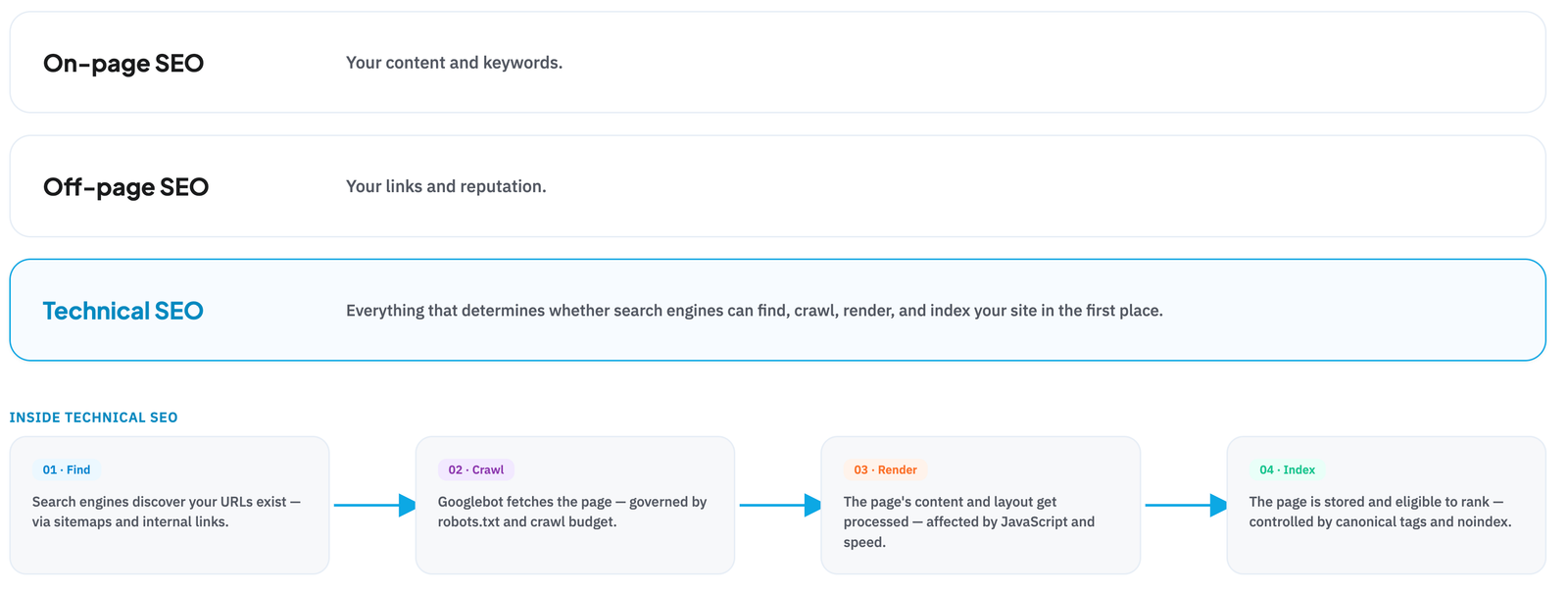
On-page SEO is your content and keywords.
Off-page is your links and reputation.
Technical SEO is everything that determines whether search engines can find, crawl, render, and index your site in the first place.
For real estate, that means the fundamentals every site needs plus the extra weight of IDX: dynamic listings, filtered search, and pages that update constantly.
Why Technical SEO Matters for Real Estate
Real estate sites live or die on visibility, and technical SEO is what makes that visibility possible:
Benefit
Why it matters for real estate
Listings get indexed
IDX creates thousands of pages; technical SEO ensures Google can find and index them
Visibility turns into traffic and leads without paying for every click
Better user experience
Speed and mobile optimization lift both rankings and conversions
Efficient crawl budget
Google spends its time on your money pages, not duplicate filter URLs
Competitive edge
Most agent sites ignore technical SEO, so fixing it is a fast win
A foundation for content
Great content and keywords only rank if the site is technically sound
Site Architecture and Internal Linking
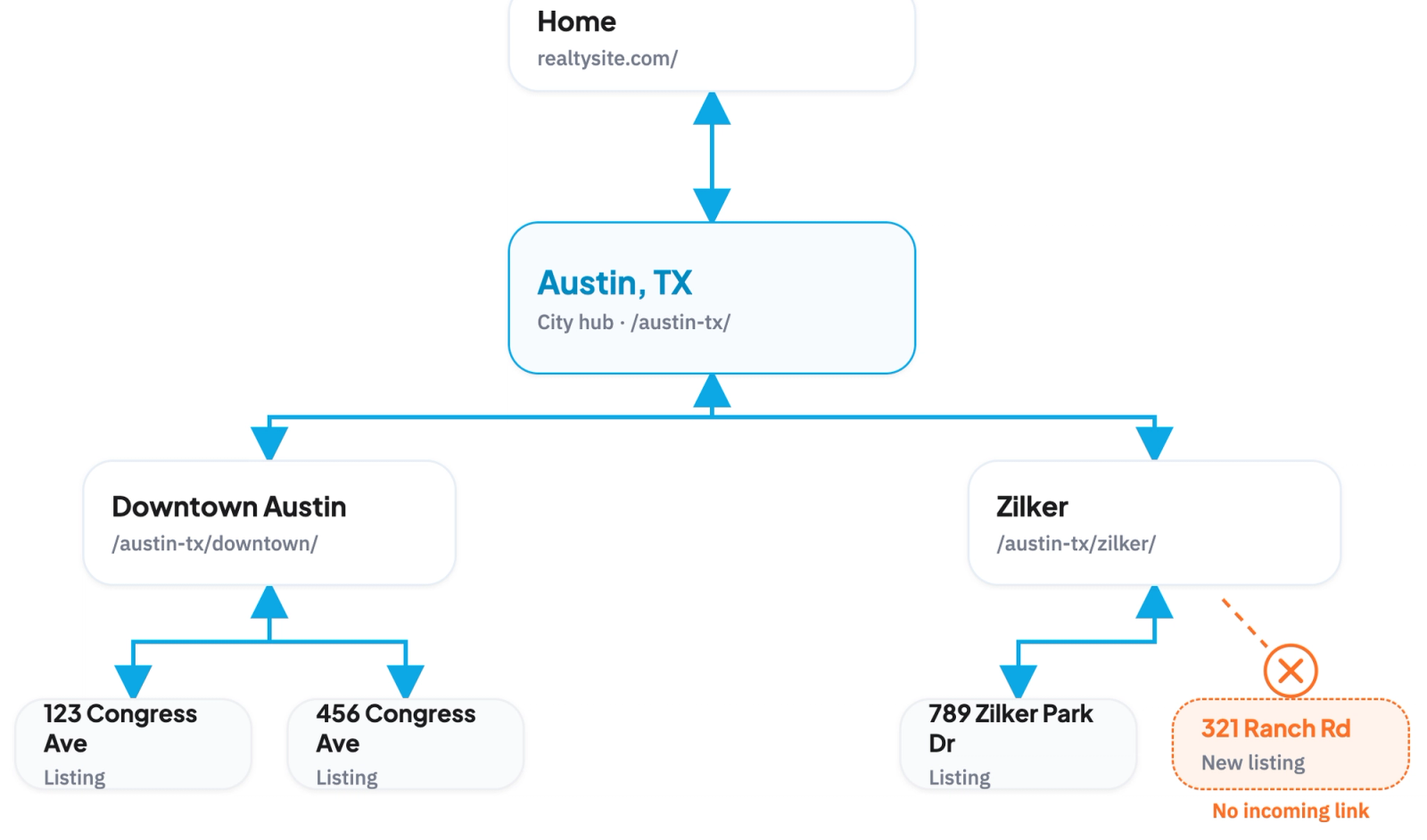
A clear structure helps Google crawl every page and understand which are most important. Keep important pages within about three clicks of the homepage.
Control what Google crawls and indexes so it spends its time on pages that matter:
XML sitemap submitted in Search Console, kept current as listings change.
robots.txt that allows important pages and blocks admin or duplicate paths.
Crawl depth kept shallow, with key pages within three clicks.
Noindex thin pages like empty filter results, so they don't dilute your site.
Site Speed and Core Web Vitals
Speed is a ranking factor and a conversion factor, and heavy listing pages make it a real risk.
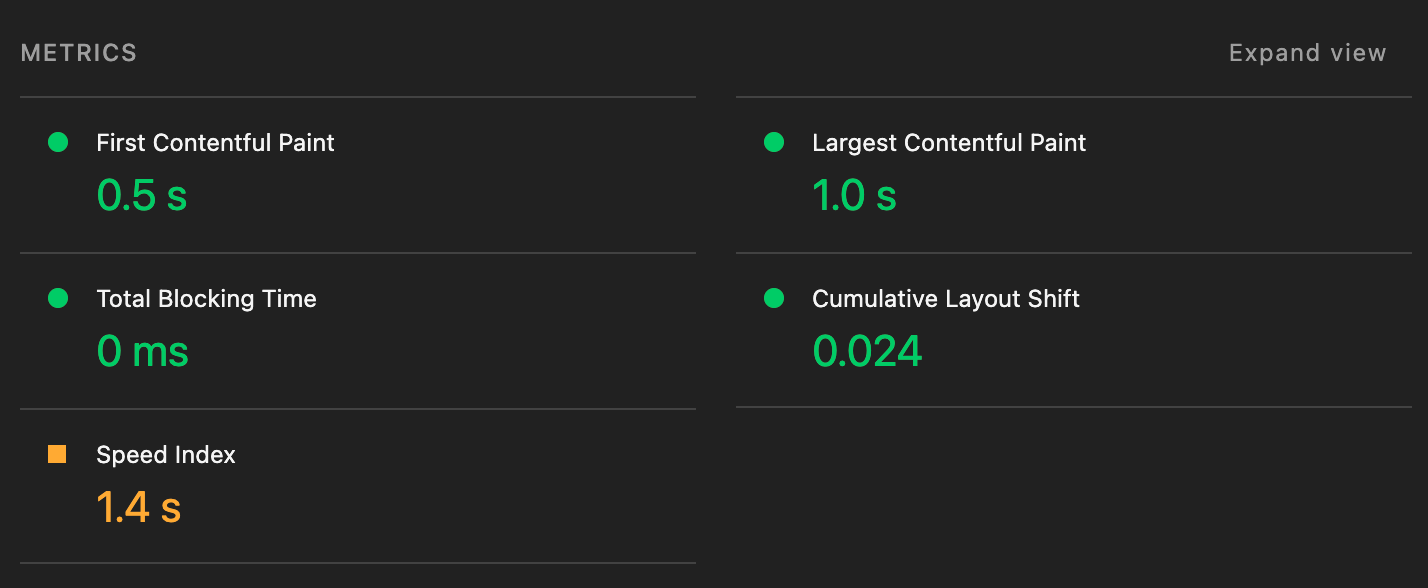
Pass Core Web Vitals (loading, interactivity, and visual stability).
Optimize images: listing photos are the biggest weight; compress and lazy-load them.
Minimize heavy scripts, especially bulky IDX widgets that block rendering.
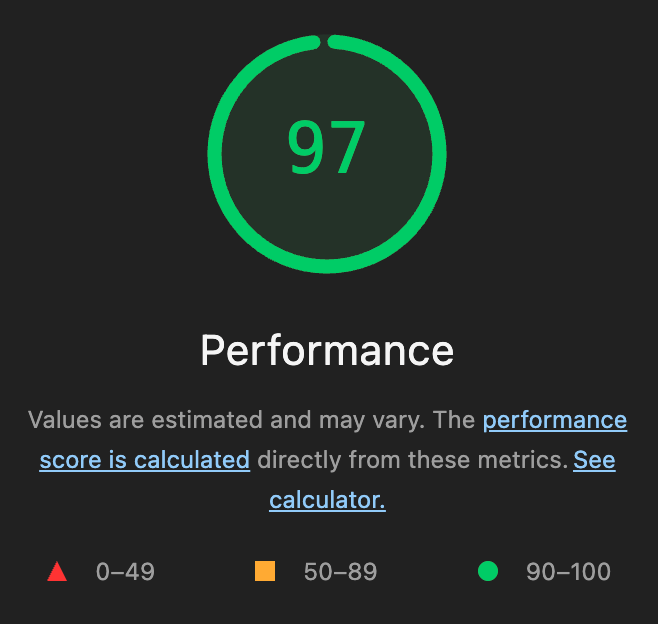
These can be completed either using the Lighthouse in the network tab or using a dedicated page speed analysis website.
Mobile-First
Google indexes the mobile version of your site, and most real estate traffic is mobile.
Responsive design that works on any screen.
Tap-friendly search and filters.
No mobile-only blocking of content or pop-ups that hurt usability.
HTTPS and Security
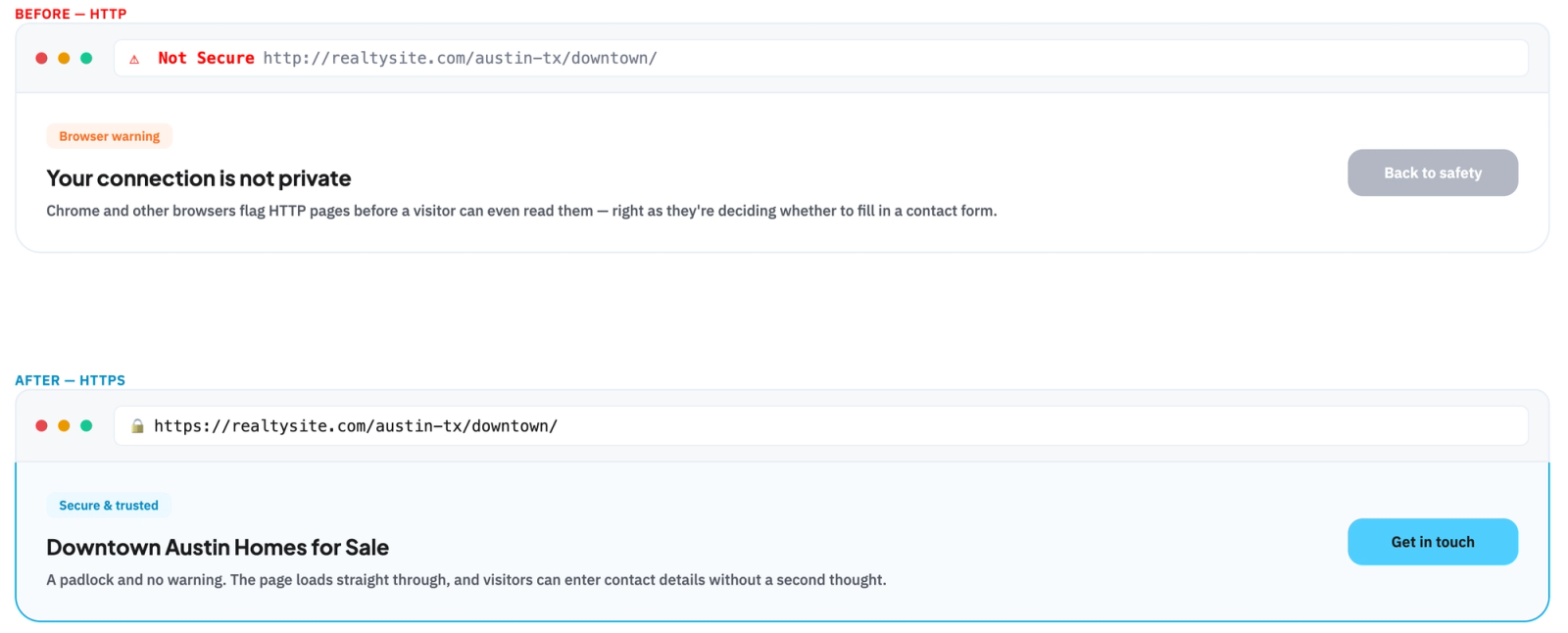
Serve the whole site over HTTPS.
It's a baseline ranking signal, and browsers warn visitors away from insecure pages, which matters when you're asking for contact details.
Structured Data
Add schema so search engines can parse your content and show richer results.
For real estate, mark up listings, breadcrumbs, reviews, and your organization details. Our real estate schema markup breakdown covers exactly what to implement.
Schema helps engines understand you, but it doesn't create authority on its own, so treat it as a foundation, not a shortcut.
The IDX and MLS Challenge
This is where real estate technical SEO gets genuinely different, and where most sites quietly lose rankings. IDX creates problems no generic checklist addresses. Here are the big ones, how to spot each, and how to fix it.
JavaScript-rendered listings
If your listings load only through JavaScript, an IDX widget, or an iframe, Google may never render them, so your entire inventory can be invisible in search.
Some websites will show an empty screen like this if they require javascript to load the listings.
How to spot it:
Disable javascript in your browser and check if listings still appear
How to fix it:
Serve pre-rendered listing pages with the content in the HTML.
Use an IDX tool that renders crawlable pages on your domain.
Avoid iframes for anything you want ranked.
Faceted search duplicate URLs
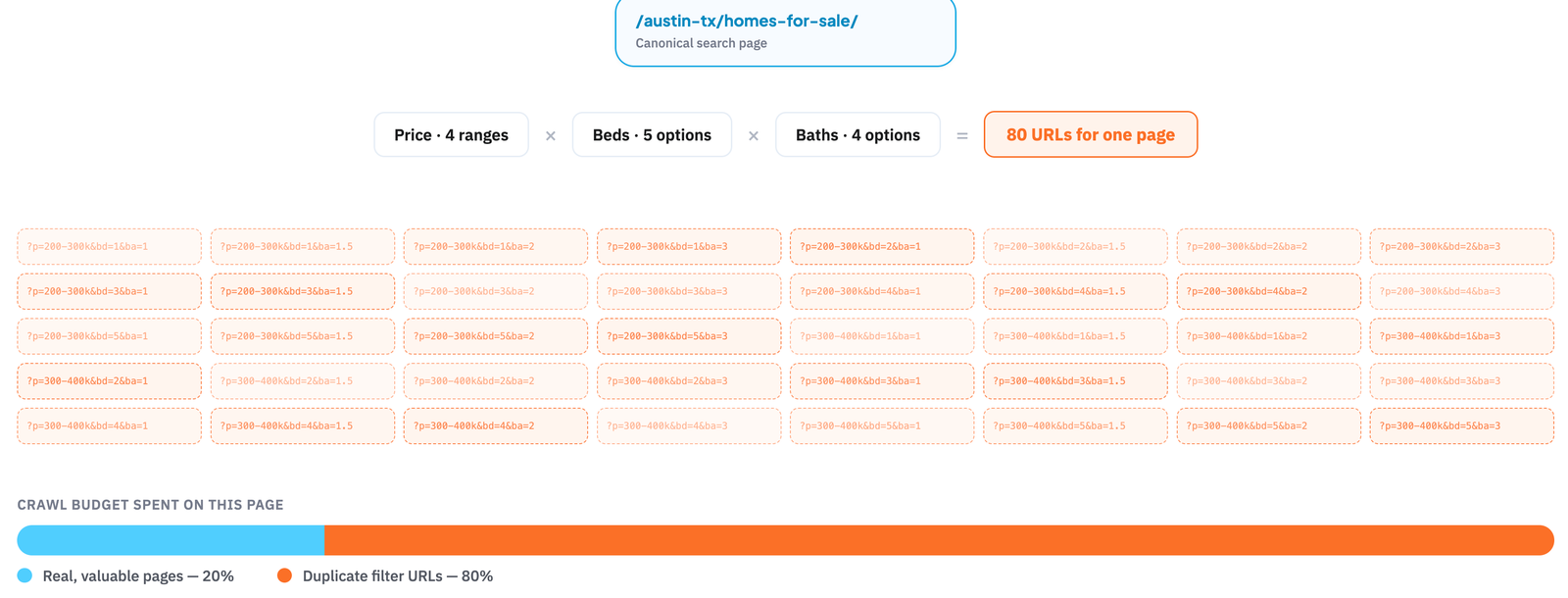
Every filter combination (price, beds, baths) can spawn its own URL, creating thousands of near-duplicate, thin pages that waste crawl budget and dilute your rankings.
How to spot it:
Google has indexed filter URLs like ?beds=2&price=....
A crawl shows parameters multiplying into thousands of URLs.
How to fix it:
Canonicalize filter URLs to the main category or location page.
Noindex low-value filters; keep only a few high-value ones.
Block junk parameter paths in robots.txt.
Duplicate MLS descriptions
The same MLS listing copy appears on hundreds of sites, so your listing pages can be flagged as duplicate content with little unique value.
How to spot it:
Quote-search a listing sentence; dozens of matching sites means it's duplicated.
Listing pages rank poorly or aren't indexed.
How to fix it:
Add unique local content around each listing.
Enrich the page with original photos, data, and internal links.
Sold and expired listings
Listings come and go constantly, and handled badly they leave dead pages, soft 404s, and broken links that hurt crawl efficiency and user trust.
How to spot it:
Sold or expired URLs return a 200 status with an empty or "not available" page (a soft 404).
Search Console flags soft 404s or a rising 404 count.
How to fix it:
Keep high-value sold pages live with a "sold" note and links to active listings.
301 removed listings to the relevant location or search page.
IDX hosted on a subdomain
Many IDX tools put search on a subdomain like search.yoursite.com, vs yoursite.com/search which search engines can treat as a separate site, splitting SEO equity away from your main domain.
How to spot it:
Search lives on a subdomain, not yoursite.com/listings.
How to fix it:
Host IDX in a subfolder on your main domain.
If stuck on a subdomain, link tightly between the two.
Pick a provider that supports subfolder integration.
Location pages blocked from indexing
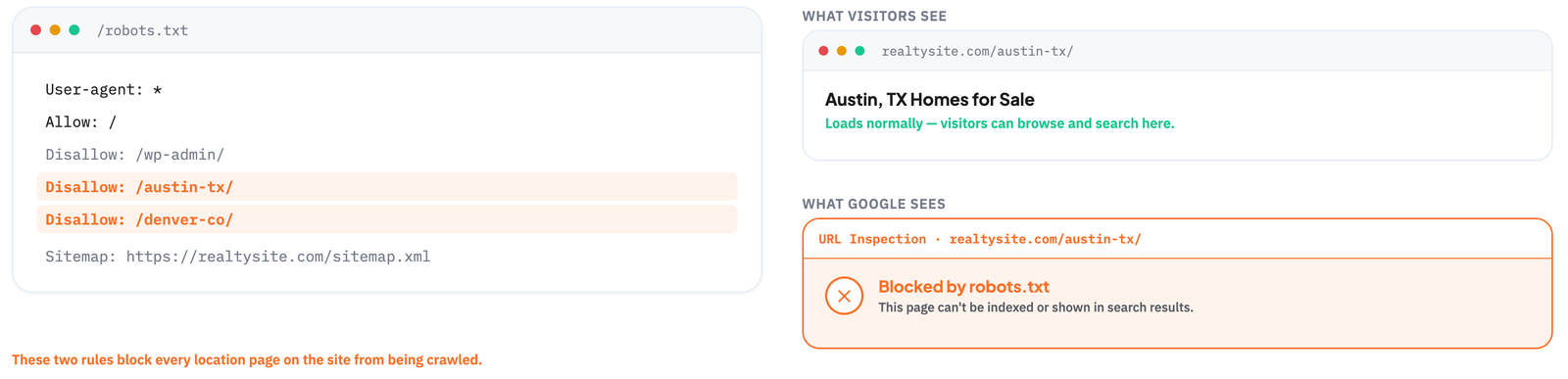
Some website providers let you build location and listing pages but quietly block them in robots.txt or with a noindex tag, so the pages exist for visitors but can never rank.
How to spot it:
Check robots.txt for Disallow rules on listing or location paths.
Search Console shows "blocked by robots.txt" or "excluded by noindex."
The page source has a noindex meta tag.
How to fix it:
Remove the Disallow rule or noindex from pages you want ranked.
Re-inspect in Search Console and request indexing.
Thin or duplicated location pages at scale
Programmatically generated location and filter pages often end up thin and near-identical, which triggers duplicate-content issues instead of ranking.
How to spot it:
Pages share the same template with only the place name swapped.
They show as "crawled, not indexed" in Search Console.
How to fix it:
Add unique local content and data before publishing.
Noindex pages too thin to stand alone.
Consolidate near-duplicate pages.
Fix Common Technical Errors
Audit and clear the issues that silently cap performance:
Broken links and 404s: fix or redirect them.
Redirect chains and loops: simplify to single hops.
Duplicate content: set canonicals; don't publish the same page under multiple URLs.
Orphan pages: make sure every important page has internal links in.
Missing or duplicate titles and meta descriptions.
A Technical SEO Checklist
Run this quarterly, or after any big site change:
Site loads over HTTPS with no mixed-content warnings.
XML sitemap is submitted and current in Search Console.
Key pages are indexed (check with a site search and Search Console).
Core Web Vitals pass on mobile and desktop.
Listing content is crawlable, not JavaScript-only.
Filtered and duplicate URLs are canonicalized or noindexed.
Listing and breadcrumb schema validate.
No broken links, redirect chains, or orphan pages.
Titles and meta descriptions are unique on every indexable page.
Internal links connect hubs, location pages, and listings.
Common Mistakes
JavaScript-only listings that Google never renders or indexes.
Thousands of thin filter URLs with no canonical or noindex.
Slow, image-heavy pages that fail Core Web Vitals.
Duplicate MLS content with no unique local text around it.
Dead sold-listing pages returning soft 404s.
Flat structure or orphan pages with no internal links.
Build the Foundation, Then Rank
Technical SEO for real estate is what makes everything else possible: get the site crawlable, fast, mobile, and cleanly structured, handle IDX carefully, and your content and listings finally get the visibility they deserve. The same crawlable, structured foundation is what generative engine optimization needs before ChatGPT or Gemini will cite you.
Book a demo to see how Realty AI captures and qualifies the visitors your technically sound site attracts, around the clock.
Related articles
More in SEO & Marketing
Keep reading in the same category to go deeper on the topics that matter to your team.
Answer engine optimization explained for real estate: how AI answers pick their sources, what to publish, what to measure, and the fair housing line to stay behind.
Generative engine optimization for real estate teams: how to get cited by ChatGPT, Gemini and AI Overviews, with a checklist and the data behind it.
About Madison
The AI assistant built for real estate lead gen
Madison is Realty AI's conversational assistant for real estate websites. It engages visitors instantly, qualifies buyers, sellers, and renters through natural dialogue, routes summaries to your CRM, and keeps your team focused on closing.
5.0 average from 2,500 customer reviews
“We captured 3 new transactions worth over $3.3 million in just a few months using Realty AI.”
Sarah Logue
Broker & Owner, Top 0.1%
“Within our first week of using Realty AI, I had an engaged seller ready on the phone. This has never happened before in 4 years.”
Mark Jensen
Owner & Broker of Record
“It feels like having a personal assistant on my website 24/7, sending me instant notifications so I never miss a potential client.”